

NMazz.2
Associate II
June 28, 2021
Solved

Green Hills Compiler Support SPC5 Studio

  • June 28, 2021
  • 3 replies
  • 2684 views

I am attempting to get the GHS compilier to build with SPC58NG dev kit and have switched the Build settings to below
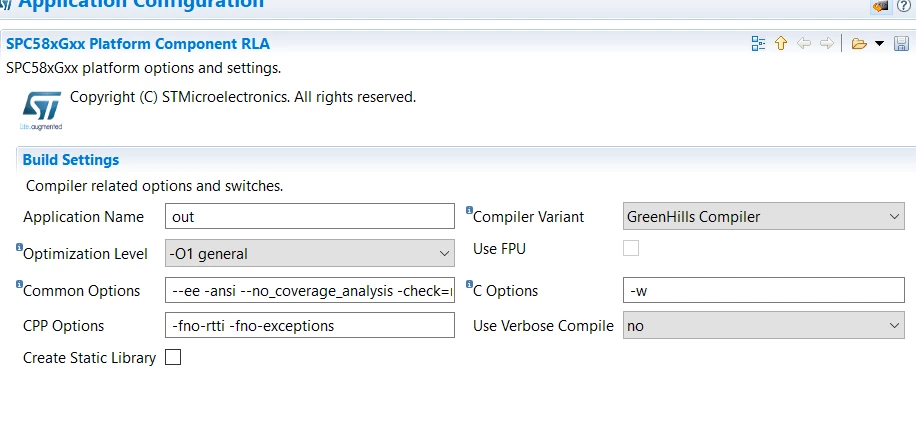
 0693W00000BcE2fQAF.pngI have updated the project to include the path and commented out the error statement

ifeq ($(GHS_PATH),)

export PATH := C:\ghs\comp_202114\$(PATH_SEPARATOR)${PATH}

 # $(error Please specify a valid path into GHS_PATH for ccppc (GHS) compiler)

endif

and it will compile but then include some strange error that doesn't really help. Is there any setting I need to fix it looks to be something in the linking process.
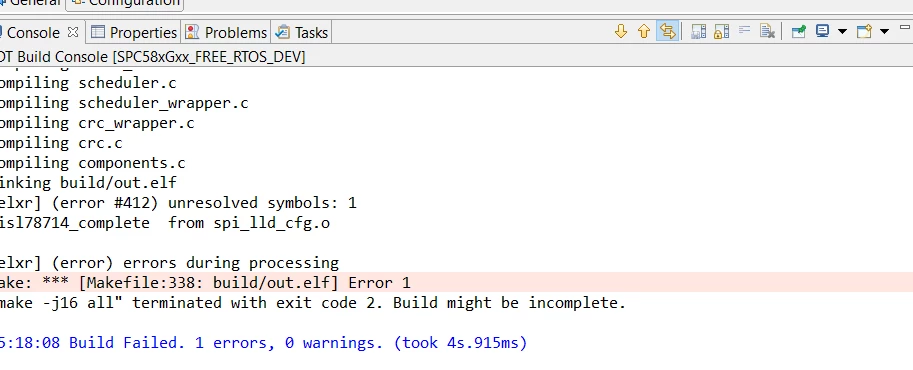
0693W00000BcE2kQAF.png

    This topic has been closed for replies.
    Best answer by Tesla DeLorean

    TBH this looks circular, adding to the PATH for executables / tools

    export PATH := C:\ghs\comp_202114\$(PATH_SEPARATOR)${PATH}

    Surely you want to be exporting GHS_PATH, not PATH, as presumable used elsewhere in the scripting or INCLUDE / LIB paths, etc. Or that GHS_PATH exists from the outset in your installed environment.

    3 replies

    Tesla DeLorean
    Guru
    June 28, 2021

    >>compile but then include some strange error that doesn't really help

    Says the linker failed because it can't find a symbol/function to bind with.

    Either you're missing a source, or object file, or you have some #ifdef level exclusion of code you actually need, but isn't supplied for the GHS tools.

    Perhaps start by figuring out what symbol it is choking on, a partial .MAP or linker output? Increase verbosity level if appropriate.

    Tips, Buy me a coffee, or three.. PayPal VenmoUp vote any posts that you find helpful, it shows what's working..
    NMazz.2
    NMazz.2Author
    Associate II
    June 29, 2021

    Yeah okay it was missing a callback that didnt bother gcc.

    On another note every time I regenerate something, the makefile gets regenerated and I have to rewrite the fix in the makefile.

    I have added ghs to my path variables on my machine and also in the project. Any work arounds for this?

    ifeq ($(GHS_PATH),)

     $(error Please specify a valid path into GHS_PATH for ccppc (GHS) compiler)

    endif

    Tesla DeLorean
    Tesla DeLoreanBest answer
    Guru
    July 2, 2024

    TBH this looks circular, adding to the PATH for executables / tools

    export PATH := C:\ghs\comp_202114\$(PATH_SEPARATOR)${PATH}

    Surely you want to be exporting GHS_PATH, not PATH, as presumable used elsewhere in the scripting or INCLUDE / LIB paths, etc. Or that GHS_PATH exists from the outset in your installed environment.

    Tips, Buy me a coffee, or three.. PayPal VenmoUp vote any posts that you find helpful, it shows what's working..
    Erwan YVIN
    ST Employee
    July 10, 2024

    Yes , it is in Windows Preferences , you should add the GHS_PATH in your environment ;)