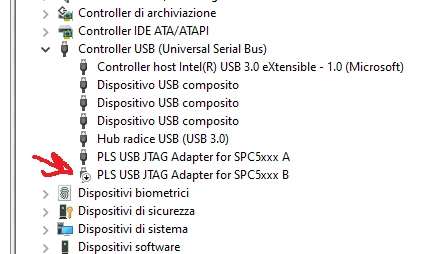
SPC574K-DSP(V2.00) board with UDE STK 50 debugger unable to connect after laptop shutdown
Hallo everyone.
I am evaluating this platform and I got it to work with the UDE STK debugger env.
unfortunatley when I shutdown my laptop at the end of the day, it seems to loose all the driver settings.
The morning after when I try to connect to the boar dit gives me this error message:
Message from component 'PpcJtagTargIntf' :
Can't connect target !
Message from component 'PpcJtagTargIntf' :
No JTAG client found !
Please check:
- target power supply
- JTAG cable connection
- target configuration
I am on W10 Pro x64.
I connect the eval board USB cable to the dock (but it has same behavior even if I use the laptop's own ports)
The drivers for FTDI and PLS USB JTAG adapter are installed and configured in device manager settings:
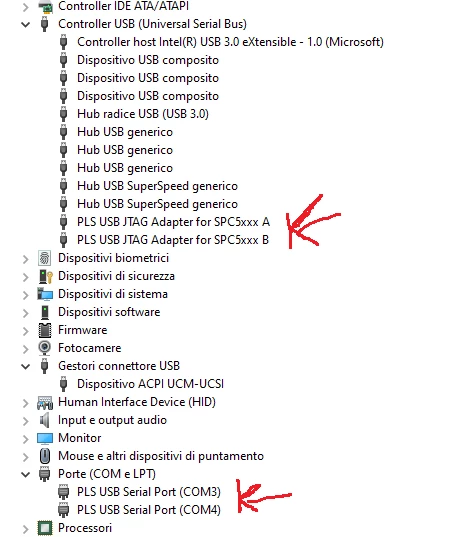
I don't like having to reinstall the UDE STK 5.0 every day...
Has anyone faced the same problem? how did you fix it (if ever)?
Thanks in advance
Maurizio