guo qiang
Senior
April 13, 2017
Solved

SPCSetRunMode not return ......

  • April 13, 2017
  • 4 replies
  • 3385 views
Posted on April 13, 2017 at 10:27

SPCSetRunMode not return ......

board:

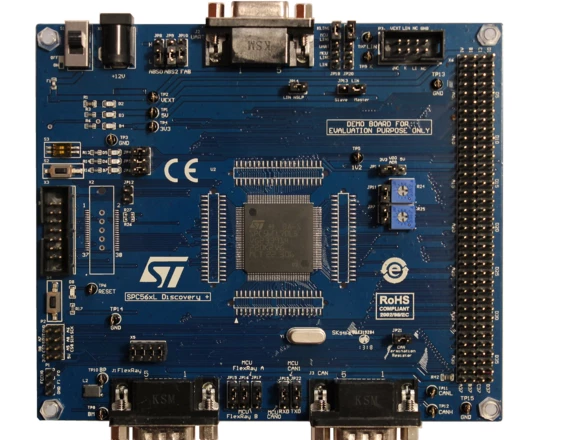
Discovery Plus Kit for SPC56 L line - with SPC56EL70L5 MCU

my step:

file->new sp5 studio Application wizard->

select

Discovery Plus Kit for SPC56 L line - with SPC56EL70L5 MCU

0690X00000606PiQAI.png

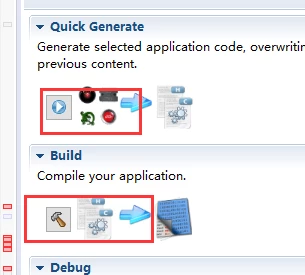
click generate button and click build button

0690X00000606kdQAA.png

program FLASH and debug...

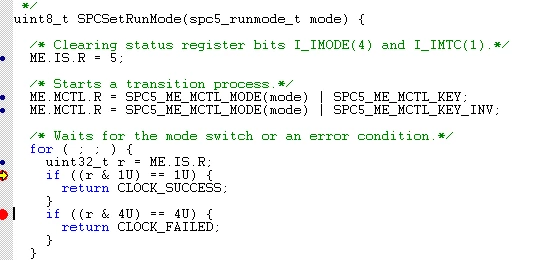
Has been parked here....

0690X00000606kxQAA.png

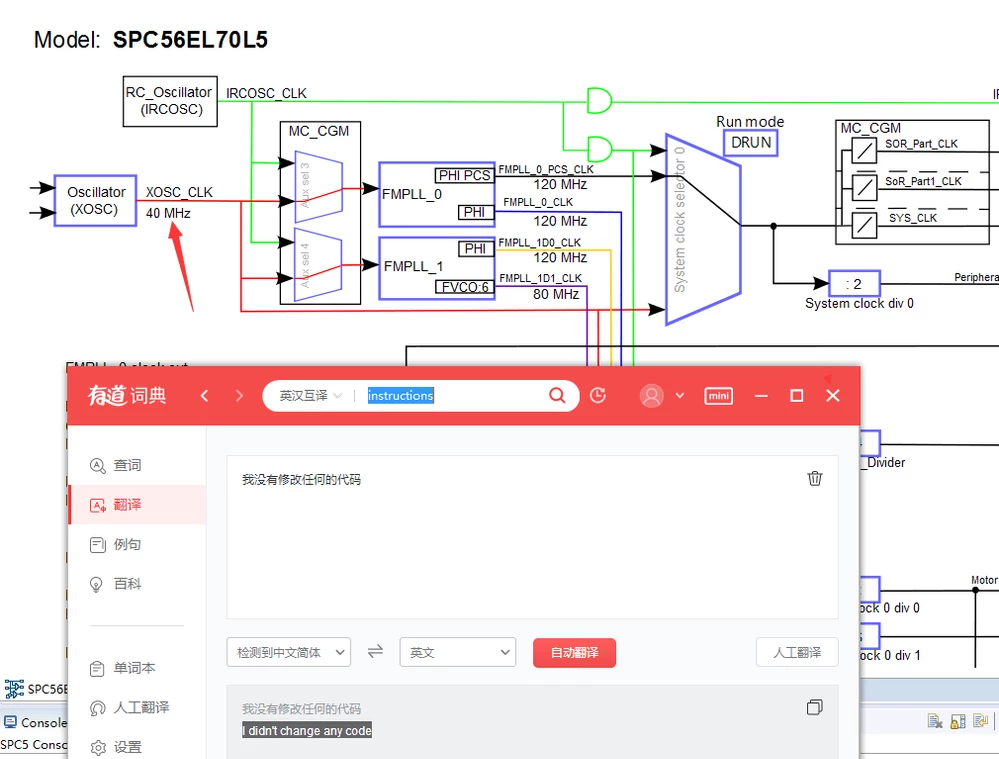
I didn't changed any code...

0690X00000606l2QAA.png

    This topic has been closed for replies.
    Best answer by Erwan YVIN
    Posted on April 14, 2017 at 14:05

    Hello Guo ,

    i am still waiting your Installation details

    The hardware has not found a valid Boot ID in any flash memory boot locations

    the device is fetching the code 0xFFFFC000

    You have not flash the firmware, please flash the firmware by using LOAD PROGRAM in PLS

    Anyway, for your information , SPC5Studio 5.3.0 is available.

    You can update by Update site or Marketplace

    we have corrected all the debug.wsx (it is compliant for PLS 4.8.2)

    Use PLS 4.8.2 for to debug and flash.

                        Best regards

                                                                      Erwan

    4 replies

    guo qiang
    guo qiangAuthor
    Senior
    April 13, 2017
    Posted on April 13, 2017 at 10:33

    0690X00000606gOQAQ.png
    Erwan YVIN
    ST Employee
    April 13, 2017
    Posted on April 13, 2017 at 10:48

    Hello Guo ,

    Which Test Application have you tested ?

    Could you confirm your SPC5Studio version and PLS Version used ?

    i have tested SPC56ELxx_RLA SERIAL Test Application for DiscoveryPlus on 5.2.3

    No problem happenned.

          Best regards

                        Erwan

    Erwan YVIN
    ST Employee
    April 13, 2017
    Posted on April 13, 2017 at 15:28

    Hello ,

    could you try to load the program via PLS 4.8 ?

    0690X00000606lvQAA.png

    could you send me your installation details in Help ==> About SPC5Studio ?

        Best regards

                Erwan

    guo qiang
    guo qiangAuthor
    Senior
    April 14, 2017
    Posted on April 14, 2017 at 08:16

    ????????????

    ????

    0690X00000606gTQAQ.png
    guo qiang
    guo qiangAuthor
    Senior
    April 14, 2017
    Posted on April 14, 2017 at 11:03

    Yvin.Erwan

    ‌ ,

    That can't run the demo name is ''SPC56ELxx_RLA PIT Test Application for DiscoveryPlus''

    so, I have create new demo project,this new demo name is ''ChibiOS-RT SPC56ELxx Test Application for DiscoveryPlus'', this new demo can run .

    I looked at the basic configuration of the two demos

    0690X00000606itQAA.png

    0690X00000606m0QAA.png

    So I'm going to try to change the 2 ,6 to 0 ,1.

    this old demo can also run....

    Why do I have to use the debugger can run the program and turn off the power and the debugger, again after the power is connected, the program will not run?

    Erwan YVIN
    ST Employee
    April 14, 2017
    Posted on April 14, 2017 at 11:23

    Hello Guo ,

    The problem will be solved in SPC5Studio 5.3.0.

    Anyway , SPC5HAL is on github project.

    https://github.com/microwan/spc5-hal


       Best regards

                          Erwan

    Matthew Richardson
    Associate III
    January 22, 2018
    Posted on January 22, 2018 at 11:03

    I had this same issue, but it really had to do with the fact that I had older debug.wsx that didn't match the software version for the PLS I was using, which was 4.8.2.  Ensure that your PLS is updated and that SPC5Studio is updated (.wsx that came with 5.7.1 is aligned with PLS UDE 4.8.2).

    Erwan YVIN
    ST Employee
    January 24, 2018
    Posted on January 24, 2018 at 09:42

    Hello Matthew ,

    You can recreate a debug.wsx from scratch by using new workspace in PLS UDE.

    0690X00000609TMQAY.png0690X00000609TNQAY.png

    Anyway, if you have an crash issue after configuring your clock.

    i recommend you to check R13 and PC in the Core registers.

    it will give a nice a nice clue where the problem happenned.

        Cordialement

                       Erwan

    Matthew Richardson
    Associate III
    January 24, 2018
    Posted on January 24, 2018 at 20:17

    I did end up doing exactly what you're showing, creating a debug.wsx.  Then I point to that using the PLS UDE program to debug (instead of the SPC5Studio Perspective).  I saw several clock threads in this forum where wsx alignment seems to be the issue (debug doesn't run, but the board runs without debug).  Erwan, your posts here have really accelerated my project, and reduced the learning curve going into new toolsets.  I have many PIC projects under my belt, and I really felt like the Harmony framework that they are forcing, combined with the poor[er] customer service, convinced me to try the SPC56.  I did two avionics units using the PIC32MZ and really wrestled with it despite my experience.  So far I am very happy with the SPC56.

    0690X00000604IcQAI.jpg