
Associate
June 11, 2025
Solved

NanoEdge AI signal sanity check does not take progress

  • June 11, 2025
  • 1 reply
  • 456 views

Hiiii!

I installed NanoEdge AI Studio. try to upload some test data for training. As shown below, sanity check is not taking progress.
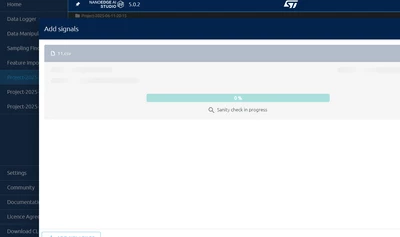
Gmen_0-1749649541747.png


I am not sure if is related to connection issue. I do encounter following issue as well
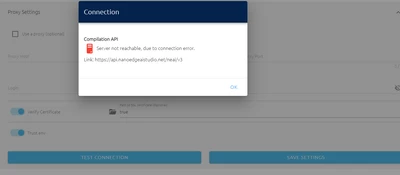
Gmen_0-1749649799978.png


My license is activated successfully. 


Really new to NEAI. Looking for help~~~


Best answer by Julian E.

Hello @Gmen,


The issue is the encoding type of your files.

Your files need to be saved as UTF8 encoding, in your case they seem to be UTF16 LE.


Have a good day,

Julian

1 reply

Julian E.
Technical Moderator
June 11, 2025

Hello @Gmen,


The connection issue while be a problem later on for emulation and compilation as NanoEdge needs to reach our server to compile the library. It's most likely a proxy setup missing. If you are in a company, you may want to ask your IT department if you have one.


As for the signal that cannot be imported, could share an example file with your real data or at least one with the same exact structure.

You can attach .zip to message here (it may even work directly with .csv)


Have a good day,

Julian

​In order to give better visibility on the answered topics, please click on 'Accept as Solution' on the reply which solved your issue or answered your question.
GmenAuthor
Associate
June 12, 2025

Thank you for such quick reply @Julian E. 


I solved proxy issue, now server is reachable.


and sanity check still is 0%. I attached .csv and readme file in attached zip.


Many thanks in advance! Looking forward to your reply.

Julian E.
Julian E.Best answer
Technical Moderator
June 12, 2025

Hello @Gmen,


The issue is the encoding type of your files.

Your files need to be saved as UTF8 encoding, in your case they seem to be UTF16 LE.


Have a good day,

Julian

​In order to give better visibility on the answered topics, please click on 'Accept as Solution' on the reply which solved your issue or answered your question.