Associate
January 23, 2025
Solved

NanoEdge AI Studio training process gets stuck

  • January 23, 2025
  • 1 reply
  • 1973 views

Hi Supporter:

     I attempted to train a model using NanoEdge AI Studio,Some errors occurred!

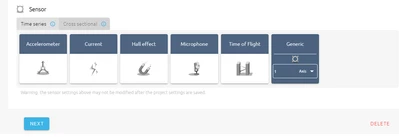
    first,I create a NC-class project (ps:I haven't connected the development board. I'm just using the computer for simulation.)
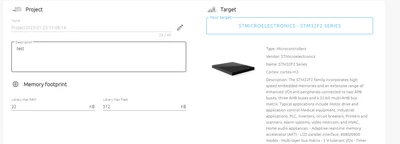
    

PP_Developer_0-1737601732403.png

PP_Developer_1-1737601754876.png

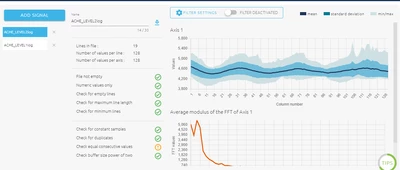
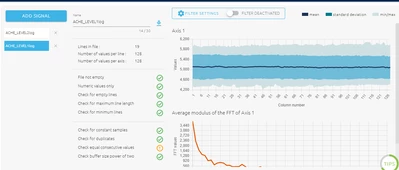
add signal

PP_Developer_4-1737601902548.png


PP_Developer_3-1737601890632.png

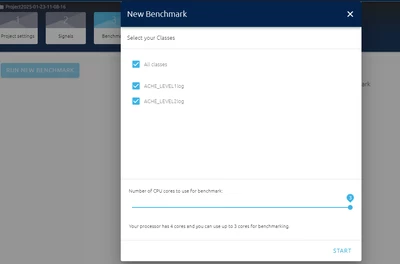
benchmark

PP_Developer_5-1737601948861.png

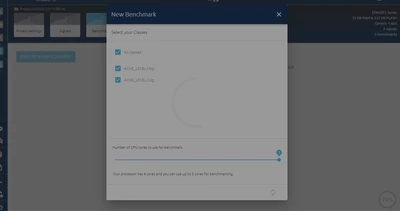
When I clicked "Start," the screen stuck on this page and stayed there all day, only to be closed through the task manager.
PP_Developer_6-1737602025957.png

What's the problem?


Best answer by Julian E.

Hello @PP_Developer ,


Everything seems correct at first glance.

Please try to restart your computer to make sure everything related to NanoEdge is closed

Uninstall NanoEdge

Install NanoEdge again.


Sometime, during the installation / update, there are issues due to non-closed elements.


Please keep me updated.


Have a good day,

Julian

1 reply

Julian E.
Julian E.Best answer
Technical Moderator
January 23, 2025

Hello @PP_Developer ,


Everything seems correct at first glance.

Please try to restart your computer to make sure everything related to NanoEdge is closed

Uninstall NanoEdge

Install NanoEdge again.


Sometime, during the installation / update, there are issues due to non-closed elements.


Please keep me updated.


Have a good day,

Julian

​In order to give better visibility on the answered topics, please click on 'Accept as Solution' on the reply which solved your issue or answered your question.
Associate
January 23, 2025

The outcome is the same, whether it is restarting the computer or reinstalling the software.

I guess there might be the following several possibilities.

1.Network issue. Is it because I can't access your model library from my end? Could you provide me with a URL or domain name of the model library so that I can ping it?

2.Regarding the issue of permissions, I applied for the serial code through the email. Is it because of insufficient permissions?

3.Regarding the computer configuration issue, do you have any requirements for the configuration of the computer? For example, regarding the memory?

Julian E.
Technical Moderator
January 23, 2025

Hello,


Can you send me the log files in a zip please:

  • Click on the icon as in the screenshot in the bottom left corner.

JulianE_0-1737624695214.png


Network issue may cause error but later in the process.

You don't need permission

As for requirements make sure to have free disk space but that's it...


Julian 

​In order to give better visibility on the answered topics, please click on 'Accept as Solution' on the reply which solved your issue or answered your question.