Solved
STM32CubeAI BUG
Hi,
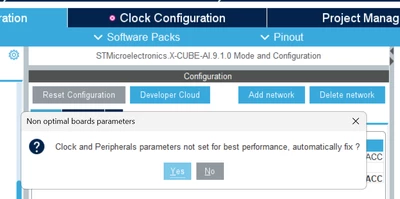
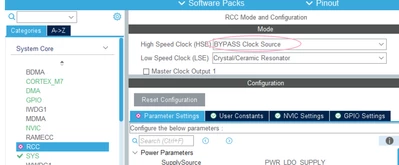
Every time I click on the AI model, my clock tree is forcibly changed, and the external clock is also changed for me.

Hi,
Every time I click on the AI model, my clock tree is forcibly changed, and the external clock is also changed for me.
Hello,
Yes some parameters are defined as "required" and they apply at X-CUBE-AI launch.
The prompt you saw is only about "optimal parameters".
If you want to disable this behavior, here is the following:
- Open $HOME\STM32Cube\Repository\Packs\STMicroelectronics\X-CUBE-AI\10.0.0\db\boardExternalMem.xml (Windows HOME equivalent is C:\Users\<username>)
- Find your Discovery Kit board or your Die ID (Example: STM32F746G-DISCO is die 0x449)
- Remove or comment the lines in object "requiredParameters"
Best regards,
Yanis
Enter your E-mail address. We'll send you an e-mail with instructions to reset your password.