
Visitor II
December 12, 2024
Question

X-NUCLEO_LIV4A1 not working after fw update.

  • December 12, 2024
  • 1 reply
  • 508 views

Hello.


After updating x-nucleo-liv4a1 using the GNSS FW Upgrader program, it no longer works.
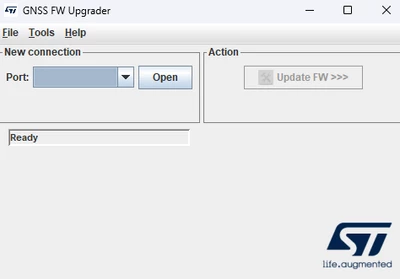
leo__0-1733977202435.png


Afterwards, I tried to update using Teseo Firmware Upgrade, but an error occurred.
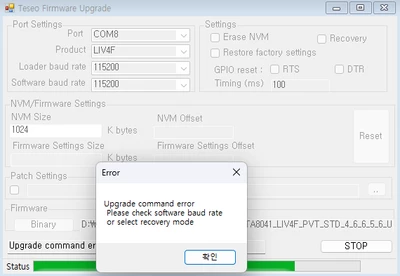
leo__1-1733977326841.png

How can I revert a module?

Thank you.

1 reply

Technical Moderator
December 19, 2024

Hi Leo,

To upgrade firmware for X-NUCLEO-LIV4A1, can you use a USB to UART cable and connect to the UART-TX and UART-RX pins directly? The firmware upgrade tool in the X-CUBE- firmware directory is only tested for LIV3 and VIC3 modules.

Hardware modifications are these:

  • Remove jumpers J8 and J11.
  • Connect RXD of UART to USB cable to J11-pin-2
  • Connect TXD to UART to USB cable to J8-pin-2.

In Teseo Suite, can you try checking the flags Erase and Recovery?

After you press START on the Teseo Suite, please press and release the reset button on LIV4F.

Please try this and let me know.

Thanks,

George


​In order to give better visibility on the answered topics, please click on 'Accept as Solution' on the reply which solved your issue or answered your question.