

How to drive StSPIN32G4's Gate
I spent a long time trying the following three methods, but still failed to drive the grid successfully.
1. I checked Google and found that there was no information or tutorial about it. Then I found a situation similar to mine in the forum. I just wanted to drive its grid, and I didn't plan to use the MCSDK generation project, only the FOC algorithm I wrote.
https://community.st.com/s/question/0D53W00001ksY7VSAU/stspin32g4-how-to-individually-drive-gate-driver-outputs-for-testing-purposes
According to the method in the forum, I open the ioc file of the project generated by the MCSDK, set the IO of the six drive gate to the GPIO output port, and then change its high and low levels in the code. However, there is no change. The high side gate is always open, and the low gate grid is all closed.
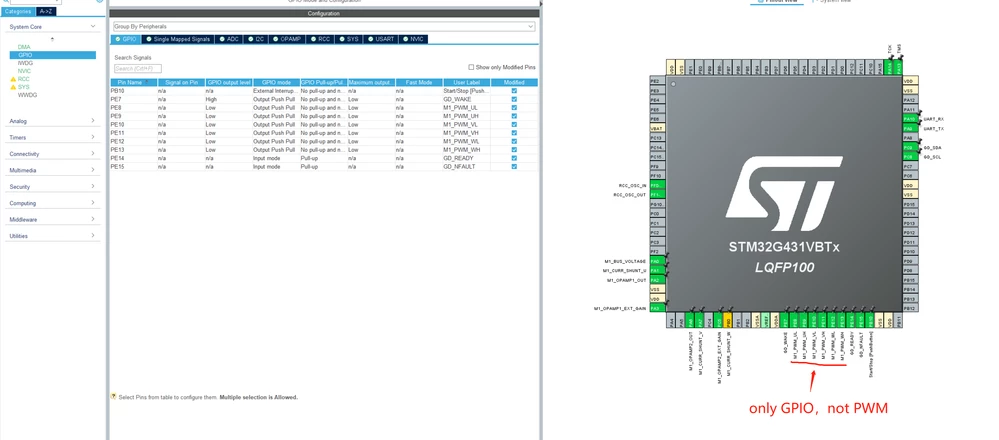
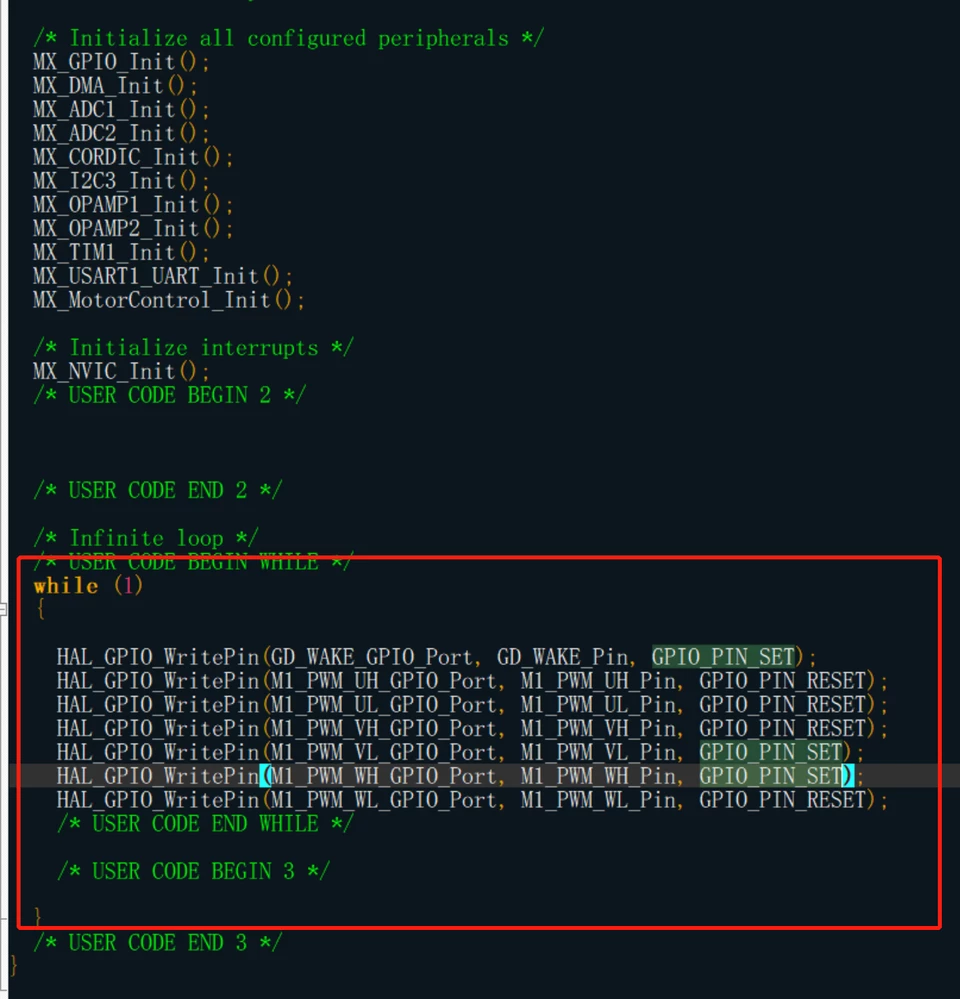 or
or
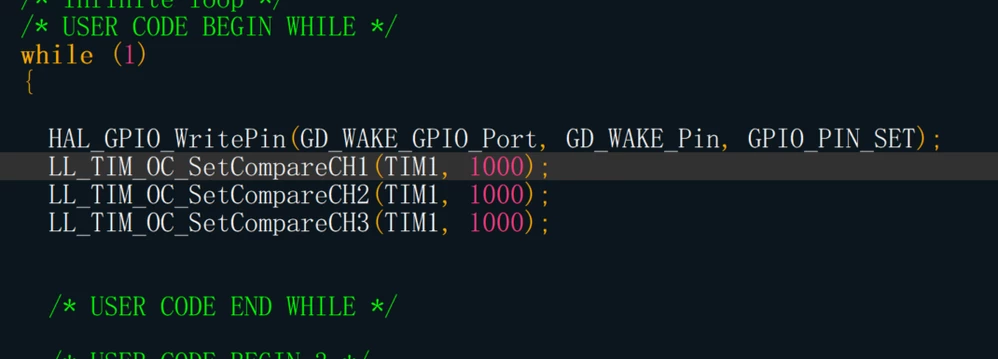
2. The empty project generated by cubemx only sets several IO ports corresponding to the gate drive as GPIO. Then I change the high and low levels of gate IO, but the high side gate is always fully open and the low side gate is fully closed.
3.After reading the data manual again, I found that the internal grid driver needs to be initialized and reset through the I2C bus before it can be used normally. Then I copy stspin32g4.c and stspin32g4.h in the project generated by MCSDK to my project, and after the operation of the following code, it is still in the state that the high side gate is fully open and the low side gate is fully closed.
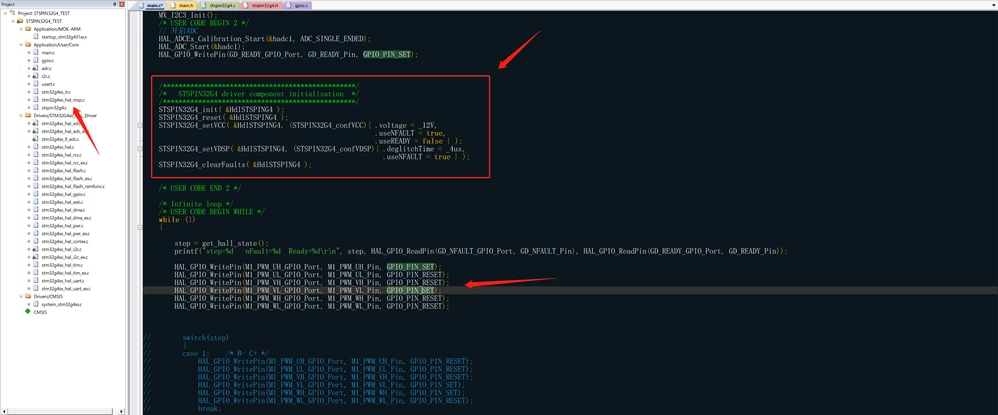
In general, I should be able to ensure that there is no problem with the hardware. My hardware is 100% made by imitating EVSTSPIN32G4. And the code generated by the MCSDK can make the motor move for a while, and then the startup error will be displayed. So this shows that there is no problem with my hardware, and the level of the grid can be changed, but I haven't found any skills in the software that drives the grid
So,I want the easiest way to drive the gate.