

Question
How build example project for NUCLEO-L476RG on macOS Big Sur?
I am working through the Security MOOC and in section 6, they show how to build the NUCLEO-L476RG example project on Windows. Their procedure does not work for me on MacOS Big Sur.
The most pressing problem is that when I try to build SECoreBin, I get this error:
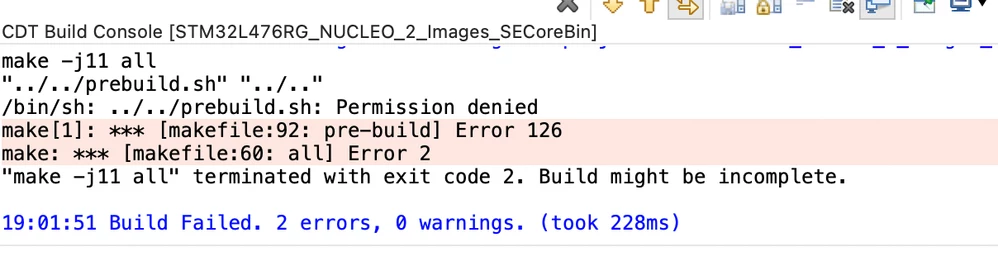 I haven't been able to figure out how to resolve this problem. Does anyone know how to get the project to build?
Besides this problem I have several lesser issues:
- Importing existing projects into the workspace does not work at all with this expansion pack. When I try to do this the project has no c or h files in it. They appear to be linked to non existent files.
- So I think tried to import an AC6 project. That works better but it links to the files in the expansion pack download location. I don't like that at all.
- So I then copied the NUCLEO-L476RG project to a new workspace and finally got CubeIDE to import those files. That works the best but the directory structure on the disk does not match the structure in the IDE. Plus the conversion adds a bunch of empty folders. It's all pretty confusing. Is there a way to improve the structure and eliminate all the blank folders?
- Lastly, the project configuration shows the prebuild.sh file is located at ../../prebuild.sh. What does that mean?
Thanks for the help!
Clark