

STM32WB35 - Can't write or read flash memory (J-Link)
Hello,
I'm a bit stuck and I am not sure what to do so I am asking for your help.
Here is the problem :
I have a custom board with a STM32WB35 that was working fine for a while. But after multiple (incomplete) boot when I was soldering the battery to my board it seems to have altered the STM because it doesn't boot anymore.
The other consequence is that I can't write a code anymode to this micro. I am using a J-Link and STMCubeIde and everytime I try it fails at the very beginning (compare 0%) then shows this error :
"ERROR: Timeout while calculating CRC, RAMCode did not respond in time."
At the beginning of the program the option bytes are modified to be able go in bootloader mode in some situations. That's why I was thinking that while writing the option bytes the STM32 got interrupted and it may have harmed the STM / the program.
I tried to start from fresh, erasing the flash using J-Link Commander v7.86.
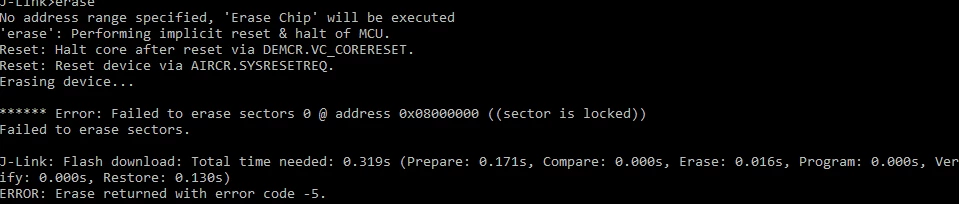 But I was not possible because the flash is locked.
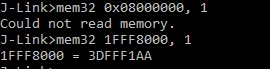 I can't read the flash where the program is but I can read the Option Bytes at address 1FFF8000: 3D FF F1 AA.
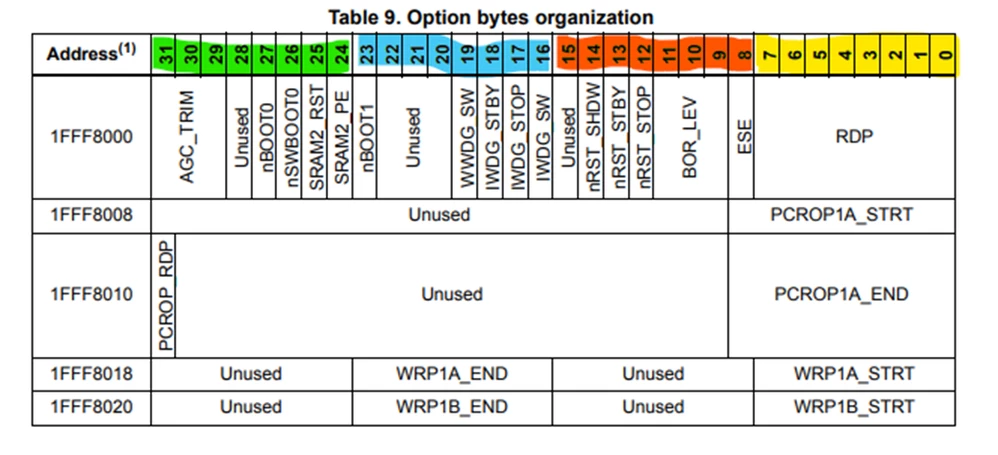
 Meaning the read protection is not active.
In the meantime I was able to see what was the state of the nBoot0 (1), nSWBoot0 (1) and nBoot1 (1). So with this configuration and by pulling the pin BOOT0 high I should be able to go in bootloader mode but it doesn't. The STM is not visible anymore when connected via USB as it was before the incident...
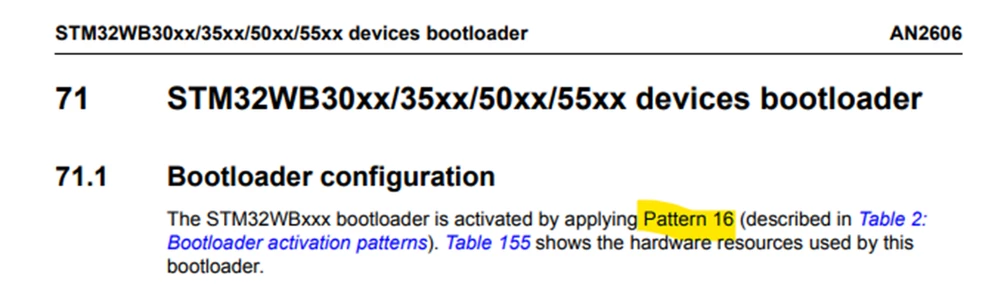
 What could prevent the reading and the writing of the micro if not protected?
Thanks for reading all this. I hope it makes sense to someone.