

mr.1
Associate II
March 24, 2023
Question

Unable to erase STM32H743 device. How to recover the device?

  • March 24, 2023
  • 2 replies
  • 1987 views

I have flashed the SBSFU application with write protection enabled for flash address 0x08000000.

After that, I am unable to erase using jlink commander.exe as well as by IAR->project->Download->erase.

STM32H743 has SWD interface and i am using jlink debugger for connection.

I am able to connect jlink debugger. But i could not erase it.
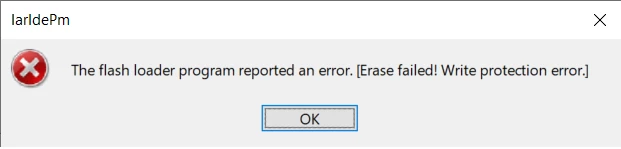
0693W00000aJZHnQAO.pngPlease suggest me how to erase the flash of STM32H743II.

This topic has been closed for replies.

2 replies

Technical Moderator
March 24, 2023

Hello @mr.1​,

Have you tried using STM32CubeProgrammer to erase the flash?

To give better visibility on the answered topics, please click on Accept as Solution on the reply which solved your issue or answered your question.Best regards,FBL
mr.1
mr.1Author
Associate II
March 26, 2023

Hi Belaid,

I am unable to connect with cube programmer through jlink debugger. It is custom board doesn't have onboard ST debugger. Any other way to erase the flash through jlink debugger?

Tesla DeLorean
Guru
March 26, 2023

There are stand-alone ST-LINK pods

Segger has some tools with the J-Link that do similar things, you'll need to review their documentation.

Tips, Buy me a coffee, or three.. PayPal VenmoUp vote any posts that you find helpful, it shows what's working..
Pavel A.
Super User
March 26, 2023

@mr.1​ J-Flash package (available from Segger) has a special utility, JLinkSTM32.exe

<quote> This program is designed to reset the option bytes of a STM32 device to their factory settings. If read protection of the device is enabled, reset the option bytes will cause a mass erase.</quote>

Try it. You can also ask in the Segger J-Link or J-Flash forum for more info on its use.

mr.1
mr.1Author
Associate II
March 26, 2023

I tired with STM32 unlock command line tool. But it is failed to make in default factory setting