Associate II
October 30, 2025
Solved

Adding multiple paths to ADDITIONAL_INCLUDE_PATHS results in error

  • October 30, 2025
  • 3 replies
  • 383 views

Hello

I have been trying to add multiple paths to my ADDITIONAL_INCLUDE_PATHS in simulator/gcc/Makefile, based on this thread: https://community.st.com/t5/stm32-mcus-touchgfx-and-gui/how-to-add-several-include-path-to-touchgfx-simulator/m-p/227349

So my ADDITIONAL_INCLUDE_PATHS look like this now:

ADDITIONAL_INCLUDE_PATHS := ${platform_path}/src \
	${platform_path}/src/config/PRODUCT \

However trying to make this file results in the following terminal output:

g++.exe: fatal error: no input files
compilation terminated.
/usr/bin/sh: line 2: c:TouchGFX4.25.0envMinGWmsys1.0SW_developmentplatformsrc: command not found
/usr/bin/sh: line 2: c:TouchGFX4.25.0envMinGWmsys1.0SW_developmentplatformsrcconfigPRODUCT: command not found


If I add all paths as their own as such:

ADDITIONAL_INCLUDE_PATHS := ${platform_path}/src
CONFIG_PATH := ${platform_path}/src/config/PRODUCT/

export ADDITIONAL_SOURCES ADDITIONAL_INCLUDE_PATHS ADDITIONAL_LIBRARY_PATHS ADDITIONAL_LIBRARIES CONFIG_PATH

 And update the include_paths in generated/simulator/gcc/Makefile:

include_paths := $(library_includes) $(foreach comp, $(all_components), $(comp)/include) $(framework_includes) $(ADDITIONAL_INCLUDE_PATHS) $(CONFIG_PATH)

 Everything works, however when generating code from the designer the generated/simulator/gcc/Makefile is overwritten, and thus that is not exactly a good solution.


Is there some special trick to adding multiple paths in the ADDITIONAL_INCLUDE_PATHS that I do not know of, or some mistake that I am doing causing it to not read the paths properly?


Best regards
Best answer by mathiasmarkussen

Bath lashes and backslashes are allowed, although I agree that forward slashes are more "correct". I wanted to see if backslashes worked better.

I have investigated some more based on your post. Here are my findings:

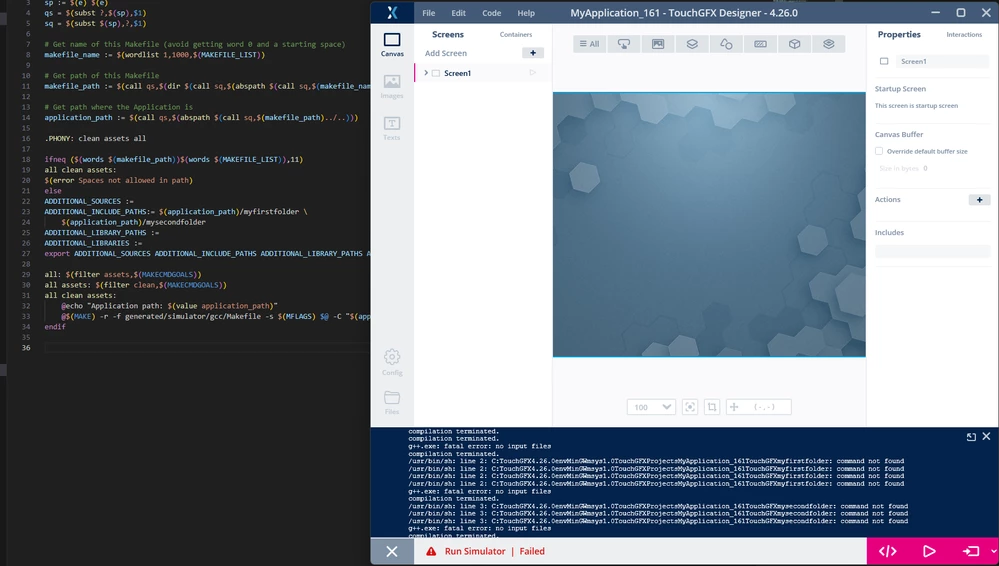
If I do what the OP does, it does not work. Note the error message that shows the path with the slashes stripped out:

noquotes.png

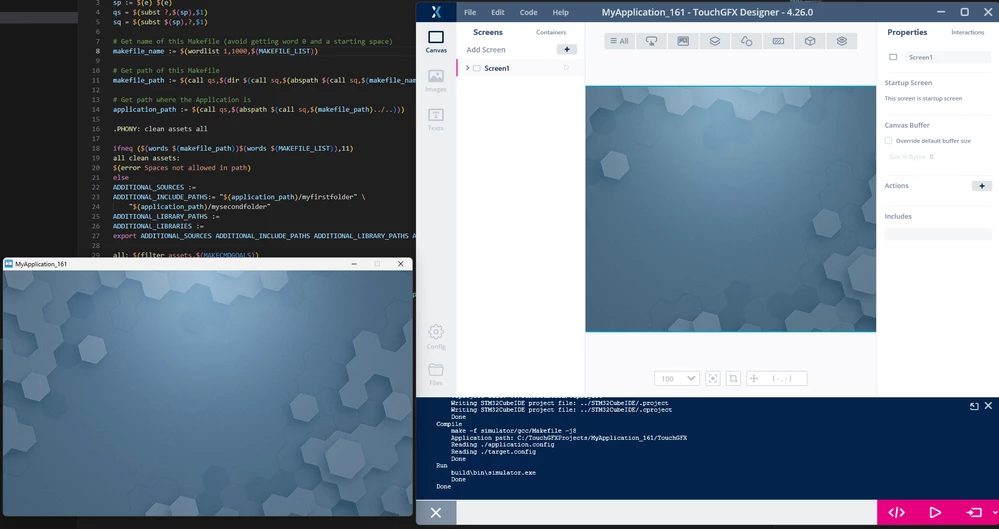
If i put the path in quotes, it works:

quotes.png


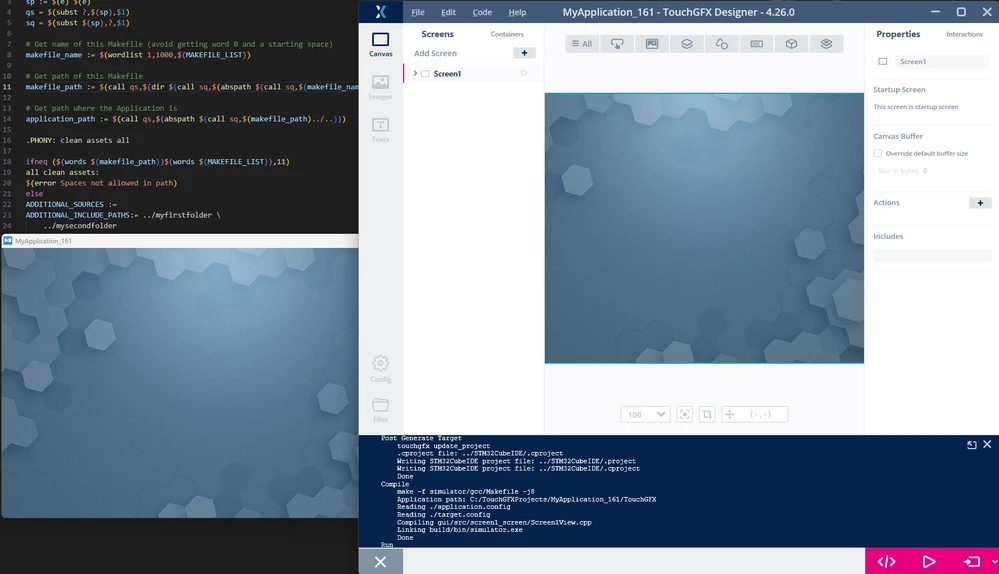
If I moved the folders to the root of the project to have a slash in the path without using a variable (../folder) it also works:

novar.png

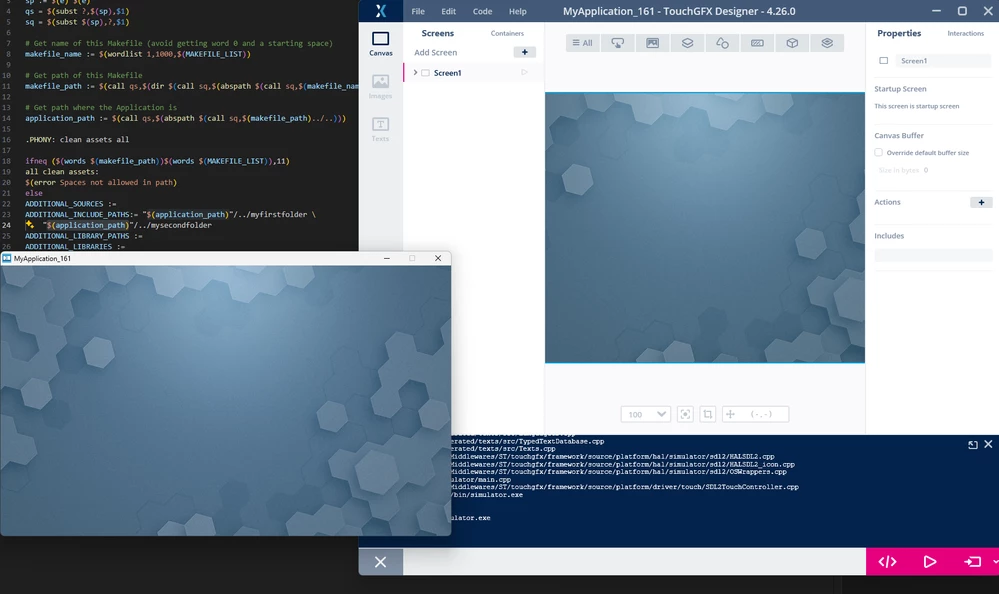
If I use the variable again, it still does not work, but it is enough to put the variable in quotes:

varquotes.png

Additionally, I have tried to have just one variable. If I have a variable on the first line, but just puth a relative path on the second, the project builds. If I do it the other way around, the build fail with the error message about . Even putting ./ before the variable makes the build fail that way.

So the problem lies with the use of path variables, when the variable is not the very first part of the string.

So either use quotes (around the entire path or just the variable) or use paths relative to the TouchGFX folder.

3 replies

ST Employee
October 30, 2025

Hello,


This is a matter of syntax.

The "\" at the end of the lines in the definition is an escape of the newline. Both of these options should work for you:

ADDITIONAL_INCLUDE_PATHS := ${platform_path}/src \
	${platform_path}/src/config/PRODUCT
ADDITIONAL_INCLUDE_PATHS := ${platform_path}/src ${platform_path}/src/config/PRODUCT


AagaardAuthor
Associate II
October 30, 2025

Thanks for the explanation, I appreciate you taking the time to answer, even though I was already aware of the meaning.


Neither option works for me and both result in the exact same error message.

I have also tried

ADDITIONAL_INCLUDE_PATHS := ${platform_path}/src
ADDITIONAL_INCLUDE_PATHS += ${platform_path}/src/config/PRODUCT

As well as defining both in each their name before combining them in ADDITIONAL_INCLUDE_PATHS, looking something like this:

src_path := ${platform_path}/src
config_path := ${platform_path}/src/config/PRODUCT

ADDITIONAL_INCLUDE_PATHS := ${src_path} ${config_path}

And again of course, attempted with differences in the syntax, and again with the same errors

ST Employee
October 31, 2025

I've fiddled around with it a bit and also see the issue when using more than one path. It seems the paths are stripped for slashes (and backslashes), probably when the values are exported. For me it can be silved by putting the paths in quotes:

ADDITIONAL_INCLUDE_PATHS:= "$(application_path)/myfirstfolder" \
	"$(application_path)/mysecondfolder"

Can you try this?

Lead II
October 31, 2025

@Aagaard wrote:

Everything works, however when generating code from the designer the TouchGFX/generated/simulator/gcc/Makefile is overwritten, and thus that is not exactly a good solution.


use TouchGFX\simulator\gcc\Makefile 
That one is not overwritten.

Mine is like this and it works fine:

ADDITIONAL_SOURCES := ../Common/TouchGfxTime.c ../Config/Config.c ../Config/ConfigMemSimulator.c 
ADDITIONAL_INCLUDE_PATHS := ../Config \
../Core/Inc \
../Communication \
../Common
ADDITIONAL_LIBRARY_PATHS :=

No need to put paths in quotes unless they have spaces in them (but don't do that). Don't use backslashes.

"Kudo posts if you have the same problem and kudo replies if the solution works.Click ""Accept as Solution"" if a reply solved your problem. If no solution was posted please answer with your own."
mathiasmarkussenBest answer
ST Employee
October 31, 2025

Bath lashes and backslashes are allowed, although I agree that forward slashes are more "correct". I wanted to see if backslashes worked better.

I have investigated some more based on your post. Here are my findings:

If I do what the OP does, it does not work. Note the error message that shows the path with the slashes stripped out:

noquotes.png

If i put the path in quotes, it works:

quotes.png


If I moved the folders to the root of the project to have a slash in the path without using a variable (../folder) it also works:

novar.png

If I use the variable again, it still does not work, but it is enough to put the variable in quotes:

varquotes.png

Additionally, I have tried to have just one variable. If I have a variable on the first line, but just puth a relative path on the second, the project builds. If I do it the other way around, the build fail with the error message about . Even putting ./ before the variable makes the build fail that way.

So the problem lies with the use of path variables, when the variable is not the very first part of the string.

So either use quotes (around the entire path or just the variable) or use paths relative to the TouchGFX folder.

AagaardAuthor
Associate II
October 31, 2025

Great work, I see the exact same as what you found, and everything works using quotations around the variable path. Thank you very much