mArSat
Associate II
February 11, 2025
Solved

Bug in TouchGFX 4.24.2 Designer with Multiple Monitors on Windows 11

  • February 11, 2025
  • 2 replies
  • 1729 views

I'm experiencing an issue with TouchGFX Designer 4.24.2 on Windows 11 when using multiple monitors. If I drag the window from the primary screen to the secondary one, parts of the interface disappear completely.

I have attached screenshots showing the issue before and after moving the window.

Could you please investigate this? Let me know if you need any additional details.

Thank you.
Best answer by GaetanGodart

Hello @mArSat ,


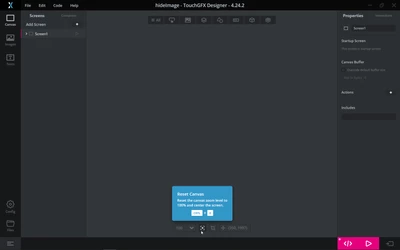
Can you please double check that the "Reset canva" button doesn't work :

GaetanGodart_0-1740391773683.png
Sometimes, when I move my TouchGFX Designer to another screen on windows, my design might have moved, but the "Reset canva" button brings it back to the center of the screen.


If that doesn't work, can you try to navigate on the design area.
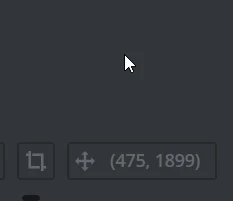
Here you see the position of the mouse :

GaetanGodart_1-1740391937252.png
Try to scroll up/down and left/right to find the (0, 0) position which is the top left corner of your design.


Regards,


2 replies

GaetanGodart
Technical Moderator
February 11, 2025

Hello @mArSat ,


I am not able to reproduce the issue.

However, I can see that you are at position -31646; -32509 (1), also, I can see that your screen is moved to the top left corner (2).
You can try to used the buttons to center your design at the bottom of the screen (3).


If this comment answers your question, I invite you to select it as "best answer".


Regards,

GaetanGodart
Technical Moderator
February 18, 2025

Hello @mArSat ,


Have you had any luck in getting your design back to the center of the screen?


Regards,

mArSat
mArSatAuthor
Associate II
February 21, 2025

Hello @GaetanGodart ,

I confirm that after trying to reposition the window both using Windows + arrow keys and manually with the mouse across all three monitors I have available, the window content does not get restored. I have also tried moving and aligning the window in every possible combination, but the issue persists. I am forced to close and reopen the application to recover it.

Let me know if you need further details.

Best regards,
mArSat

GaetanGodart
Technical Moderator
February 21, 2025

Hello @mArSat ,


If you move the TouchGFX Designer window from screen 1 to screen 2, does your design always disappear or it only sometimes?
If it is only sometimes, how often does it happens?

If you move the TouchGFX Designer window from screen 1 to screen 2 and your design disappear, what happens if you move back TouchGFX Designer to screen 1?

Does you design disappear if you open TouchGFX Designer on screen 2 and move it to screen 1?

What version of windows do you use? Can you be more precise than windows 11?

Is there anything special about your PC.


Regards,