

Martin KJELDSEN
Principal III
March 30, 2020
Solved

Example: Grouping of Views with Common Functionality.

  • March 30, 2020
  • 7 replies
  • 8478 views

Hi everyone,

It's not unknown to people that TouchGFX designer is missing a key functionality: Grouping of views that have shared functionality, and separating the shared code into some interface. It's a feature that will appear in the Designer since it is currently not able to do this.

So far people are adding the same custom container to different views to achieve "shared" functionality, but this only takes care of the UI definitions and not code that could also be shared, like handlers for buttons (which had to be written again in each view).

A proper solution requires modifying the generated files, which will get overwritten again during the next code generation. Still, i've put together an example that you can look at to get a general overview. I'm attaching it here now, and will follow up with a detailed description of what's going on. I suppose we could consider this a pre-cursor to what will happen in the designer at some point and then you'll be READY and understand everything! =)

I will also write some scripts that you can use in your post-generate commands to modify groups of screens to inherit some common View AND presenter code. (e.g. A status bar and a presenter that can receive updates for it, completely abstracted away from the concrete views you're working on.

The Base View and Presenter must be written by hand, but i'll lay this out in what you need to consider here. You could use the designer to generate the view code and simply copy it. I'll build up the example as i go. This won't be required when the real features hits the designer, of course !: )

My plan is something like:

  1. Provide example that shows how to abstract shared View UI (Done)
  2. Modify example to show how to abstract shared Presenter logic (e.g. gotoScreen(X), showOverlay(), etc)
  3. Provide guidelines and script that can modify view code, post-generate, to inherit this functionality.
  4. Modify example to show how to abstract common helper functions into different interface that will be usable from all views.
  5. ....

Let me know if there are other requests.

I'll update this thread as i go with improved functionality and project attachments. For now please find attached a project that will take you from screen1 to screen 2 to screen 3 to screen 1... (interactions and buttons for now) but using a shared BaseView interface that lets each screen set the color of their inherited TopBar. I'll get into details later.

Instructions:

Do not generate code from the TouchGFX designer or you'll overwrite the changes. I will come up with a script at some later time that you will insert into the post-generate-command to fix up all generated view groups.

To simply run the project without generating view code simply run this command from your TouchGFX environment:

make -f simulator/gcc/Makefile

Note: I removed anything but the win32 mingw simulator library to keep it small.

Below screenshots show two of the three screens in the application where each concrete View class calls a function defined in their base view to set the color of the inherited/shared top-bar.
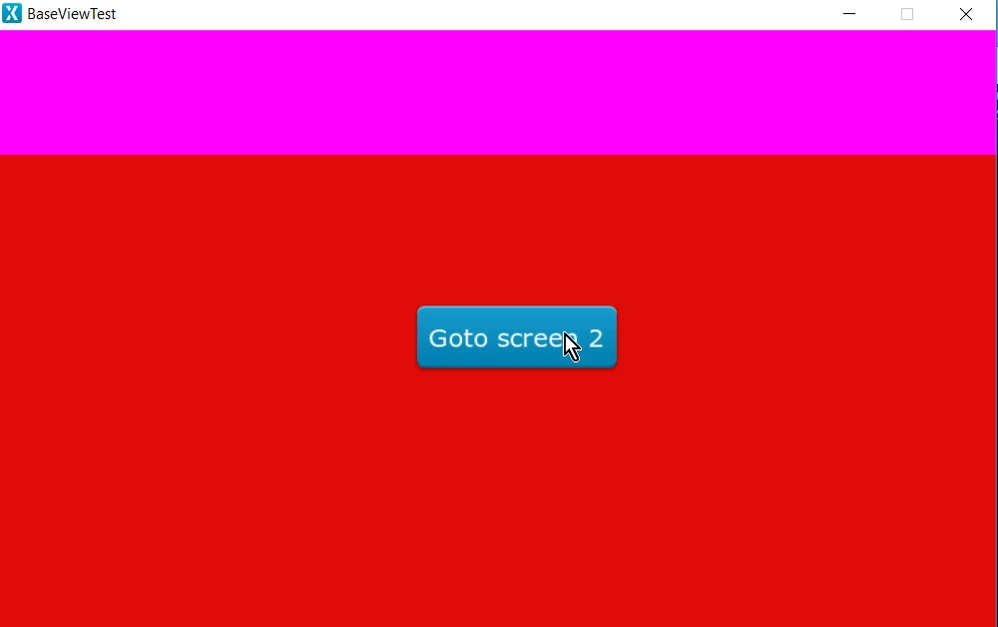
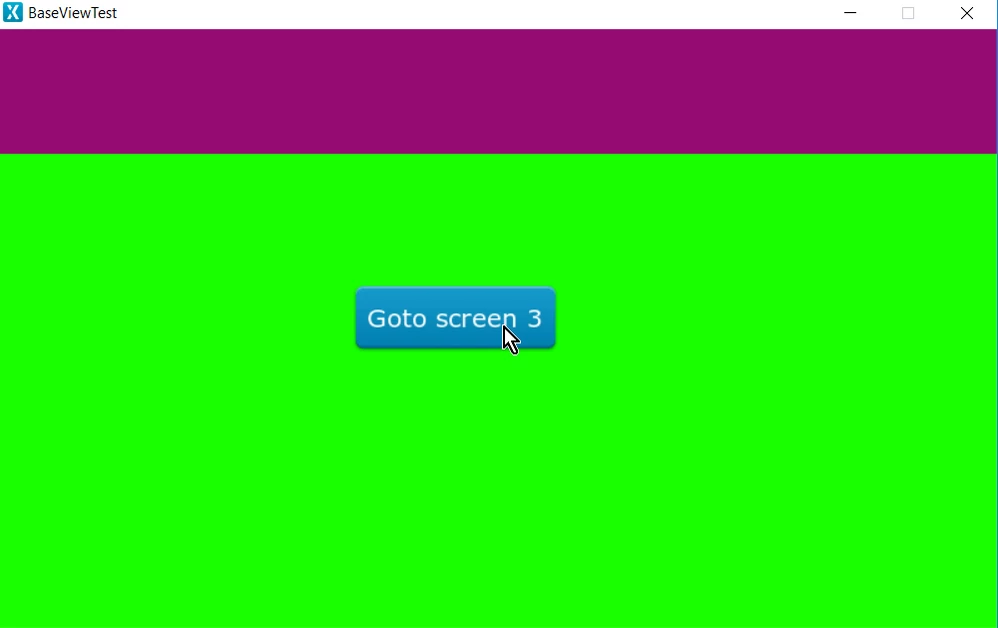
0693W000000UzbcQAC.png

0693W000000UzbhQAC.png

/Martin

Best answer by Martin KJELDSEN

Screen1View calls a goto method through it's BasePresenter after 100 ticks.

presenter->gotoScreen2();

/Martin

7 replies

Martin KJELDSEN
Principal III
March 30, 2020
Martin KJELDSEN
Martin KJELDSENAuthorBest answer
Principal III
March 30, 2020

Screen1View calls a goto method through it's BasePresenter after 100 ticks.

presenter->gotoScreen2();

/Martin

moredatalesscenter
Associate III
January 15, 2021

@Martin KJELDSEN​ your BaseViewTest_BasePresenter example works for me on my target. I have a post-generation step outside of Designer that patches my base classes using Python as per your example.

Unfortunately the example fails to build in the simulator (using Designer 4.14.0). Could you describe what needs changing to get it to build? The "Run Simulator" button causes the patched base classes to be overwritten. Is there a way to change this behaviour, or allow the base classes to be patched with your changes as an interim step in the simulator build process? I know there's a post-generate command in the build config menu, but it's not clear to me what this means.

Run Simulator
 Generate
 Done
 Generate Assets
 make -f simulator/gcc/Makefile assets -j8
 Reading ./application.config
 Done
 Post Generate
 touchgfx update_project --project-file=simulator/msvs/Application.vcxproj
 Done
 Compile
 make -f simulator/gcc/Makefile -j8
 Reading ./application.config
 Compiling gui/src/screen1_screen/Screen1Presenter.cpp
 Compiling gui/src/screen3_screen/Screen3View.cpp
 Compiling gui/src/model/Model.cpp
 Compiling gui/src/screen2_screen/Screen2View.cpp
 Compiling gui/src/screen3_screen/Screen3Presenter.cpp
 Compiling gui/src/screen2_screen/Screen2Presenter.cpp
 Compiling gui/src/screen1_screen/Screen1View.cpp
 Compiling gui/src/common/BasePresenter.cpp
 Compiling gui/src/common/FrontendApplication.cpp
 gui/src/screen1_screen/Screen1View.cpp: In member function 'virtual void Screen1View::setupScreen()':
 gui/src/screen1_screen/Screen1View.cpp:13:5: error: 'BaseView' has not been declared
 BaseView::setTopBarColor(touchgfx::Color::getColorFrom24BitRGB(255, 0, 255));
 ^~~~~~~~
 gui/src/screen1_screen/Screen1View.cpp:13:40: error: 'touchgfx::Color' has not been declared
 BaseView::setTopBarColor(touchgfx::Color::getColorFrom24BitRGB(255, 0, 255));
 ^~~~~
 gui/src/screen1_screen/Screen1Presenter.cpp: In constructor 'Screen1Presenter::Screen1Presenter(Screen1View&)':
 gui/src/screen1_screen/Screen1Presenter.cpp:5:31: error: no matching function for call to 'BasePresenter::BasePresenter(Screen1View&)'
 : BasePresenter(v), view(v)
 ^
 In file included from gui/include/gui/screen1_screen/Screen1Presenter.hpp:6:0,
 from generated/gui_generated/include/gui_generated/screen1_screen/Screen1ViewBase.hpp:9,
 from gui/include/gui/screen1_screen/Screen1View.hpp:4,
 from gui/src/screen1_screen/Screen1Presenter.cpp:1:
 gui/include/gui/common/BasePresenter.hpp:14:5: note: candidate: BasePresenter::BasePresenter(BaseViewInterface&)
 BasePresenter(BaseViewInterface& view);
 ^~~~~~~~~~~~~
 gui/include/gui/common/BasePresenter.hpp:14:5: note: no known conversion for argument 1 from 'Screen1View' to 'BaseViewInterface&'
 gui/include/gui/common/BasePresenter.hpp:11:7: note: candidate: constexpr BasePresenter::BasePresenter(const BasePresenter&)
 class BasePresenter : public Presenter, public ModelListener
 ^~~~~~~~~~~~~
 gui/include/gui/common/BasePresenter.hpp:11:7: note: no known conversion for argument 1 from 'Screen1View' to 'const BasePresenter&'
 gui/include/gui/common/BasePresenter.hpp:11:7: note: candidate: constexpr BasePresenter::BasePresenter(BasePresenter&&)
 gui/include/gui/common/BasePresenter.hpp:11:7: note: no known conversion for argument 1 from 'Screen1View' to 'BasePresenter&&'
 generated/simulator/gcc/Makefile:190: recipe for target 'build/MINGW32_NT-6.2/gui/src/screen1_screen/Screen1View.o' failed
 make[2]: *** [build/MINGW32_NT-6.2/gui/src/screen1_screen/Screen1View.o] Error 1
 make[2]: *** Waiting for unfinished jobs....
 generated/simulator/gcc/Makefile:190: recipe for target 'build/MINGW32_NT-6.2/gui/src/screen1_screen/Screen1Presenter.o' failed
 make[2]: *** [build/MINGW32_NT-6.2/gui/src/screen1_screen/Screen1Presenter.o] Error 1
 generated/simulator/gcc/Makefile:149: recipe for target 'generate_assets' failed
 make[1]: *** [generate_assets] Error 2
 simulator/gcc/Makefile:32: recipe for target 'all' failed
 make: *** [all] Error 2
 Failed
 Failed

Martin KJELDSEN
Principal III
January 18, 2021

​You have to patch as part of the "post-geneate" step which you can define in your .touchgfx project file. Then the changes will applied after the designer "cleans" (your changes) and re-generates.

moredatalesscenter
Associate III
January 18, 2021

How is the post-generate changed to insert a Python script or batch file to run? These are my default settings:-

  "GenerateAssetsCommand": "make -f simulator/gcc/Makefile assets -j8",

  "PostGenerateCommand": "touchgfx update_project --project-file=simulator/msvs/Application.vcxproj",

  "PostGenerateTargetCommand": "touchgfx update_project --project-file=../***.ioc --platform=m4",

  "CompileSimulatorCommand": "make -f simulator/gcc/Makefile -j8",

  "RunSimulatorCommand": "build\\bin\\simulator.exe",

GBert.2
Senior
November 30, 2021

Thanks for sharing @Martin KJELDSEN​. This looks very interesting.

Has this feature been added in the touchGFX ecosystem?

Regards,

Gabriel.

Martin KJELDSEN
Principal III
December 1, 2021

Hi Gabriel,

It has not, yet, sorry! It's in a special fast-track backlog now though :) The proper solution has been discussed at length here at the office.

/Martin

SBACO
Associate III
January 18, 2022

@moredatalesscenter​ It could be helpful if you can share your python script ? waiting for the option of baseView integrated in the designer directly (@Martin KJELDSEN​ hopefully soon ;) )

ALan1
Visitor II
January 21, 2022

Right on, this is long waited feature that our project is waiting eagerly!

Associate III
December 13, 2024

May I know if there is any news, solutions or plan for this case? It is so wired to ctrl+c, Ctrl+v and rename the class names.

CButz.1
Associate III
February 12, 2025

I like the solution, but what about the canvasBuffer, i now have some widgets in the BaseView.hpp which i guess need a canvas buff (i made a "raw" view with all the widgets i want in the baseview and then copied the constructor code with initialize() functions into a own function of baseview, this raw view uses a canvasBuffer therefore i think my baseview needs one too).

Now, do i need a seperate canvasBuffer for my BaseView? Can i just

touchgfx::CanvasWidgetRenderer::setupBuffer(canvasBuffer, CANVAS_BUFFER_SIZE); in my init function of the baseview

and

touchgfx::CanvasWidgetRenderer::resetBuffer(); in the destructor?

The underlying specific View which inherits from the BaseView is setting up a canvas buffer too, could i get rid of that one and use the new canvasBuffer which is made in the BaseView for the specific view? Do the widgets of the specific view use this buffer then?