
Associate
May 6, 2024
Solved

FlexButton.getText()

  • May 6, 2024
  • 2 replies
  • 1142 views

Hello i have this condition:, 

if (oOK == true) {

flexButton.setText(TypedText(T_ENTER));

} else {

flexButton.setText(TypedText(T_CLOSE));

}

flexButton.invalidateContent();


Exist reverse function, or how i can read fLexButton text value?

like:

Char fbString[x] = flexButton.getText();
This topic has been closed for replies.
Best answer by LouisB

Hello @Schamann,

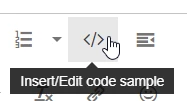
When you add code to your post, please format your code for better readability by clicking on this icon: 

LouisB_0-1715086748468.png


For your issue, you will need to add this function as public in <Your-project>\Middlewares\ST\touchgfx\framework\include\touchgfx\containers\buttons\TextButtonStyle.hpp :


const TypedText &getTypedText() const{
 return text.getTypedText();
}


I hope it helps,

Edit : This is a native feature in 4.25

Regards.

2 replies

LouisBBest answer
ST Employee
May 7, 2024

Hello @Schamann,

When you add code to your post, please format your code for better readability by clicking on this icon: 

LouisB_0-1715086748468.png


For your issue, you will need to add this function as public in <Your-project>\Middlewares\ST\touchgfx\framework\include\touchgfx\containers\buttons\TextButtonStyle.hpp :


const TypedText &getTypedText() const{
 return text.getTypedText();
}


I hope it helps,

Edit : This is a native feature in 4.25

Regards.

ST Employee
May 16, 2024

Hello @Schamann,

Were you able to solve your issue ?

Regards,