How to Set up TouchGFX For STM32CubeMX Generated CMake Project Using Visual Studio Code?
Software Using:
- STM32CubeMX 6.11.1
- STM32 VS Code Extension v2.0.1
- STM32CubeCLT 1.15.1
- TouchGFX 4.23.2
- Visual Studio Code 1.89.1
- 1, 2, 5 always auto update itself.
Hardware Using:
- MCU: STM32F411CEU
- Board: A third party development board, "BlackPill" to be specific.
- Display: GC9A01 240x240 round display.
Tips: Don't use SPACES in the path of any STM software and your projects, sometimes it will warn you but the other time it will create problems without your notice.
Here is my progress:
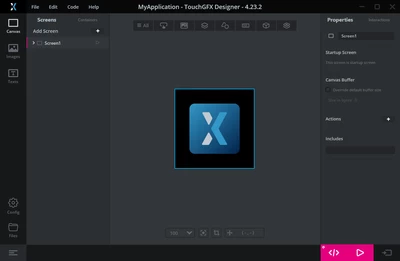
- Generate a CMake project with X-CUBE-TOUCHGFX selected using STM32CubeMX, open the .part file with TouchGFX Designer and create a UI, before clicking Generate Code go to Config->Build->Post Generate Command and delete the command there, after deletion, click Generate Code, the code then can be successfully generated.
- But if you try to build, it will complain a lot about "No such file or directory", mainly some header files, go to ./cmake/stm32cubemx/CMakeLists.txt, add the following code extracted from https://github.com/MaJerle/touchgfx-cmake-vscode-stm32-simulator/blob/master/TouchGFX/CMakeLists.txt to a suitable place.
set(root_tgfx_dir ../../TouchGFX)

set(touchgfx_include_DIRS
 ${root_tgfx_dir}/gui/include
 ${root_tgfx_dir}/generated/gui_generated/include
 ${root_tgfx_dir}/generated/images/include
 ${root_tgfx_dir}/generated/bitmaps/include
 ${root_tgfx_dir}/generated/fonts/include
 ${root_tgfx_dir}/generated/texts/include
 ${root_tgfx_dir}/generated/videos/include
 ${root_tgfx_dir}/../Middlewares/ST/touchgfx/framework/include
 ${root_tgfx_dir}/../Middlewares/ST/touchgfx/framework/include/common
 ${root_tgfx_dir}/../Middlewares/ST/touchgfx/framework/common/include
 ${root_tgfx_dir}/App
 ${root_tgfx_dir}/Target
 ${root_tgfx_dir}/Target/generated
)

file(GLOB_RECURSE graphics_core_generated_SRCS
 ${root_tgfx_dir}/generated/*.cpp
 ${root_tgfx_dir}/gui/*.cpp
 ${root_tgfx_dir}/gui/*.c
 ${root_tgfx_dir}/App/*.c
 ${root_tgfx_dir}/Target/*.cpp
 ${root_tgfx_dir}/Target/*.c
)

set(graphics_core_generated_SRCS ${graphics_core_generated_SRCS})

list(FILTER graphics_core_generated_SRCS EXCLUDE REGEX ".*/simulator/.*")
list(FILTER touchgfx_include_DIRS EXCLUDE REGEX ".*/simulator/.*")
and add these to their corresponding places:
- Note when adding libtouchgfx: under the directory ./Middlewares/ST/touchgfx/lib/core, there are different folders for different CPUs, choose the one that you are using and change the path showing below accordingly.
target_include_directories(stm32cubemx INTERFACE
 <...>
 ${touchgfx_include_DIRS}
)

target_sources(stm32cubemx INTERFACE
 <...>
 ${graphics_core_generated_SRCS}
)
<...>
add_library(touchgfx INTERFACE)
target_link_libraries(stm32cubemx INTERFACE
 touchgfx ${CMAKE_SOURCE_DIR}/Middlewares/ST/touchgfx/lib/core/cortex_m4f/gcc/libtouchgfx-float-abi-hard.a
)
Beware if you generate code again using STM32CubeMX, the above addition will be deleted, you'll have to add it again or just use git.
Build again and you will get these error:
undefined reference to `touchgfxDisplayDriverTransmitActive'
undefined reference to `touchgfxDisplayDriverTransmitBlock'
After some reading I fond out you have to implement these yourself, so I created some dummy function for it, and the build successes.
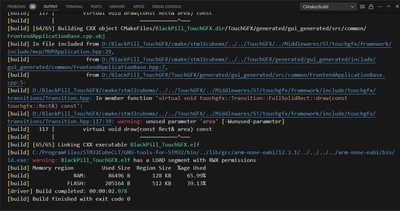
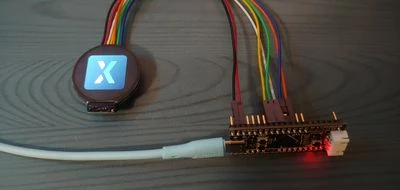
After the successful build, I ported my display driver and set up some code for simple test purpose, and it indeed can run, turns out all you need to do is just disable one command and edit one CMake file.