jchernus-fikst
Senior
April 16, 2025
Question

Programmatically set flex button wildcard alignment

  • April 16, 2025
  • 8 replies
  • 1449 views

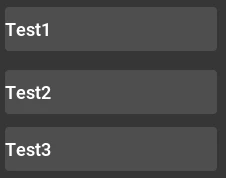
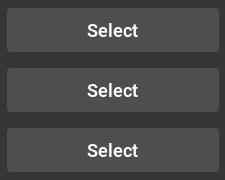
I have three buttons who's wild card text I change programatically. When I do so, the alignment of the text changes from centre-aligned to left-aligned.

Before: 
jchernusfikst_0-1744837871084.png

After:

jchernusfikst_1-1744837953800.png

A) How do I prevent that from happening?

OR 

B) How do I change the alignment to centre-aligned programmatically?

This is my code:

// Elsewhere:
typedef struct _Parameters {
 ThingA thingA;
 ThingB thingB;
 ThingC thingC;
} Parameters;

const touchgfx::TypedText ThingANames[] = {
 T_TEXTA,
 T_TEXTAA,
 T_TEXTAAA,
 T_TEXTERROR,
 T_TEXTNONE
};

// Here
void selectThingsView::setupScreen()
{
 selectTubingCustomViewBase::setupScreen();

 Parameters parameters = presenter->getParameters();

 buttonSelectThingA.setWildcardText(ThingANames[static_cast<int>(parameters.thingA)]);
 buttonSelectThingA.invalidate();
}

Thanks,

Julia

8 replies

jchernus-fikst
Senior
April 16, 2025

My button settings, should they be helpful in debugging:

jchernusfikst_1-1744840653032.png


ferro
Lead
April 17, 2025

Hi @jchernus-fikst 

Not sure how you code works but the alignment is set in Text view, so your TypedTextIds in 'Before' pic have got different alignment from 'After'.

ferro_0-1744874948537.png

And I think this

const touchgfx::TypedText ThingANames[]

should be

const touchgfx::TypedTextId ThingANames[]

I understand now the 'const touchgfx::TypedText ThingANames[]'.


Maybe if you could share the example you quote.

ferro
Lead
April 17, 2025

This example might help

https://community.st.com/t5/stm32-mcus-touchgfx-and-gui/text-area-alignment-change/m-p/694806


Maybe this ...

https://community.st.com/t5/stm32-mcus-touchgfx-and-gui/add-function-setalignment-to-set-text-alignment-in-textarea/m-p/765075

... will be available soon. At the moment the alignment is hardcoded - even the structure members are const.

\touchgfx\TypedText.hpp

ferro_0-1744894012759.png

\generated\texts\src\TypedTextDatabase.cpp

ferro_1-1744894075563.png


jchernus-fikst
Senior
April 17, 2025

Thanks, @ferro , I appreciate your help.

Like Bhavya, I sometimes need the alignment left and sometimes centered. Unfortunately, I am using a button and not a TextArea. 

I will do with a left-aligned prototype for now and fix this for the final product once the TouchGFX folks add programmatic alignment - I didn't know this work was slated, thank you for sharing!

Julia

ferro
Lead
April 17, 2025

No problem @jchernus-fikst 

"I sometimes need the alignment left and sometimes centered. Unfortunately, I am using a button and not a TextArea."

Do not know what is the diffrence between Button vs TextArea. I'll have a look.

The problem seems to be in the text beeing wrogly aligned right ? Could you not have texts with all 3 alignments and use the correct one ?

jchernus-fikst
Senior
April 17, 2025

I can but it's messy and requires greater overhead to maintain, I'm okay waiting until they release the feature! 

ferro
Lead
April 18, 2025

Hi @jchernus-fikst 

Attached is an example showing how to change Flex Button text.

ferro_0-1744972645499.png


The implementaion in
\gui\src\screen1_screen\Screen1View.cpp

void Screen1View
::changeText () // override final
{
 auto circular_next_ttid = []() -> touchgfx::TypedTextId
	{
 static std::array<touchgfx::TypedTextId, 3> ttIds
		{
			T_BTN_FLEX_TEXT_ALIGN_CENTRE ,
			T_BTN_FLEX_TEXT_ALIGN_RIGHT ,
			T_BTN_FLEX_TEXT_ALIGN_LEFT 
		};
 static std::size_t index = 0;

 int result = ttIds [ index ];
 index = (index + 1) % ttIds.size();
 return result;
 };


	Unicode::snprintf
	(
		flexButton1Buffer,
		FLEXBUTTON1_SIZE,
		"%s",
		TypedText ( circular_next_ttid () ).getText()
	);


	flexButton1.invalidate ();

}


jchernus-fikst
Senior
April 18, 2025

@ferro I ran your example in the simulator but every time I pressed the button the text was centered - did it behave differently for you? I even tried making the button the width of the screen to ensure I wasn't missing the movement.

ferro
Lead
April 18, 2025

"I pressed the button the text was centered"

Yes, that is what you wanted right ?

You said: "How do I change the alignment to centre-aligned programmatically?"

The example shows that the text is always centered regardles of the TypedText alignemnt.

ferro_0-1744990327854.png


MM..1
Chief III
April 18, 2025

Seems better is say about TGFX, that positioning system is as of 1980 era based on point 0,0

Perfect will be soon have in designer and library inteligent or AI functions, otherwise ...

Good example is LVGL

ferro
Lead
April 18, 2025

Improved example showing the difference between

	Unicode::snprintf
	(
		flexButtonPreserveAlignBuffer ,
		FLEXBUTTONPRESERVEALIGN_SIZE ,
		"%s" ,
		TypedText ( circular_next_ttid () ).getText()
	);

and

	flexButtonChangeAlign.setWildcardText ( TypedText ( circular_next_ttid () ) );


ferro_0-1744991864290.png