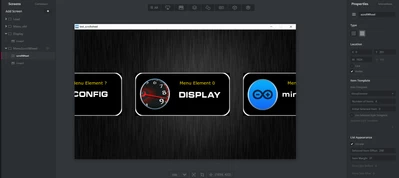
Hello
I think only way to get clicks from scrollWheel is to use Mixins - ClickListener. But then you get all press/release events on the area of scrollWhell, so you must filters unwanted clicks in the code.
So this requirement, that you want to accept clicks only to the icon in the middle, makes it bit more difficult.
Maybe sometinhg like this works. First set ClickListener on in your scrollWhell- widget:

Then in view.hpp add definition of click handler and couple of variables (public- area):
// Handler for scrollWhell clickListener
	void scrollWheelClickHandler(const touchgfx::ScrollWheelWithSelectionStyle & , const ClickEvent& e);

	// variable for save the index of middle item
	int lastCenterItem=0;

	// Variable for saving the scrollWheel Pressed X coord.
	int wheelPressedX=0;
and to protected:
	// Callback which is executed when click (Press/release/cancel) is happened on the scrollWheel Area
 	Callback<MainView, const touchgfx::ScrollWheelWithSelectionStyle &, const ClickEvent&> scrollWheelClickedCallback;
(replace MainView with for view name eg Screen1View etc).
Then view.cpp add the Clicked callback to constructor. If you allready have some other callbacks there, make a list like here:
MainView::MainView() :
 scrollWheelAnimateToCallback(this, &MainView::scrollWheelAnimateToHandler),
 scrollWheelClickedCallback(this, &MainView::scrollWheelClickHandler)
{
}
Then maybe in setupScreen- function, add setAction for new callback:
void MainView::setupScreen()
{
 //.
 //.
 scrollWheel.setClickAction(scrollWheelClickedCallback);
Then add the actual clickHandler:
void MainView::scrollWheelClickHandler(const touchgfx::ScrollWheelWithSelectionStyle &b, const ClickEvent& evt)
{
 if (&b == &scrollWheel)
 {
		 //Implement what should happen when 'scrollWheel' is touched/clicked here.
		switch(evt.getType())
		{
			case ClickEvent::PRESSED:

				// when pressed down, the X coordinate is saved for later comparasion
				wheelPressedX=evt.getX();

			break;

			case ClickEvent::RELEASED:
				touchgfx_printf("Wheel Released x=%d,mid=%d\n",evt.getX(),scrollWheel.getWidth()/2);

				// first calculate pressed and released x position difference.
				// Then check the x movement during click is enough small (<5). Otherwise when drag and end it on the middle, would also be identified as click on the middle
				if(abs(wheelPressedX-evt.getX())<5)
				{
					// Then check that click has happen on the middle area.
 // Adjust '46' as half of your WheelItem width or make some automation to get it somewhere !!
					if(abs((scrollWheel.getWidth()/2)-evt.getX())<46)
					{
						// use the variable set by 'animate to' function last time
						// Add here your code !!

 touchgfx_printf("Mid clicked, item %d\n",lastCenterItem);
					}
				}
			break;
			default:
				// this handles CANCEL- events ! Otherwise simulator gives warning
			break;

		}
 }
}
It is not perfect example, just idea how to filter away drag - releases and clicks to other than center item.
Note that touchgfx_printf (simulator console print) needs: #include <touchgfx/Utils.hpp> in view.cpp.
This example is made and tested in 'Scroll Wheel and List' example. It is also attached. you can run simulator.exe from \TouchGFX\build\bin to see what it does. Its made with 4.21.4 but most likely it can be opened also in the later versions.
This example project is bit confusing since there is also possible to select scrollList instead of scrollWheel, but hopefully it helps.
Br JTP