Associate II
January 13, 2024
Solved

Static Graph

  • January 13, 2024
  • 1 reply
  • 1593 views

I want to add custom wave forms like square, sine and etc, so how I could achieve this easily?

This topic has been closed for replies.
Best answer by Mohammad MORADI ESFAHANIASL

Hello @sasmithadilshan ,

The form of your waves depends on the formulation you are using for adding data. In other words, there is no specific way to show a sine wave or a square one. You just need to calculate your values and then use the addDataPoint(value) function of either Dynamic graph or Static graph depending on your use case. 
For instance you can use create a sine wave like this:
 

#include <cmath>
...

void Screen1View::handleTickEvent()
{
 static float degree = 0.0;
 tickCounter++;

 if (tickCounter % 2 == 0)
 {
 float radian = (degree * 3.14159f) / 180.0f;
 dynamicGraph.addDataPoint((float)sin(radian));
 degree += 10;
 }
}

which results in:
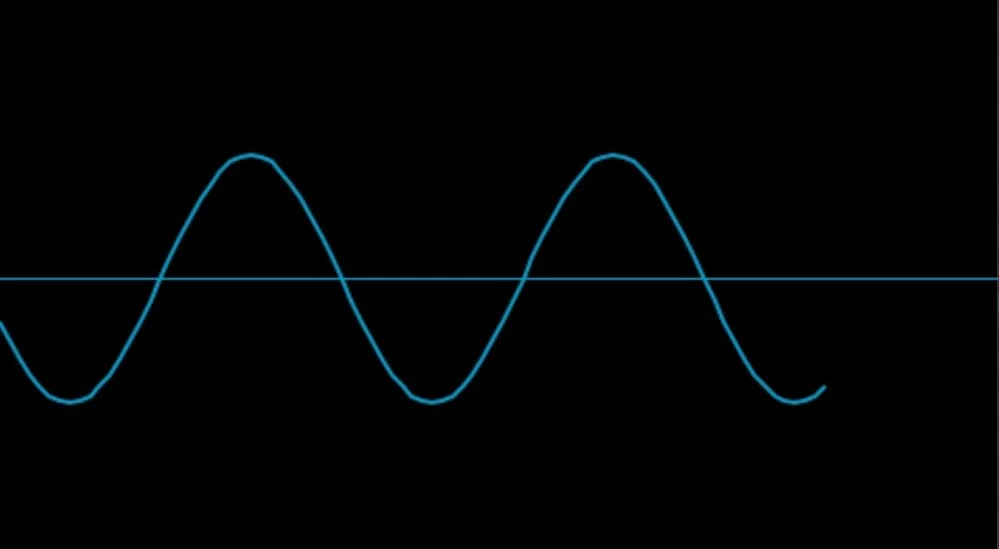
Sine waveSine wave


Keep in mind that you need to configure the settings of the graph in the TouchGFX designer as well to make your graph look good. 

You can read more about the graphs here: Dynamic Graph  and Static Graph 


I hope this helps you

1 reply

ST Employee
January 16, 2024

Hello @sasmithadilshan ,

The form of your waves depends on the formulation you are using for adding data. In other words, there is no specific way to show a sine wave or a square one. You just need to calculate your values and then use the addDataPoint(value) function of either Dynamic graph or Static graph depending on your use case. 
For instance you can use create a sine wave like this:
 

#include <cmath>
...

void Screen1View::handleTickEvent()
{
 static float degree = 0.0;
 tickCounter++;

 if (tickCounter % 2 == 0)
 {
 float radian = (degree * 3.14159f) / 180.0f;
 dynamicGraph.addDataPoint((float)sin(radian));
 degree += 10;
 }
}

which results in:

Sine waveSine wave


Keep in mind that you need to configure the settings of the graph in the TouchGFX designer as well to make your graph look good. 

You can read more about the graphs here: Dynamic Graph  and Static Graph 


I hope this helps you

Associate II
January 17, 2024

yeah, i already inserted the required graph using the static graph method I couldn't let you know,,, thank you for your information as well. i followed the same way that you have mentioned.

ST Employee
January 25, 2024

Glad to hear you resolved it :D