BTurc.2
Senior
March 3, 2023
Solved

STM32H747 LCD display issue

  • March 3, 2023
  • 31 replies
  • 18973 views

When I flash some .bin the LCD doesen't work. It just display the a noise picture. With similar examples does work and with more advanced examples like the EmbeddedWizard it works too.

When does not work, every time display the same static image:
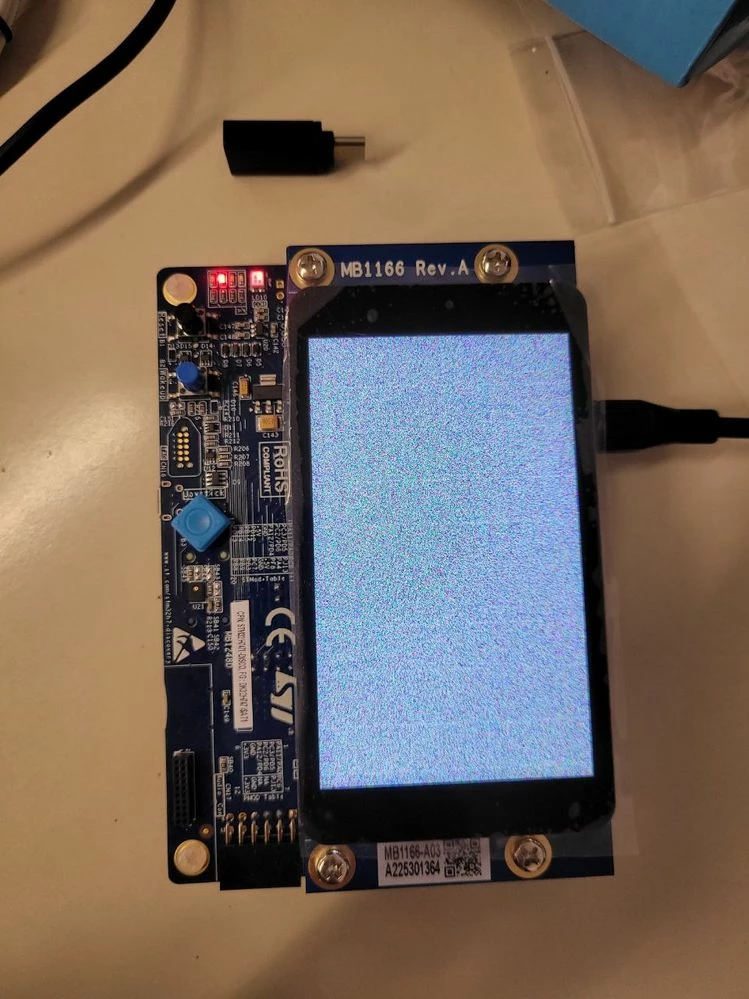
0693W00000aI7WEQA0.jpg

Best answer by Az.21

Hey Guys, GOOD NEWS!

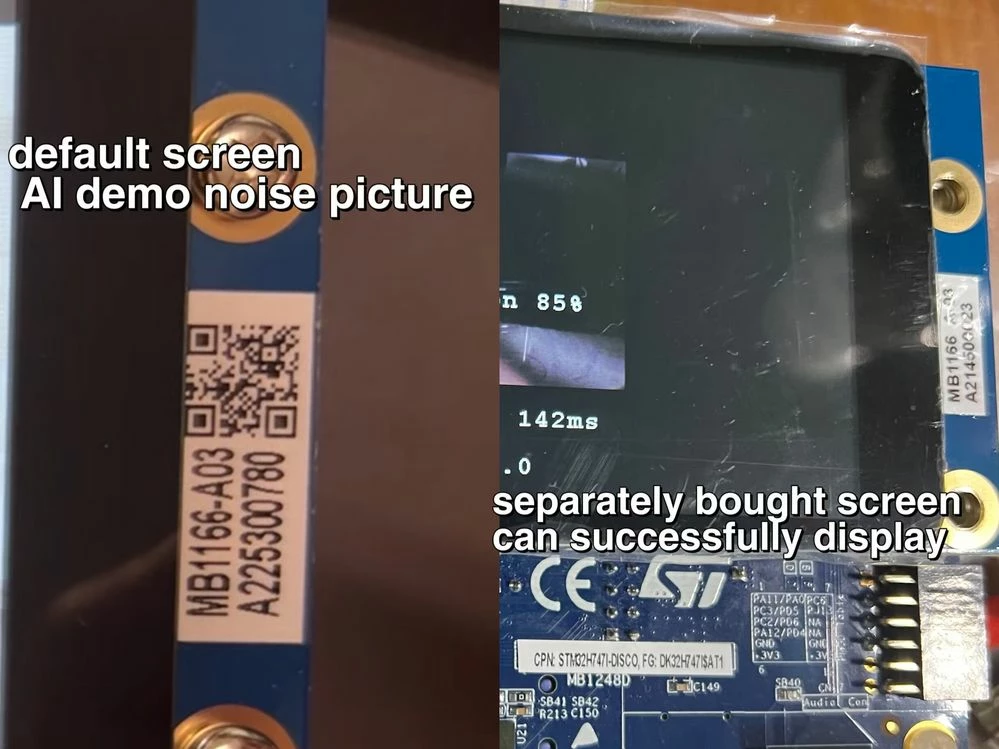
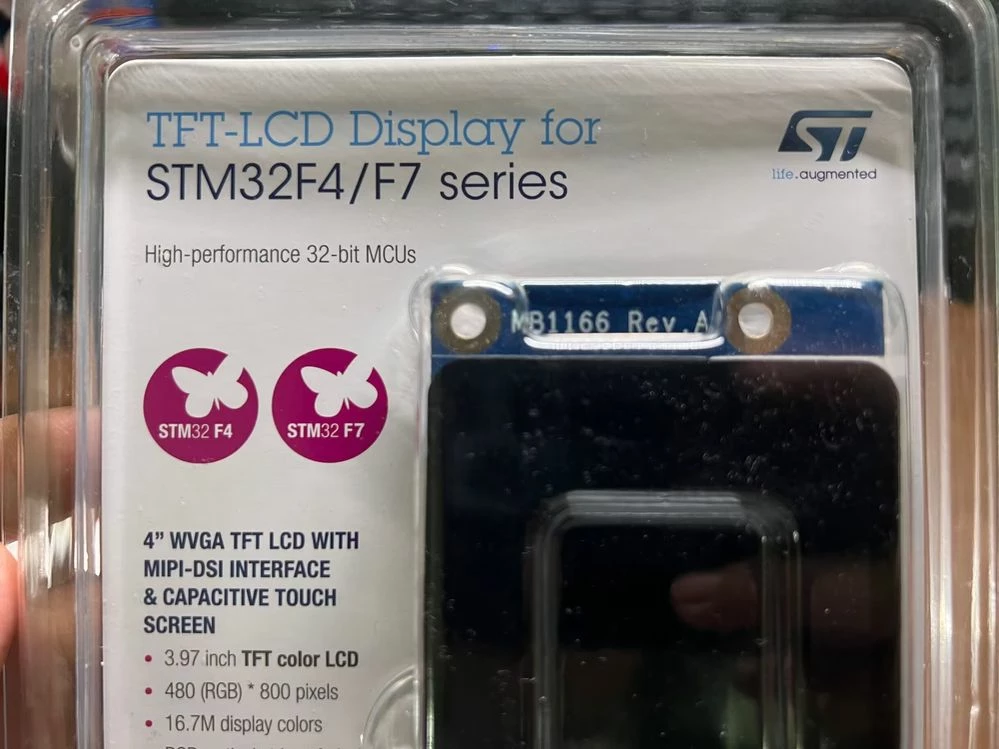
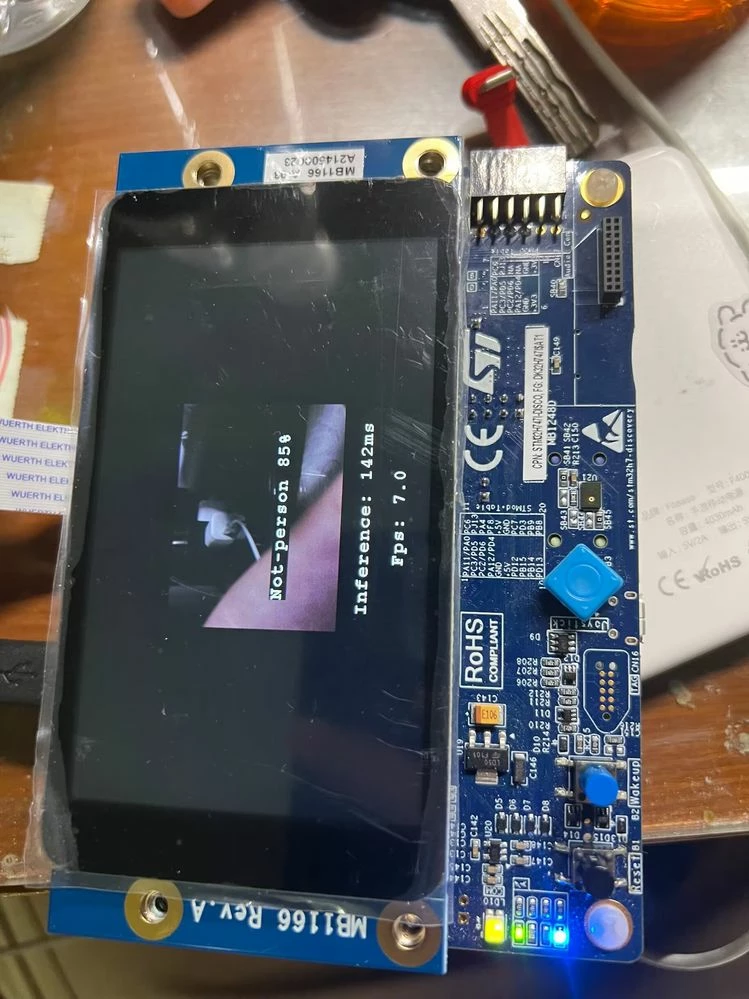
​It's the screen hardware problem, I bought a separate screen (B-LCD40-DSI1 4" WVGA TFT LCD) from mouser, which is same type but can normally display.

↓ difference between default screen and separate screen
_legacyfs_online_stmicro_images_0693W00000bjBnLQAU.png↓ package of screen module
_legacyfs_online_stmicro_images_0693W00000bjBq1QAE.png↓ FP-AI-VISION demo:person detect
_legacyfs_online_stmicro_images_0693W00000bjBprQAE.png

31 replies

Tesla DeLorean
Guru
March 3, 2023

Not sure what you're looking for here.

F​ocus on what the apps that are working are doing correctly and differently with the screen setup and painting, vs the apps that fail to do so.

D​ebug and analyze, and then explain more clearly the situation so there's some chance of getting support or assistance.

P​erhaps you work with other members of your team with different or broader experience.

Tips, Buy me a coffee, or three.. PayPal VenmoUp vote any posts that you find helpful, it shows what's working..
BTurc.2
BTurc.2Author
Senior
March 7, 2023

The problem is that I use demonstration codes for the STM32H747 that have to display something on the LCD screen. I think that the problem is in the initialization of the screen.

The code that work initialize the screen like that:

void LCD_LayertInit(uint16_t LayerIndex, uint32_t Address)

{

 LTDC_LayerCfgTypeDef layercfg;

 /* Layer Init */

 layercfg.WindowX0 = 0;

 layercfg.WindowX1 = Lcd_Ctx[0].XSize/2;

 layercfg.WindowY0 = 0;

 layercfg.WindowY1 = Lcd_Ctx[0].YSize; 

 layercfg.PixelFormat = LTDC_PIXEL_FORMAT_ARGB8888;

 layercfg.FBStartAdress = Address;

 layercfg.Alpha = 255;

 layercfg.Alpha0 = 0;

 layercfg.Backcolor.Blue = 0;

 layercfg.Backcolor.Green = 0;

 layercfg.Backcolor.Red = 0;

 layercfg.BlendingFactor1 = LTDC_BLENDING_FACTOR1_PAxCA;

 layercfg.BlendingFactor2 = LTDC_BLENDING_FACTOR2_PAxCA;

 layercfg.ImageWidth = Lcd_Ctx[0].XSize/2;

 layercfg.ImageHeight = Lcd_Ctx[0].YSize;


 HAL_LTDC_ConfigLayer(&hlcd_ltdc, &layercfg, LayerIndex); 

}

The code that show the noisy screen is:

int32_t BSP_LCD_Init(uint32_t Instance, uint32_t Orientation)

{

 return BSP_LCD_InitEx(Instance, Orientation, LCD_PIXEL_FORMAT_RGB888, LCD_DEFAULT_WIDTH, LCD_DEFAULT_HEIGHT);

}

Both codes are made for the for the same DISCOVERY. I have 2 of them and it doesen't work on any of them. I have tried to upload .bin files and it does the same.

I can't find the solution anywhere so I think that it happens because ST changed someting on the board maybe.

ACapo.1
Associate III
March 7, 2023

Same issue here as well, the BSP code just doesn't seem to work.

Most of the cube examples just do not work for me.

ACapo.1
Associate III
March 8, 2023

Ok I have looked into this a bit and as far as I can see so far is that any example that uses DSI Video mode doesn't work, any that use DSI Command mode do work.

So at a guess the BSP DSI Video mode code is broken for this board.

I'm thinking maybe we have a new version of the board.

BTurc.2
BTurc.2Author
Senior
March 8, 2023

I also think we have another version. In fact now I'm learning how to use TouchGFX and when you create a new project you have to chose the version of the board.

Anyway, I hope it works soon because I want to try the FP-AI-Vision pack that does not work because of the LCD.

ACapo.1
Associate III
March 8, 2023

Ah that is interesting, I will install TouchGFX and have a look at what the difference is with the code.

By the way I added a GH issue here: https://github.com/STMicroelectronics/STM32CubeH7/issues/254

BTurc.2
BTurc.2Author
Senior
March 8, 2023

Good! I hope we find a solution soon.

ST Employee
March 10, 2023

Hello @BTurc.2​ 

Thank you for posting your issue!

I tried the LCD_DSI example (and other demos) and it works on STM32H747 board with D01 revision/ LCD Rev A03

which demo are you using exactly? which board revision? And which LCD revision?

BTurc.2
BTurc.2Author
Senior
March 10, 2023

I have the same board like the one below with the same issue.

One of the demo that work is: STM32CubeH7-master\Projects\STM32H747I-DISCO\Examples\LCD_DSI\LCD_DSI_CmdMode_PartialRefresh

One of the demo that does not work is: STM32CubeH7-master\Projects\STM32H747I-DISCO\Examples\LCD_DSI\LCD_DSI_VideoMode_DoubleBuffering

I'm also triyng examples from the FP-AI-Vision pack. I'm loading the binary file of the examples into the board. The examples that does not involve the LCD works fine (like the webcam one). But the others that it supossed to display something in the LCD does not work (the leds of the board works just fine). When does not work it apear the same frame like in the photo below.

I also tired to use TouckGFX and all I did with the program works fine! So I think that the problem are in the libraries maybe.

Tesla DeLorean
Guru
March 10, 2023

On the project that's not working *REMOVE* the USE_LCD_HDMI compiler command line define. You aren't using the HDMI adapter board

Tips, Buy me a coffee, or three.. PayPal VenmoUp vote any posts that you find helpful, it shows what's working..
ACapo.1
Associate III
March 10, 2023

Hi Sarra, I think myself and BTUrc.2 have the same version looking at his image.

I have attached a higher res image where you can see the stickers.

0693W00000aIh0nQAC.jpg

BTurc.2
BTurc.2Author
Senior
March 10, 2023

Yes, I have the same board. The only difference that I see is in the sticker with the QR code. In mine is A225301364

ACapo.1
Associate III
March 10, 2023

p.s. The BSP example shows the issue.