BTurc.2
Senior
March 3, 2023
Solved

STM32H747 LCD display issue

  • March 3, 2023
  • 31 replies
  • 18973 views

When I flash some .bin the LCD doesen't work. It just display the a noise picture. With similar examples does work and with more advanced examples like the EmbeddedWizard it works too.

When does not work, every time display the same static image:
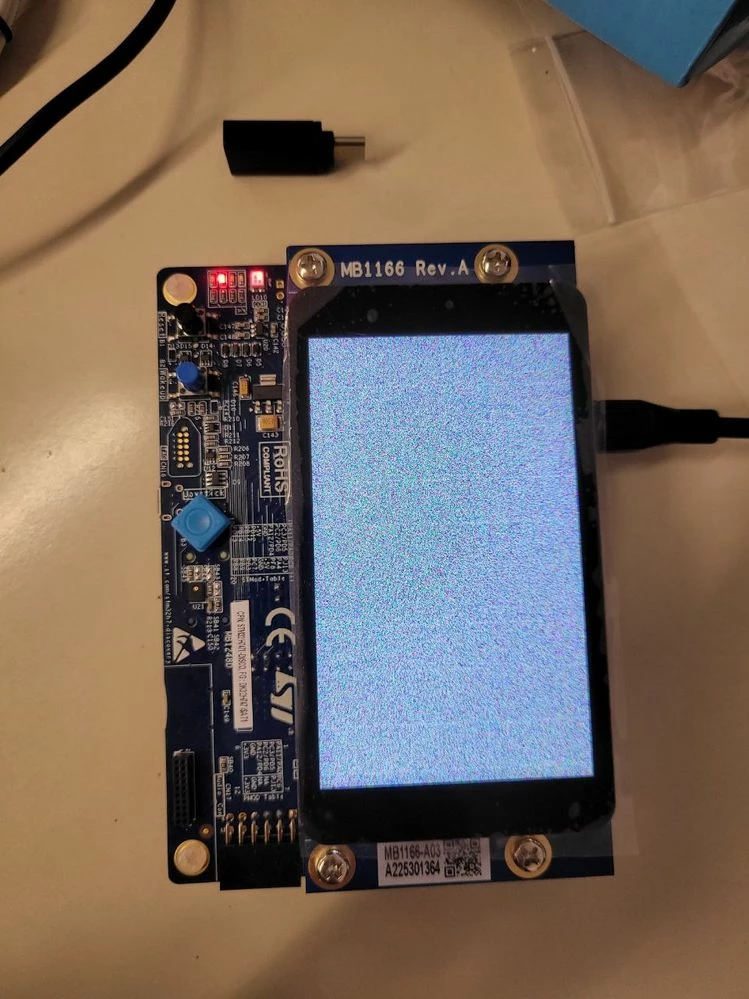
0693W00000aI7WEQA0.jpg

Best answer by Az.21

Hey Guys, GOOD NEWS!

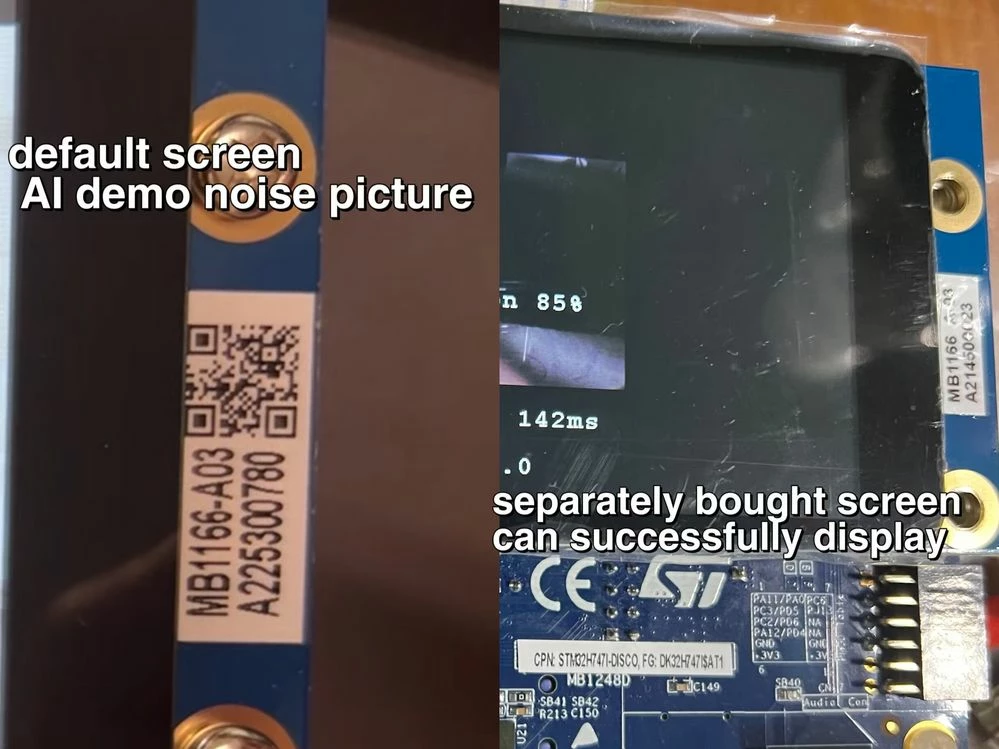
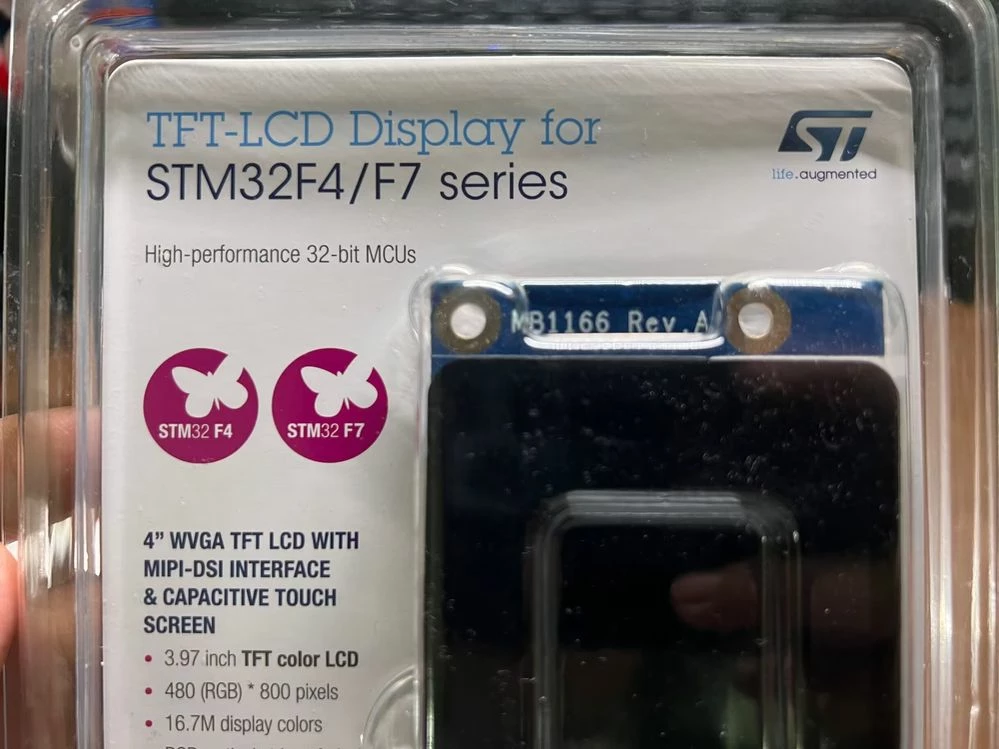
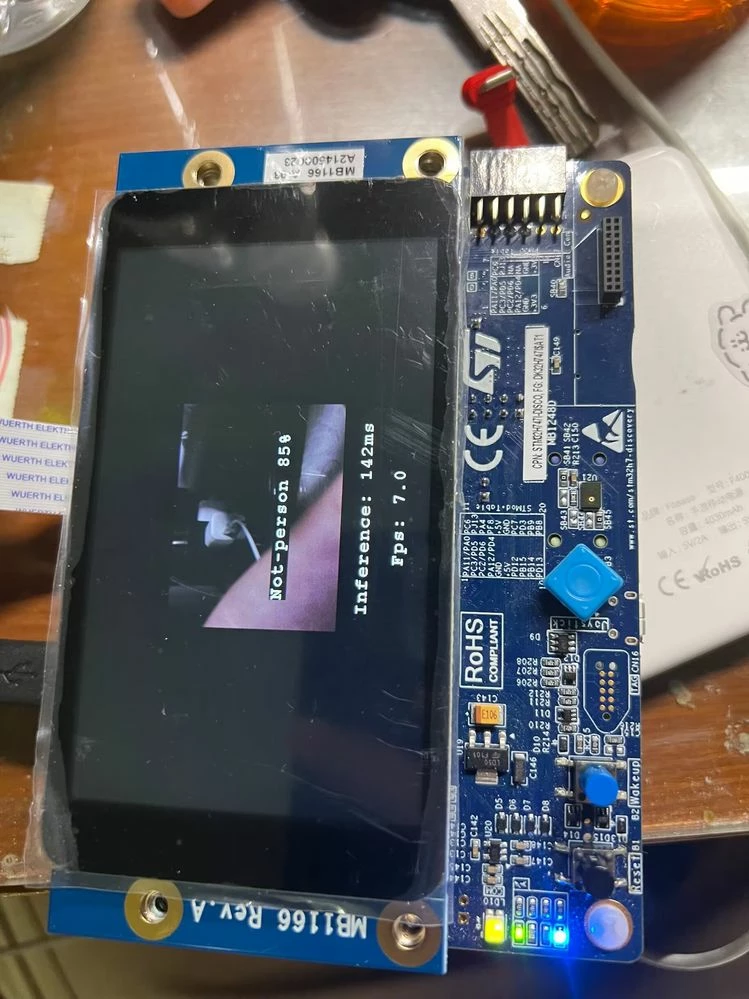
​It's the screen hardware problem, I bought a separate screen (B-LCD40-DSI1 4" WVGA TFT LCD) from mouser, which is same type but can normally display.

↓ difference between default screen and separate screen
_legacyfs_online_stmicro_images_0693W00000bjBnLQAU.png↓ package of screen module
_legacyfs_online_stmicro_images_0693W00000bjBq1QAE.png↓ FP-AI-VISION demo:person detect
_legacyfs_online_stmicro_images_0693W00000bjBprQAE.png

31 replies

ACapo.1
Associate III
March 11, 2023

Thanks for the info, so definitely looks like a faulty board here. I will put in for a return.

ACapo.1
Associate III
March 11, 2023

And as a final test I erased all Flash and All external memory and then downloaded the hex from @Community member​ I still get the corrupted screen.

BTurc.2
BTurc.2Author
Senior
March 12, 2023

I have tried to do the same but it doesn't work. I have 2 STM32H747 and neither of the 2 works. I don't think it's uploading badly the .bin. I honestly don't know what can happen. When I uploade TouchGFX it work's fine.

I bought it to put a camera on it and do something with the AI-Vision pack. But if the exemples don't work...

ACapo.1
Associate III
March 13, 2023

Did you purchase the two boards at the same time? Did you get them from mouser?

BTurc.2
BTurc.2Author
Senior
March 13, 2023

At the same time, but from RS components.

BTurc.2
BTurc.2Author
Senior
March 13, 2023

The other screen number is: A225300829

ST Employee
March 13, 2023

Hello @Community member​ 

I assume you're using LCD revA02 or A01 ? can you confirm that?

Thank you!

ACapo.1
Associate III
March 13, 2023

There is a pic of Karls board above running an example, it is an A03

ST Employee
March 13, 2023

Hello all,

Thank you for bringing this issue to our attention.

I confirm the issue and I reported Internally.

Internal ticket number: 147459 (This is an internal tracking number and is not accessible or usable by customers).

Sarra

BTurc.2
BTurc.2Author
Senior
March 20, 2023

Hi Sarra,

I wanted to know if it is feasible to fix the screen problem. I bought the board to do a project for the university which has a deadline. It is to know if I have to return them due to lack of time. Could you please tell us how the issue is?

Thanks!

ACapo.1
Associate III
March 13, 2023

Hi Sarra,

Thanks for the info, so are we thinking these are not faulty boards but rather some issue with the HAL?

Thanks

Andy

Az.21
Associate II
April 19, 2023

when screen is noise picture, the image classification or person detection is working or not? Is it only screen not displaying picture?@ACapo.1 @BTurc.2 @Sarra.S

BTurc.2
BTurc.2Author
Senior
April 19, 2023

I'm not sure. It makes sense that it works. I wanted to try sending the image via USB so I don't have to use the LCD, but I never did it because I thought the problem with the LCD would be fixed soon.

It would be to combine the example of AI with that of the webcam. If I have time I'll give it a try and let you know if it works.

If you try it and it works for you, I would appreciate it if you could confirm it!

Az.21
Associate II
May 2, 2023

Hey bro I post a new comment to solve the issue, it's hardware problem.

Az.21
Az.21Best answer
Associate II
May 2, 2023

Hey Guys, GOOD NEWS!

​It's the screen hardware problem, I bought a separate screen (B-LCD40-DSI1 4" WVGA TFT LCD) from mouser, which is same type but can normally display.

↓ difference between default screen and separate screen
_legacyfs_online_stmicro_images_0693W00000bjBnLQAU.png↓ package of screen module
_legacyfs_online_stmicro_images_0693W00000bjBq1QAE.png↓ FP-AI-VISION demo:person detect
_legacyfs_online_stmicro_images_0693W00000bjBprQAE.png

BTurc.2
BTurc.2Author
Senior
May 2, 2023

I guess the serial number on the screen is different right? Thank you very much for informing us.

Az.21
Associate II
May 2, 2023

Yes. A03 or 01,02 doesn't matter, they're both A03.

The default screen serial num is A225300780 with a QR code on right.

The new screen is A214500023 without QR code.

MOBEJ
ST Employee
June 2, 2023

Hello ,

The fix is available on GitHub :

https://github.com/STMicroelectronics/STM32CubeH7/commit/1c84713102f8509deb79ae14db8dbb104c17c45e#diff-8a5b12f7040dfb560c495dc0a1213725ba939bf19d531dd1e97067b6a1a79ec0

In fact , LCD DSI MB1166-A9 delivered with latest version of STM32H747I-DISCO/ boards come based on LCD FGRIDA FRD400B25025-A-CTK instead of FRD397B25009-D-CTK.

Now the firmware is updated , you just need to enable the right hardware component as defined in stm32h747i_discovery_conf.h file and add the new component library (NT35510) in your project .

/* IMPORTANT: One of the following flags must be enabled in stm32h747i_discovery_conf.h file */

/* options in order to select the target daughter board revision connected on STM32H747I DISCOVERY : !!!!!!!!!! */

/* USE_LCD_CTRL_OTM8009A */ /* Applicable for all LCD daughter boards (MB1166) except for Rev -A09 */

/* USE_LCD_CTRL_NT35510 */ /* Applicable only for LCD daughter boards (MB1166) Rev -A09 */

To give better visibility on the answered topics, please click on Accept as Solution on the reply which solved your issue or answered your question.