Okeskin
Associate III
April 8, 2025
Solved

The page does not appear when text is added.

  • April 8, 2025
  • 2 replies
  • 594 views

Hi,

I designed a screen like the one below. The page works very well in the simulator. However, when I load it into the demo kit (STM32N6570 DK), nothing appears on the screen. When I hide one of the texts, thinking it might be related to the buffer, the screen appears on the kit without any problems.

Increasing the Canvas buffer did not solve the problem. Where can I see the size of all the text icons etc. loaded on the screen? How can I calculate it?
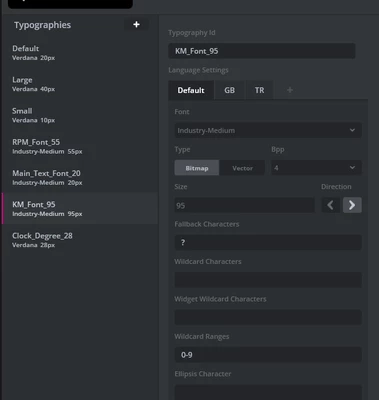
I use a special font in the texts I add. Also, the product will support more than one language. What should I pay attention to regarding size?

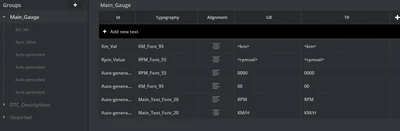
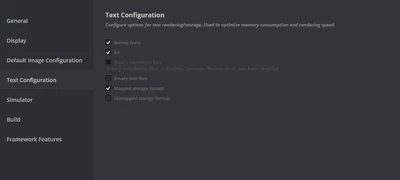
I'm sharing my settings.
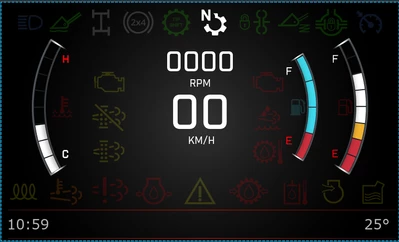
Okeskin_0-1744123571039.png

Okeskin_0-1744123956761.png

Okeskin_1-1744123971759.png

Okeskin_2-1744123985155.png

BR,

Onur


Best answer by GaetanGodart

Hello @Okeskin ,


You say it works when you hide one of the text. Is it any text, just hide one and it works?

You could also try to increase the size of the heap and stack of the RTOS.

If you think you are running out of space you can check the flash saving video and consider reducing your font bpp or set them as vector font.

What are you showing on the second message? You share a screenshot of a break point.


Regards,

2 replies

Okeskin
OkeskinAuthor
Associate III
April 9, 2025

Hi,

I see that the following steps during debug crashed.Also there is no problem when running in the simulator. And the size in the attached image looks sufficient.

Okeskin_0-1744195433674.png

Okeskin_1-1744195502155.png


GaetanGodart
GaetanGodartBest answer
Technical Moderator
April 10, 2025

Hello @Okeskin ,


You say it works when you hide one of the text. Is it any text, just hide one and it works?

You could also try to increase the size of the heap and stack of the RTOS.

If you think you are running out of space you can check the flash saving video and consider reducing your font bpp or set them as vector font.

What are you showing on the second message? You share a screenshot of a break point.


Regards,

Okeskin
OkeskinAuthor
Associate III
April 11, 2025

Hi Geatan, 

When I view one of these two large fonts, the problem disappears. When I debug these fonts while they are all visible, they fall into hardfault as in the attachment. I will try a vector font as soon as possible.

1000070562.png