fog.1
Associate III
October 12, 2023
Solved

TouchGFX intelisense problems

  • October 12, 2023
  • 2 replies
  • 1442 views


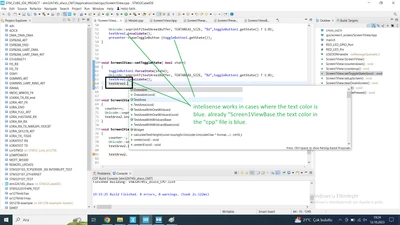
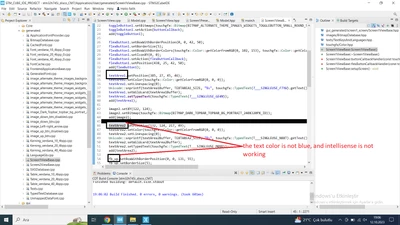
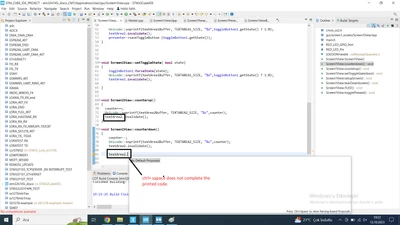
intellisense is not working.  the components that I can't use the intellisense feature( button, Textarea, slider, scroolist and the like...) "Screen1ViewBase.it is observed that the text colors of the implementations in the "cpp" file are also different(not blue).

"Screen1View.when I try to use the corresponding component in the "cpp" file, the "ctrl+space" keys do not work, or rather, inteslisense cannot complete the code.
1.png

2.png

3.png


Best answer by Mohammad MORADI ESFAHANIASL

Hello @fog.1 ,

When your IDE is open and you add a new widget from the designer, you should regenerate code through the designer, so the files are updated to recognize the new widget you have added to your project. If the new widgets are still not recognized, try to close and reopen the project. But keep the code regeneration in mind.

I hope this helps you, and don't hesitate to ask more questions 

2 replies

ST Employee
October 24, 2023

Hello @fog.1 ,

When your IDE is open and you add a new widget from the designer, you should regenerate code through the designer, so the files are updated to recognize the new widget you have added to your project. If the new widgets are still not recognized, try to close and reopen the project. But keep the code regeneration in mind.

I hope this helps you, and don't hesitate to ask more questions 

fog.1
fog.1Author
Associate III
June 27, 2024

thank you, your suggestion worked.

ST Employee
June 27, 2024

You're very welcome!