

Solved
TouchGFX: linker cannot find file libtouchgfx-float-abi-hard.a
I have designed a custom board based on a STM32WB35CE and want to use TouchGFX with it.
I have enabled the TouchGFX Middleware in STM32CubeMX:
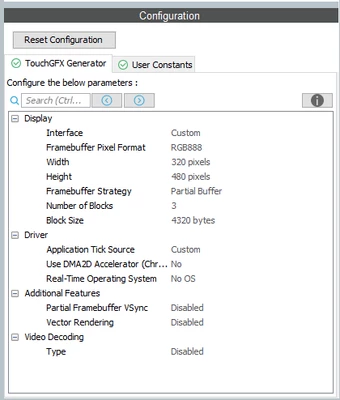
and used the resulting ApplicationTemplate.touchgfx.part file to create a blank user interface with TouchGFX Designer and generated code.
When building the code the linker throws the following error message:
C:/ST/STM32CubeIDE_1.13.1/STM32CubeIDE/plugins/com.st.stm32cube.ide.mcu.externaltools.gnu-tools-for-stm32.12.3.rel1.win32_1.0.100.202403111256/tools/bin/../lib/gcc/arm-none-eabi/12.3.1/../../../../arm-none-eabi/bin/ld.exe: cannot find -l:libtouchgfx-float-abi-hard.a: No such file or directoryThis "path" is added to the project's library paths when generating code with TouchGFX Designer. Does anyone know how to fix this issue?
Versions:
TouchGFX Designer 4.23.2
STM32CubeIDE 1.15.1
STM32CubeMX 6.11.1