Hello Nico.
I agree that the Flash-limited E-bike demo is not the best example to showcase the Model-View-Presenter structure. This is primarily due to the simplicity of the data transferred between the Model and the View.
In general, you can follow these guidelines:
- If the Model needs to notify a View that some Model data has been updated, you should use the Model Listener.
- If the View needs to fetch or set a variable from the Model, you should use normal getter and setter functions.
Based on these guidelines, one could argue that the Model Listener should have been used in the Flash-limited E-bike demo for updating values such as speed and power.
However, a much better and more realistic MVP example is available in TouchGFX Designer: the HVAC IoT Demo.
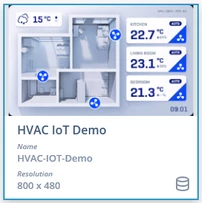
This demo was originally designed to run on the STM32H7S78-DK board in an IoT setup, where it would receive data from AWS through a FreeRTOS thread. However, in the version available in TouchGFX Designer, this has been replaced by a data simulator located in gui\src\common\hvac.cpp.
Let's go through how the kitchen temperature is updated in relation to the MainView in the demo as an example:
1. In Model::tick(), the Model::checkForIncomingData() function is called, which checks if there is new incoming data through the xHVAC_ReceiveFromController(&incomingEvent, 0) function.
2. The current kitchen temperature is then stored in the Model.
3. The virtual function updateTemperature() in the Model Listener is called.
4. In MainPresenter.hpp a virtual updateTemperature() function is declared. Any presenter that wants to subscribe to this function being called must declare this function.
5. In MainPresenter.cpp, updateTemperature() is defined as this:
void MainPresenter::updateTemperature(Rooms roomId, float temperature)
{
view.updateRoomTemperature(roomId, temperature);
}
6. updateRoomTemperature() that is called in step 5 is implemented in MainView.cpp
void MainView::updateRoomTemperature(Rooms roomId, float temperature)
{
switch (roomId)
{
case KITCHEN:
kitchenCardContainer.setTemperature(temperature, presenter->getIsFahrenheit());
break;
...
}
}
7. And thereby the actual value in the view is updated.
However, the steps above only address the scenario where the kitchen temperature has changed. What should we do when we enter the view and have not yet received the first new kitchen temperature? In this case, we use a getter function. The flow is illustrated below.
1. In MainView::setupScreen(), MainView::setTemperatures() is called.
2. MainView::setTemperatures() calls presenter->getRoomTemeprature() to set the shown kitchen temperature accordingly
// Set temperatures in correct unit
kitchenCardContainer.setTemperature(presenter->getRoomTemperature(KITCHEN), presenter->getIsFahrenheit());
3. MainPresenter::getRoomTemperature() calls Model::getRoomTemperature()
float MainPresenter::getRoomTemperature(Rooms roomId)
{
return model->getRoomTemperature(roomId);
}
4. Model::getRoomTemperature() returns the saved value of kitchenTemperature
float Model::getRoomTemperature(Rooms roomId)
{
switch (roomId)
{
case KITCHEN:
return kitchenTemperature;
break;
...
}
}
5. And thus, the value is returned to the view.
I hope this provides a clearer overview of the Model-View-Presenter (MVP) structure and highlights why both the Model and the Model Listener are very valuable components. The Model cannot update the presenter/view by itself; this needs to go through the Model Listener.
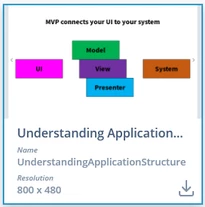
I encourage you to explore the entire demo. Additionally, you can check out the example called "Understanding Application Structure," which is also available in TouchGFX Designer.
Best regards,
Johan
