Visitor II
December 17, 2024
Solved

Using a button toggle between Dark and light theme in Touchgfx

  • December 17, 2024
  • 1 reply
  • 450 views

Hi Community,


I like to implement a sequence when we press the button that toggle between dark and light theme. Please guide me in do this In Touch Gfx with STM32H747XIH6U Application.

Best answer by GaetanGodart

Hello @aashik_10_ahamed ,


We have made a demo with a light and dark theme.
It is the STM32U5G9J-DK2 E-bike demo, you can find it here :
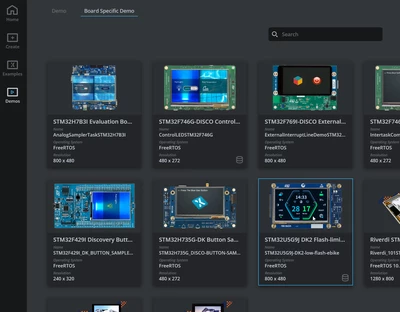
GaetanGodart_0-1734444191621.png


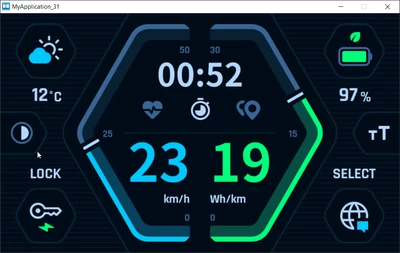
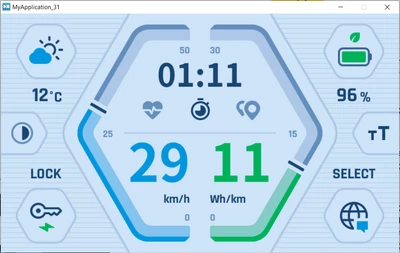
This is the dark and light modes :

GaetanGodart_1-1734444328672.png

GaetanGodart_2-1734444351326.png


Check what "modeButton" and the function "modeButtonClicked" does to see how we managed that.
In modeButtonClicked, we change the variable that know which theme is on, then we update the theme (this is where we display the right theme).
Below is the first half of that function :
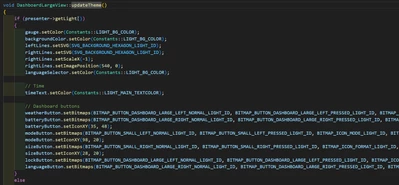
GaetanGodart_5-1734444600938.png

Note that all we do is set some colors and some bitmaps (basically images).


Regards,



1 reply

GaetanGodart
GaetanGodartBest answer
Technical Moderator
December 17, 2024

Hello @aashik_10_ahamed ,


We have made a demo with a light and dark theme.
It is the STM32U5G9J-DK2 E-bike demo, you can find it here :

GaetanGodart_0-1734444191621.png


This is the dark and light modes :

GaetanGodart_1-1734444328672.png

GaetanGodart_2-1734444351326.png


Check what "modeButton" and the function "modeButtonClicked" does to see how we managed that.
In modeButtonClicked, we change the variable that know which theme is on, then we update the theme (this is where we display the right theme).
Below is the first half of that function :

GaetanGodart_5-1734444600938.png

Note that all we do is set some colors and some bitmaps (basically images).


Regards,