STM32WB55CG Zigbee connection with Custom Project
- September 26, 2024
- 2 replies
- 1103 views
Hi,
I am still trying to intetrage my custom board with an STM32WB55CG into my Tuya/Smartlife System with the target of transmitting sensordata and receiving commands (e.g. LED color).
In this https://community.st.com/t5/stm32-mcus-wireless/stm32wb55cg-zigbee-connection-tuya-smartlife-with-st-example/m-p/720530#M21149 question, I was told to use P-NUCLEO-WB55.Nucleo\Applications\Zigbee\Zigbee_OnOff_Client_Distrib Example with which I could successfully connect the controller to my network.
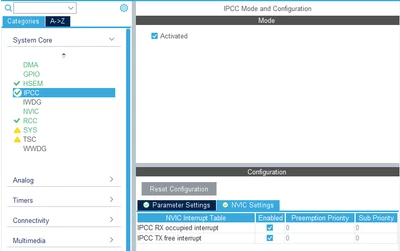
Since I have a custom board (other chip than Nucleo), I needed to create a new CubeMX project in which I copied all interfaces from the example and applied my pinout.
In CubeMX I found the option to configure my Chip to a Zigbee purpose already, so I chose the following settings:
| Setting | My Project | Example |
| Zigbee Application | Full Function Device | Full Function Device |
| Zigbee Network Mode | Centralized | Distributed |
| Zigbee Device Role | Router | N/A |
| HWUART | Disabled | Enabled |
| Device ID | OnOff Switch | OnOff Switch |
Unfortunately I could not get the same result with my custom project. Furthermore, now I have access to UART and tried to output the debug messages, and therefore found out that the init function from "app_zigbee.c" is never even called.
Since some of the settings are different, I tried copying the complete content from Example "app_zigbee.c" and "app_entry.c" to my project, the result is still the same.
I expected, that now everything should be the same an I will be able to connect the device again. For the case that I missed something in the configuration, I attached my CubeMX file. I can also share the project if needed.
Thanks for your help