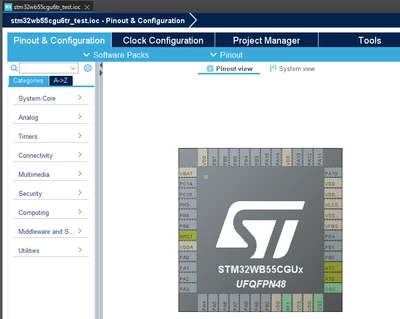
For the body proximity detection, you can configure it using the TSC.
In AN5105, we explain where to locate information in chapter 5.2 (signal Threshold):
..
,MyTKeys[Index].p_Param->ProxInTh
,MyTKeys[Index].p_Param->ProxOutTh
..
ProxInTh and ProxOutTh are defined for proximity detection feature only, when TSLPRM_USE_PROX = 1.
..
References are:
UM1913, Developing applications on STM32Cube with STMTouch® touch sensing library
* 3.11.6 PROXIMITY state
AN4316, Tuning a STMTouch-based application
* 4.2.3 Proximity
Regarding Prox feature:
=======================
On tsl_conf.h, these defines are involved:
#define TSLPRM_USE_PROX ()
#define TSLPRM_TKEY_PROX_IN_TH ()
#define TSLPRM_TKEY_PROX_OUT_TH ()
#define TSLPRM_DEBOUNCE_PROX ()
On tsl_type.h, StateId to used are:
// Proximity states
TSL_STATEID_PROX = 6, /**< 6 - Object is in Proximity */
TSL_STATEID_DEB_PROX = 7, /**< 7 - Object is in Debounce Proximity from Release state */
TSL_STATEID_DEB_PROX_DETECT = 8, /**< 8 - Object is in Debounce Proximity from Detect state */
TSL_STATEID_DEB_PROX_TOUCH = 9, /**< 9 - Object is in Debounce Proximity from Detect state */
Using default TSL/TSC operating mode:
/** Proximity detection usage (0=No, 1=Yes)
*/
#define TSLPRM_USE_PROX (1)
/** TouchKeys Proximity state input threshold (range=0..255)
- Enter Proximity state if delta is above
*/
#define TSLPRM_TKEY_PROX_IN_TH (6)
/** TouchKeys Proximity state output threshold (range=0..255)
- Exit Proximity state if delta is below
*/
#define TSLPRM_TKEY_PROX_OUT_TH (4)
/** Proximity state debounce in samples unit (range=0..63)
- A Low value will result in a higher sensitivity during the Proximity detection but with less noise filtering.
- A High value will result in improving the system noise immunity but will increase the system response time.
*/
#define TSLPRM_DEBOUNCE_PROX (2)
Regarding usual recommendation:
===============================
(Extracted from old documentations....)
The following factors influence proximity sensitivity:
● Capacitive system ground
– A battery supplied portable system versus a well-grounded system offer different system sensitivity
● Electrode (CX)
– Size: a bigger the electrode size increases the coupling between the user and the electrode and thus improves the sensitivity.
– Shape: the shape of the electrode is directly linked to the detection area expected for the application.
– Ground and supply proximity to sensor and tracks.
– Route and distance between electrodes and proximity sensor.
● Sampling capacitor (CS)
– Increasing the CS capacitor increases the resolution of the CX measurement.
● Panel
– Materials and thickness can modify the sensitivity. The better the dielectric value, the better the sensitivity of the sensors (glass is better than plastic).
– Avoid air gaps between the sensor and the overlay material. For example, use a spring with a conductive surface pressing against the overlay where big air gaps exist or attach the touch pad directly to an overlay using non-conductive glue/double-sided tape.
● Power supply
– Variation in the power supply level can disrupt the sensor measurement and cause unwanted proximity detection.
● Temperature
– Temperature variations have an effect on the proximity sensor measurement
Special care should be taken of the above factors to ensure stability of the sensor systems. Increasing the sensitivity of the sensor excessively (by increasing the electrode size or the CS) can cause an unstable sensor system and trigger unwanted proximity detection.
Best Regards.
STTwo-32