JongOk Baek
Associate III
December 6, 2022
Solved

code generation fail with FreeRTOS in Trustzone at STM32L5

  • December 6, 2022
  • 2 replies
  • 2125 views

Hello,

I want to generation code with FreeRTOS in Trustzone at STM32L562ZET6Q.

I want to use FreeRTOS in Non-Secure Zone.

So, I enabled FreeRTOS in Middleware division.
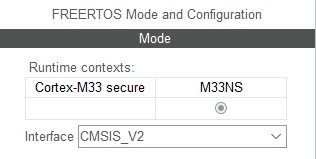
0693W00000WKMW2QAP.pngAnd, I want to change about Timebase Source in SYS_NS.
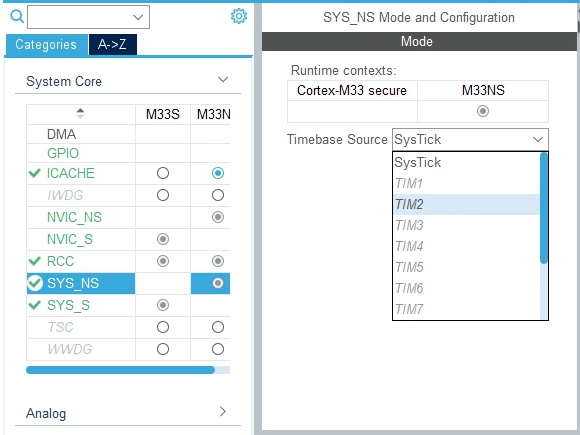
0693W00000WKMVnQAP.pngBut, all timers are disabled(inActive) except SysTick.
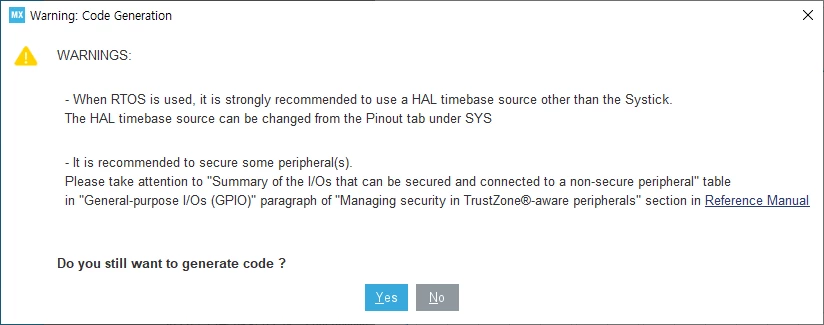
0693W00000WKMY3QAP.pngSo, there occur warning message about SysTick when run code generation.

Environments :

STM32CubeIDE : v1.11.0

STM32CubeL5 : v1.5.0

Best regards.
This topic has been closed for replies.
Best answer by KDJEM.1

Hello @JongOk Baek​,

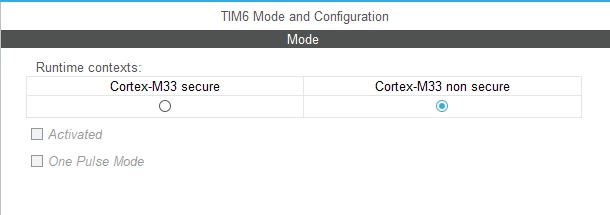
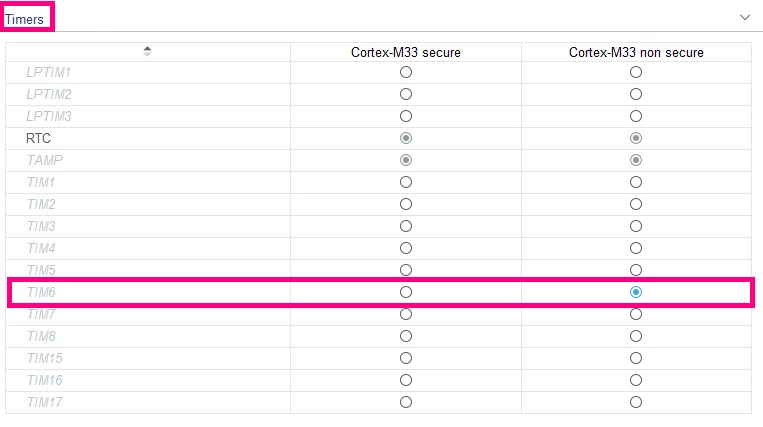
You can change the Timebase source in SYS_NS by enabling the dedicated timer as shown in the below figures.

0693W00000WKuJCQA1.png 

0693W00000WKuMQQA1.png 

 I advise you to get inspired from the available freeRTOS examples in the STM32CubeL5 MCU package.

When your question is answered, please close this topic by choosing Select as Best. This will help other users find that answer faster.

Thank you.

Kaouthar

2 replies

KDJEM.1
KDJEM.1Best answer
Technical Moderator
December 13, 2022

Hello @JongOk Baek​,

You can change the Timebase source in SYS_NS by enabling the dedicated timer as shown in the below figures.

0693W00000WKuJCQA1.png 

0693W00000WKuMQQA1.png 

 I advise you to get inspired from the available freeRTOS examples in the STM32CubeL5 MCU package.

When your question is answered, please close this topic by choosing Select as Best. This will help other users find that answer faster.

Thank you.

Kaouthar

To give better visibility on the answered topics, please click on Accept as Solution on the reply which solved your issue or answered your question.
JongOk Baek
Associate III
December 13, 2022

Thanks for your reply.

It is correct answer.

My problem has been solved.

KDJEM.1
Technical Moderator
December 13, 2022

Hi @JongOk Baek​,

Glad to know that the issue is solved.

Thank you for your contribution in the STCommunity :).

Kaouthar

To give better visibility on the answered topics, please click on Accept as Solution on the reply which solved your issue or answered your question.