Hello @Sulian Marie
First let me thank you for posting.
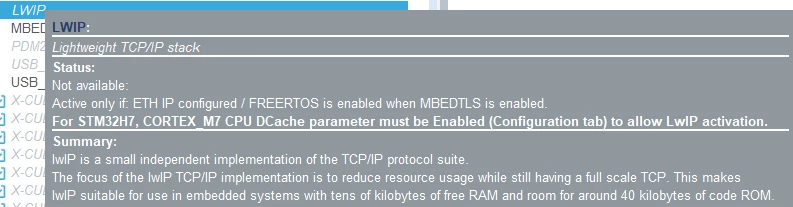
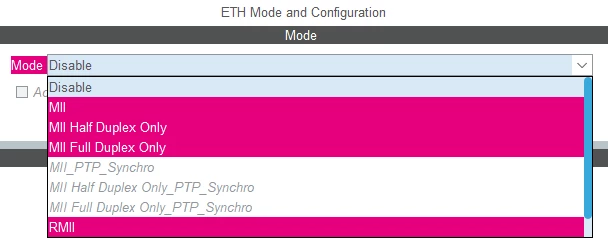
In order to enable LWIP in CubeMX ,you require the ETH IP to be activated, and you are unable to use the ETH configuration due to pin conflicts, it might not be possible to enable LWIP through CubeMX in your specific scenario.
In such cases, you would need to manually configure LWIP without using CubeMX. Here's an alternative approach you can consider:
1- Disable the ETH peripheral in the "Peripherals" tab of CubeMX to avoid any conflicts.
2- Manually configure and initialize the Ethernet controller using your custom SPI driver in your application code. This involves setting up the necessary pins, configuring the SPI communication, and handling the low-level communication with the Ethernet controller.
3- Download and include the LWIP source code in your project. You can obtain the LWIP source code from its official website
4- Extract the source code and include the necessary files in your project.
5- Configure the LWIP stack manually by modifying the relevant configuration files in the LWIP source code. You will need to set up the network interface, IP address, and other protocol-specific settings according to your requirements.
6- Implement the necessary functions to interface your custom SPI driver with the LWIP stack. These functions should handle sending and receiving Ethernet frames, managing interrupts, and handling network interface operations.
7- Initialize and start the LWIP stack in your application code, using the custom SPI driver functions for communication with the Ethernet controller.
By following this approach, you can manually integrate and configure the LWIP stack in your project, even without using the ETH configuration in CubeMX. It requires more manual configuration and coding work, but it allows you to use LWIP with your custom SPI-driven Ethernet controller.
Thx
Ghofrane