
Associate III
May 7, 2025
Question

Linux CubeMX python is not working as pre/post code generation script

  • May 7, 2025
  • 3 replies
  • 1303 views

What I have to do that I can directly call some python scripts as pre/post code generation step with CubeMX 6.14.1 under Linux?

Currently I can execute directly the python script on a Windows Machine, but on the Linux machine nothing happens. On Linux I can execute the scripts directly from command line without CubeMX and I can execute the scripts over a bash script which is calling the python script.

  • Do I need to configure anything additional?
  • Is there a possibility to select which python version is used?
  • Any other hint where my problem could be?
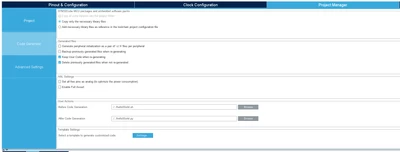
printscreen_UserAction_prePostCodeGeneration.png

Thanks in advance
nobody


3 replies

KnarfB
Super User
May 7, 2025

does your script contain a proper shebang?

has it the executable flag set?

If so and it doesn't work, wrap it in a shell script.

hth

KnarfB

nobodyAuthor
Associate III
May 8, 2025

I tried different shebang's and I set also executable flag (See printscreens)
nobody_0-1746684023254.png


nobody_2-1746684054750.png

nobody_1-1746684029248.png

nobody_3-1746684087390.png


Ozone
Principal
May 8, 2025

And what does "which python" on the command line return ?

TDK
Super User
May 7, 2025

Does it work if you use "python ../../helloWorld.py"?

"If you feel a post has answered your question, please click ""Accept as Solution""."
nobodyAuthor
Associate III
May 8, 2025

Unfortunately it does not work with python before the path. Without python cubeMX does not complain, but it is not executed.


nobody_4-1746684165535.png

nobody_5-1746684171773.png

nobody_6-1746684364160.png


Pavel A.
Super User
May 8, 2025

Relative path can be wrong. Try: python -c "import os; os.getcwd()"  to see if python works at all and where you are.


nobodyAuthor
Associate III
May 13, 2025

If I understood you right, you also suggested to directly execute that. Unfortunately it looks that only a file selection is possible.

nobody_0-1747111035859.png


Pavel A.
Super User
May 13, 2025

I've tried also to select an existing file, such as (in Windows) c:\tmp\junk.bat  - with same result: "the specified path is invalid". 

Only if the script file is in the same directory with the .ioc , and specified *with NO path* at all  (just junk.bat) - it works.

For me, both .bat and .py files run on Windows.

In Linux, either mark the file executable or wrap in a script.