XIAOHE
Associate II
May 7, 2023
Solved

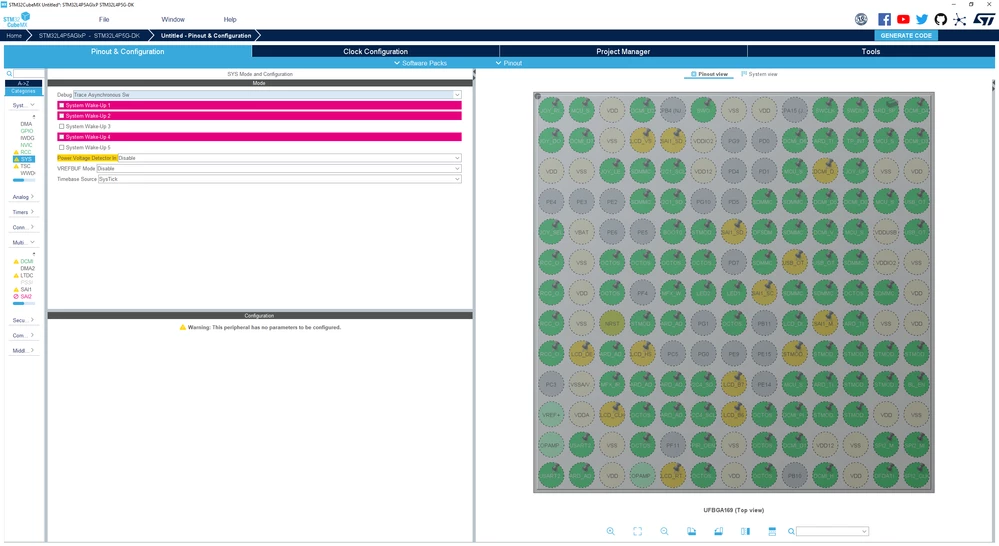
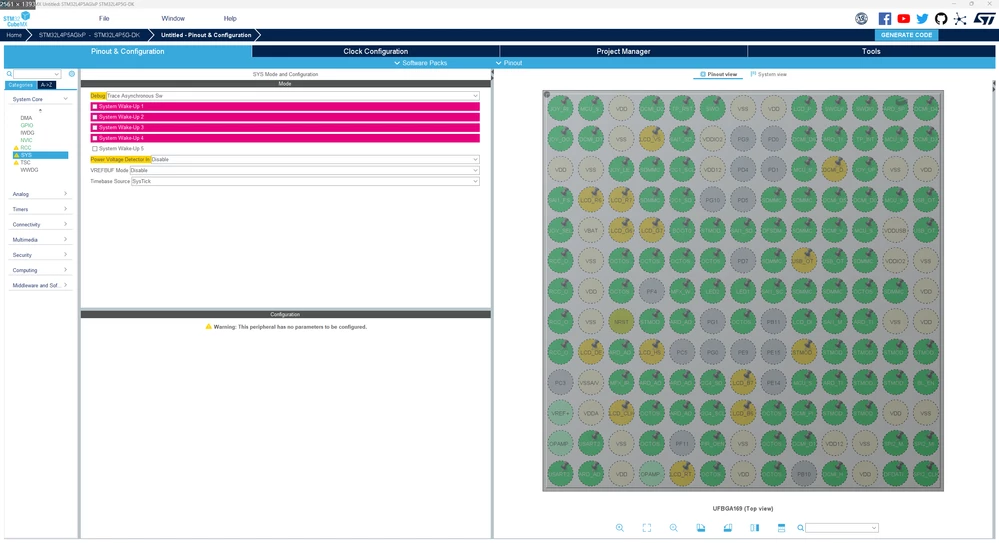
Open Initialize all peripherals with their default Mode after selecting Yes, DEBUG without serial wire option

  • May 7, 2023
  • 4 replies
  • 1619 views


_legacyfs_online_stmicro_images_0693W00000bjWo6QAE.png
_legacyfs_online_stmicro_images_0693W00000bjWoVQAU.png

This topic has been closed for replies.
Best answer by Ghofrane GSOURI

Hello @�?�兵 何​ 

First let me thank you for posting.

Let's try this solution:

As shown in the screenshot , we need to eliminate the conflicts in order to make the "Trace asynchronous Sw" is the SWD (serial wire), works correctly
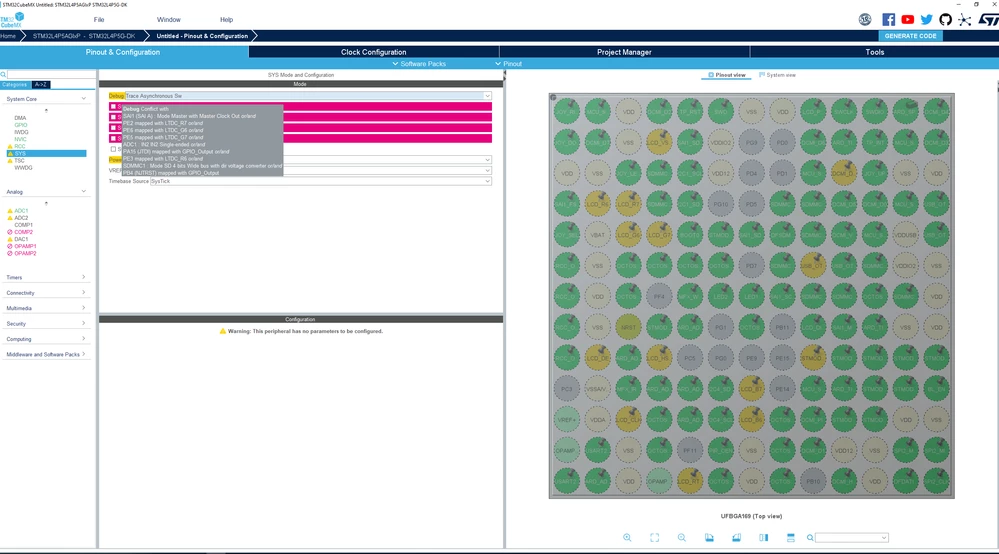

_legacyfs_online_stmicro_images_0693W00000bjaZ5QAI.pngAfter solving the conflicts :


_legacyfs_online_stmicro_images_0693W00000bjaacQAA.png 

I will be waiting for your feedback

Thx

Ghofrane

4 replies

Pavel A.
Super User
May 7, 2023

"Trace asynchronous Sw" is the SWD (serial wire), with additional SWO pin. So this is OK.

The red colored things are not relevant.

XIAOHE
XIAOHEAuthor
Associate II
May 8, 2023

@Pavel A.​ I understand what you mean, however, I exported to keil via GENERATE CODE and it will not work after burning to the development board in keil.

Ghofrane GSOURI
Ghofrane GSOURIBest answer
Technical Moderator
May 8, 2023

Hello @�?�兵 何​ 

First let me thank you for posting.

Let's try this solution:

As shown in the screenshot , we need to eliminate the conflicts in order to make the "Trace asynchronous Sw" is the SWD (serial wire), works correctly


_legacyfs_online_stmicro_images_0693W00000bjaZ5QAI.pngAfter solving the conflicts :


_legacyfs_online_stmicro_images_0693W00000bjaacQAA.png 

I will be waiting for your feedback

Thx

Ghofrane

To give better visibility on the answered topics, please click on Accept as Solution on the reply which solved your issue or answered your question.
XIAOHE
XIAOHEAuthor
Associate II
May 8, 2023

@Ghofrane GSOURI​ 

Thank you very much indeed, the problem is solved!