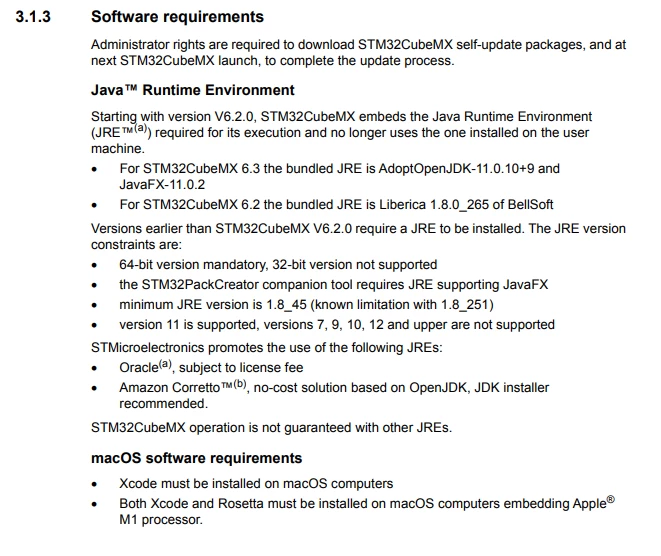
STM32CubeMX 6.5.0 - "Please install Java JRE 11.0.10 or a more recent version"
Has anyone had problems installing on Linux?
UM1718 User manual
3.2 Installing/uninstalling STM32CubeMX standalone version
On Linux:
a) On STM32CubeMX-Lin line, Click “Get software�? to download the package
b) Extract (unzip) the downloaded package.
c) Make sure you have administrator rights to access the target installation directory. You can run the installation as root (or sudo) to install STM32CubeMX in shared directories.
d) Do chmod 777 SetupSTM32CubeMX-VERSION to change the properties, so that the file is executable.
e) Double-click on the SetupSTM32CubeMX-VERSION file, or launch it from the console window.
Am I missing any details? The SetupSTM32CubeMX just says "Please install Java JRE 11.0.10 or a more recent version"
$ sudo ./SetupSTM32CubeMX-6.5.0
Check exe path on linux
FullExe path1 is: /home/user/SetupSTM32CubeMX-6.5.0
Exe path is: /home/user
Search java from relative path ----
Checking java in /home/user/./jre/bin/java
Checking java in /home/user/../jre/bin/java
Checking java in /home/user/../../jre/bin/java
Checking java in /home/user/../../../jre/bin/java
Please install Java JRE 11.0.10 or a more recent version
$ sudo apt install openjdk-11-jre
Reading package lists... Done
Building dependency tree
Reading state information... Done
openjdk-11-jre is already the newest version (11.0.15+10-0ubuntu0.20.04.1).
0 upgraded, 0 newly installed, 0 to remove and 122 not upgraded.
$ sudo apt-get install openjfx
Reading package lists... Done
Building dependency tree
Reading state information... Done
openjfx is already the newest version (11.0.7+0-2ubuntu2).
0 upgraded, 0 newly installed, 0 to remove and 122 not upgraded.
$ java -version
openjdk version "11.0.15" 2022-04-19
OpenJDK Runtime Environment (build 11.0.15+10-Ubuntu-0ubuntu0.20.04.1)
OpenJDK 64-Bit Server VM (build 11.0.15+10-Ubuntu-0ubuntu0.20.04.1, mixed mode, sharing)
$ whereis java
java: /usr/bin/java /usr/share/java /usr/share/man/man1/java.1.gz