
Associate II
October 27, 2025
Question

STM32CubeMX stuck in 'Building check status' when trying to generate code

  • October 27, 2025
  • 1 reply
  • 221 views

Hi, good evening. I'm currently working with STM32CubeMX (version 6.15.0). I've configured the main options, pin assignment, generated the  .ioc file, but I cannot create the code.

Once I click on 'create code' I get stuck here:
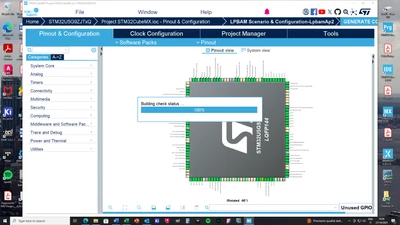
Matbonny_0-1761586769884.png

Fyi, the .ioc file is in the same directory as the firmware, i.e. C:/Users/matte/STM32Cube/Repository/

Also, the .ioc file is in the same disk as the program.

Finally, I've deleted the .stm32cubemx folder, as I've seen others did, in an effort to solve a similar problem.


Same behaviour if I try togenerate code from STM32CubeIDE:
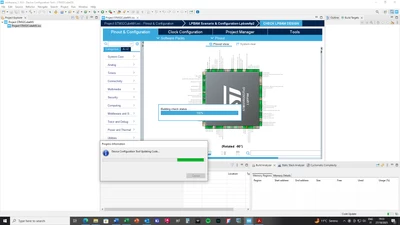
Matbonny_0-1761590163946.png


Is this something you've encountered already ? Thank you very much !

1 reply

Ghofrane GSOURI
Technical Moderator
October 28, 2025

Hello @Matbonny 

Could you please share your IOC file? I will try to generate the code on my end using your IOC and investigate what might have gone wrong.

Also, could you please specify which operating system you are using?

THX

Ghofrane

To give better visibility on the answered topics, please click on Accept as Solution on the reply which solved your issue or answered your question.
MatbonnyAuthor
Associate II
November 3, 2025

Dear Ghofrane, thanks for your reply. I utilize Windows 10Pro. I've solved at the end, not exactly sure what worked. I can say that before, when it was not working, the executable was not in C:\, while now it is.

So, I suspect it was something related to the directories where the executable and project files are. Now, (setup working), executable in C:\, and project in D:\

Thanks again