Solved
USART3 selection disabled in CubeMx
I need UART to use printf, but it's showing as disabled. How can I enable it, and I also need an example code for printf.
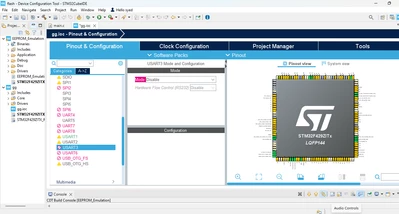

I need UART to use printf, but it's showing as disabled. How can I enable it, and I also need an example code for printf.
If you pass the mouse on USART3, you will get the warning and the information about the issue:
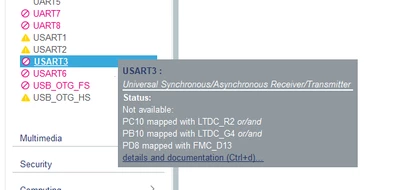
There are IO conflicts with FMC or/and LTDC.
So you need to go to the pinout view and type USART3. All USART3 pins will toggle. Then select the pin that you need to use for UART3.
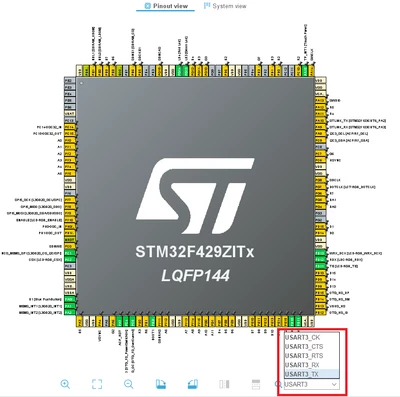
Attached a project where I configured USART3 on PB10 and PB11.
But becarefull, for this discovery you need to use USART1 not USART3 over STLINK Virtual comport as said in this thread for printf:
https://community.st.com/t5/stm32-mcus-embedded-software/how-to-use-printf/td-p/733254
And if you need to use USART3 you need to check the HW and manage the conflicts on the board by referring to the schematics.
Hope that answers your question.
Enter your E-mail address. We'll send you an e-mail with instructions to reset your password.