
Solved
where in the cubemx I can activate HRTIM_SCIN?
I am using stm32f334. it has hrtim timers. based on its manual it also has HRTIM_SCIN. but I don't know where should I find its setting in the CubeMX to activate it

I am using stm32f334. it has hrtim timers. based on its manual it also has HRTIM_SCIN. but I don't know where should I find its setting in the CubeMX to activate it
Hello
First let me thank you for posting.
To activate the HRTIM_SCIN in CubeMX for STM32F334, follow these steps:
1- Open CubeMX and create a new project for your STM32F334 microcontroller.
2- Under [Timer] Activate HRTIM
3- External Synchronization : choose Input Synchronization
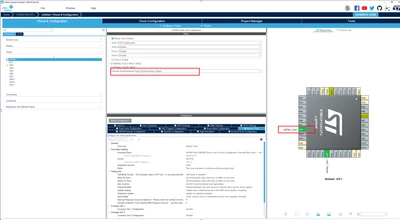
Thx
Ghofrane
Enter your E-mail address. We'll send you an e-mail with instructions to reset your password.