Why can't I get the SPI clock to idle low
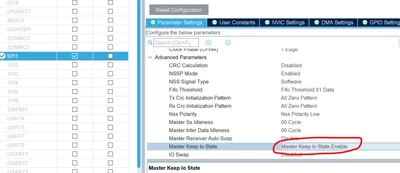
I'm working on a STM32H755ZIQ. I am setting up a SPI master, with CPol= 0, CPha = 1, accordingly I need the clock to be low when inactive. Additionally I want the clock to be low when idling, even when the SPI is not active. To achieve this, I have modified the GPIO settings to use a pulldown resistor on the clock pin.
I set this up using the CubeMX utility, but I don't necessarily trust it, so I have checked the generated code, and I find, in main.c, within the function MX_SPI1_Init(void), the polarity is set low:

and also, in stm32h7xx_hal_msp.c, within the function HAL_SPI_MspInit(SPI_HandleTypeDef* hspi), the GPIO is set to use the pulldown resistor:
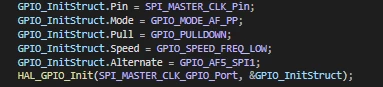
And yet, the clock is idling high. You can see in the logic trace below, that the clock is NOT normally pulled down, but only goes low when the SPI is activated.
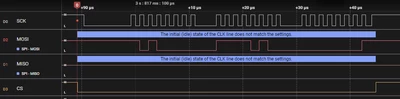
I assert the CS pin before carrying out an SPI write operation. The clock is still high when the slave detects the CS change, and the slave fails to correctly read the data.
Can anyone tell me what more I need to do to ensure that the clock like is idling low?
Thanks