
Associate II
January 21, 2026
Solved

X-CUBE-ISP not found in STM32CubeMX

  • January 21, 2026
  • 1 reply
  • 254 views

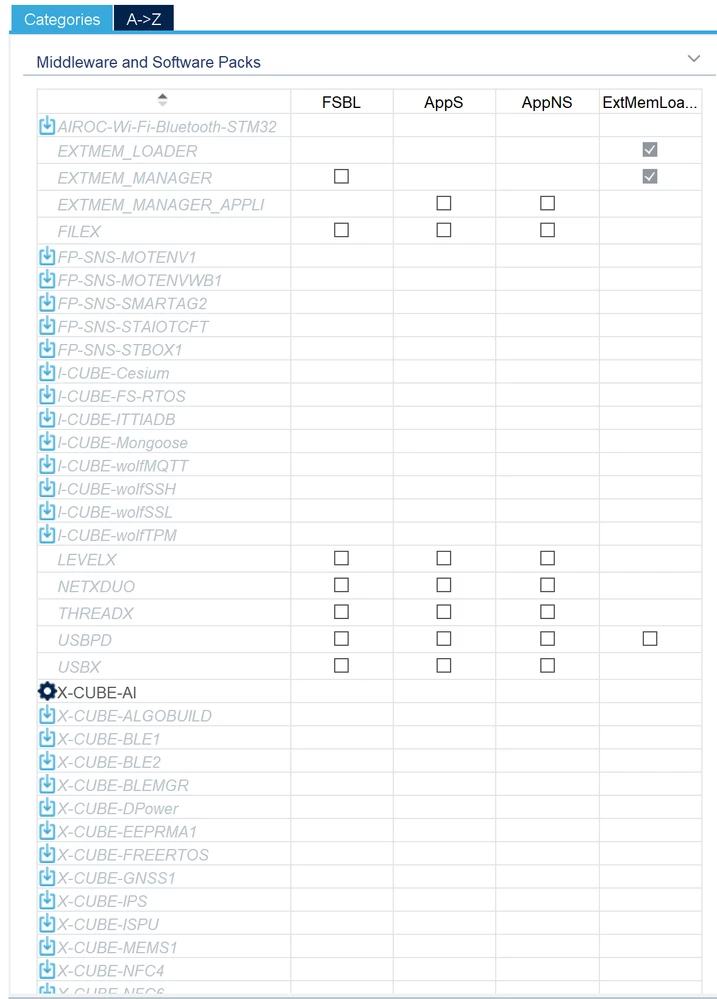
I'm using STM32CubeMX for STM32N657x0HxQ controller. I would like to use ST ISP Library to handle MB1854 camera module. But I could not find the X-CUBE-ISP in STM32CubeMX Pinout & Configuration page, which is as follows.
스크린샷 2026-01-21 131702.png


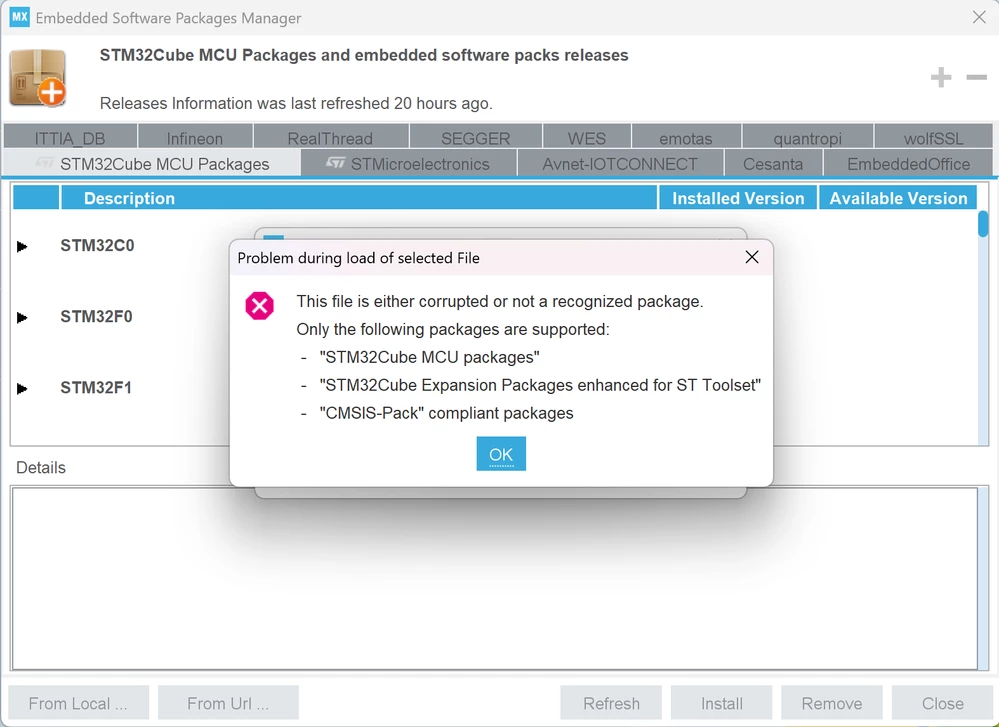
So I tried to import x-cube-isp.zip file downloaded from GitHub. But I came across the following error message.
스크린샷 2026-01-21 131949.png


My STM32CubeMX version is Version 6.16.1 for Windows 11.


Best answer by Souhaib MAZHOUD

Hello @JaeLee 

Have you added the folder inside Middlewares folder generated by CubeMX? If yes, I recommend renaming your folder and moving it outside of Middlewares as stated here Solved: STM32CubeIDE 1.18.1 removes middleware folder afte... - STMicroelectronics Community

KR, Souhaib

1 reply

Technical Moderator
January 21, 2026

Hello @JaeLee 

Thanks for posting!

Actually, X-CUBE-ISP is not supported with STM32CubeMX. You have the option to use it with STM32CubeIDE as stated on ISP:Getting started with X-CUBE-ISP - stm32mcu.

KR, Souhaib

To give better visibility on the answered topics, please click on Accept as Solution on the reply which solved your issue or answered your question.
JaeLeeAuthor
Associate II
January 22, 2026

Hi Souhaib,

Thanks for your prompt support.

I already knew the way of applying X-CUBE-ISP without STM32CubeMX.

But, I found that whenever I regenerate my project with STM32CubeMX, the Middlewares folder including the ISP library is removed, which is really annoying.

Is there any way to avoid the removal of Middlewares folder that I added manually?

Souhaib MAZHOUDBest answer
Technical Moderator
January 22, 2026

Hello @JaeLee 

Have you added the folder inside Middlewares folder generated by CubeMX? If yes, I recommend renaming your folder and moving it outside of Middlewares as stated here Solved: STM32CubeIDE 1.18.1 removes middleware folder afte... - STMicroelectronics Community

KR, Souhaib

To give better visibility on the answered topics, please click on Accept as Solution on the reply which solved your issue or answered your question.