
Associate
November 17, 2024
Question

Cannot connect to STM32G0B1 custom board

  • November 17, 2024
  • 8 replies
  • 1854 views

Hello everyone,

I have designed a custom board with the STM32G0B1CET6N but I cannot connect to the nucleo st-link programmer.

I have removed the two jumpers from the nucleo board but when connecting to the board it doesn't get recognised by the ST-Link Utility or STM32Programmer.
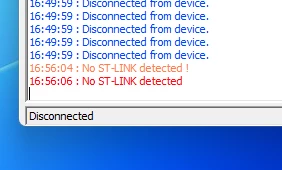
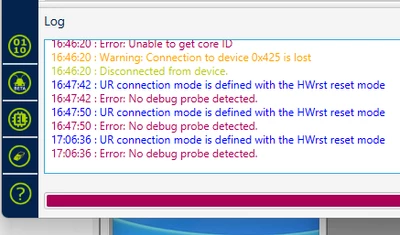
degaus_0-1731863186909.png

degaus_1-1731863209776.png

I do get an issue with the driver on the Device Manager but when I connect it to another custom board it works fine.
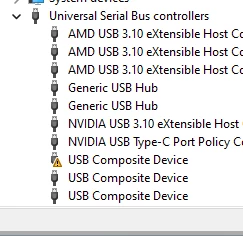
degaus_2-1731863258999.png

Below is the schematic for my custom board.
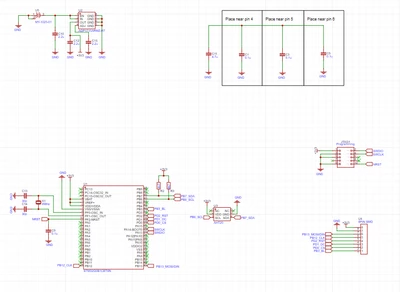
degaus_3-1731863332157.png

Any help is really appreciated.


Matteo


8 replies

MM..1
Chief III
November 17, 2024

VDDIO2 and VSS on your must be connected too. 

degausAuthor
Associate
November 17, 2024

Hello MM..1,


Thank you for your prompt reply!

Yes, I did noticed that mistake and I have put a temporary cable with the decoupling capacitors. Unfortunately it doesn't seem to work still. I will check that connection again in case there is a bad soldering.

Pavel A.
Super User
November 17, 2024

Please do yourself a favor. Get a new (and cheap)  ST-LINKv3 instead of hacking a nucleo.

Tesla DeLorean
Guru
November 17, 2024

If it fails so bad the ST-LINK drivers can't find it, you'd need to look at the circuit, for shorts, powering issues, etc.

Check part / connector orientations.

Tips, Buy me a coffee, or three.. PayPal VenmoUp vote any posts that you find helpful, it shows what's working..
degausAuthor
Associate
November 17, 2024

Hi Pavel,


Thank you for your reply, I am not actually hacking a nucleo, I am only using the built in st-link to try to program my custom board. I have actually a ST-LinkV3, but I have the same issue.

I am trying to understand what else I am missing, on top of the two connections that MM..1 has nicely pointed out.


Matteo

Pavel A.
Super User
November 17, 2024

A normal ST-Link at least won't have issues with USB connection to host.

degausAuthor
Associate
November 17, 2024

Hi MM..1,


Thanks for the reply.

The link is working as normal with jumpers on, also it is working fine with jumpers off on another custom board (L010 chip). I have attached the picture with the jumpers off. I think I need to get a new board done with the VDDIO2 and VSS connected properly as the flying wire maybe are not connected properly. The board was factory assembled so I assume that is right.

BTW....I am new on STM32 so forgive me for silly mistakes.

unnamed.jpg

Matteo

MM..1
Chief III
November 17, 2024

For normal use you require three pins connected GND SWCLK SWDIO and on your image GND isnt connected
plus custom board power ...

degausAuthor
Associate
November 17, 2024

Hi MM..1,


Thanks again for your help.


I have connected as your suggestion and now I do get a different error.

degaus_0-1731879470669.png

degaus_1-1731879498625.png

Need more investigation...I may get the board re-done with the VDDIO2 and VSS connected this time, just to make sure that the flying wires are not connected properly.

PS. Could you please let me know if I missed something else from schematic?

Thanks again.

Matteo


Pavel A.
Super User
November 18, 2024

I am new on STM32 so forgive me for silly mistakes.

Desire of using ST-link of other ST board instead of a normal modern ST-link v3 (high speed, VCP) is one of these mistakes IMHO. Just doubles chance of damage and confusion, for nothing good.