JBond.1
Senior
January 14, 2026
Question

Getting started with STM32H750VBT6, SDMMC1

  • January 14, 2026
  • 1 reply
  • 420 views

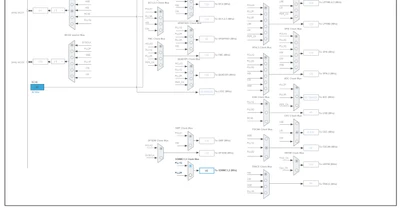
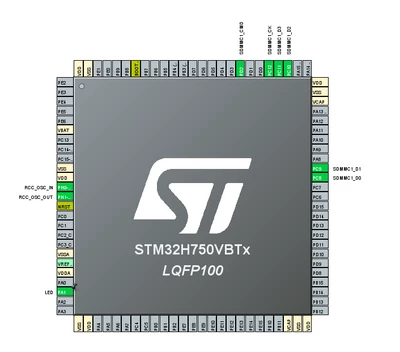
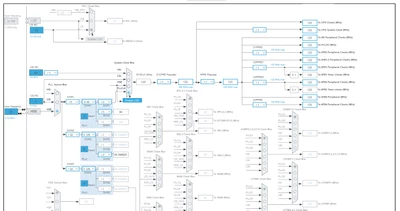
Hi, I am trying to move to STM32H750 from STM32F407. To start with I have tried making simple LED blink project and it seems to work.Then I add SDMMC1 and suddenly it started hanging on exiting `static void MX_GPIO_Init(void)`. Any ideas why? Do I need some kind of other initialization or what could be wrong?
JBond1_0-1768410547333.png

JBond1_0-1768412271920.png

JBond1_1-1768412281422.png


/* Identify card operating voltage */
 errorstate = SD_PowerON(hsd);
 if (errorstate != HAL_SD_ERROR_NONE)
 {
 hsd->State = HAL_SD_STATE_READY;
 hsd->ErrorCode |= errorstate;
 return HAL_ERROR;
 }


it seems to return error here
0x10000000U
#define SDMMC_ERROR_UNSUPPORTED_FEATURE ((uint32_t)0x10000000U) /*!< Error when feature is not insupported */

what does that mean and how to fix it?

1 reply

JBond.1
JBond.1Author
Senior
January 17, 2026

Inserting SD card worked. but my question is why do we have "Error_Handler();" on "MX_SDMMC1_SD_Init(void)" which is executed if there is no SD card inserted?

static void MX_SDMMC1_SD_Init(void)
{

 /* USER CODE BEGIN SDMMC1_Init 0 */

 /* USER CODE END SDMMC1_Init 0 */

 /* USER CODE BEGIN SDMMC1_Init 1 */

 /* USER CODE END SDMMC1_Init 1 */
 hsd1.Instance = SDMMC1;
 hsd1.Init.ClockEdge = SDMMC_CLOCK_EDGE_RISING;
 hsd1.Init.ClockPowerSave = SDMMC_CLOCK_POWER_SAVE_DISABLE;
 hsd1.Init.BusWide = SDMMC_BUS_WIDE_4B;
 hsd1.Init.HardwareFlowControl = SDMMC_HARDWARE_FLOW_CONTROL_DISABLE;
 hsd1.Init.ClockDiv = 30;
 if (HAL_SD_Init(&hsd1) != HAL_OK)
 {
 Error_Handler();
 }
 /* USER CODE BEGIN SDMMC1_Init 2 */

 /* USER CODE END SDMMC1_Init 2 */

}

How do I skip "Error_Handler()" execution if card is not inserted? My board does not have "CardInsert" pin.
Crash if card is not inserted is not what user would expect.

Technical Moderator
January 19, 2026

Hello @JBond.1 

The only possibility is to initialise SDMMC without CubeMX.

"To give better visibility on the answered topics, please click on ""Accept as Solution"" on the reply which solved your issue or answered your question.Saket_Om"