
Associate II
November 1, 2025
Question

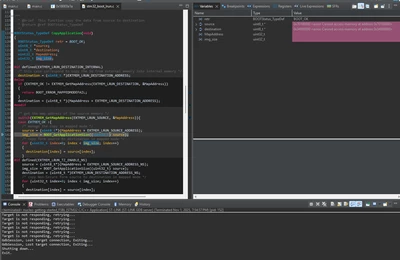
Getting "Cannot access memory at address" error when trying to follow NUCLEO-N657X0-Q tutorial

  • November 1, 2025
  • 2 replies
  • 740 views

I tried to follow this tutorial: How to build an AI application from scratch on the... - STMicroelectronics Community , could not figure out how to enable NPU RIF, so i skipped it. I tried to debug using the FSBL main.c, the blue led did turn on, but i got the error in the screenshot when trying to launch application in FSBL main.c. Project: willisk0612/nucleo-getting-started
Skjermbilde 2025-11-01 195522.png

2 replies

Associate II
November 3, 2025

I had the same issue, but I managed to solve it.

For RIF - NPU, you can configure it in the RIF Panel before setting up X-CUBE-AI.

In XSPI2, set the following:

Chip Select Override: NCS1 -- Port2 --

Memory Type: Macronix

In EXTMEM_MANAGER → Memory1 →

Number of memory data lines: 8 LINES

After applying these settings, it worked for me.
I recommend creating a new project and setting it up again.

My English may not be perfect, but I hope this helps.

williskAuthor
Associate II
November 4, 2025

Thanks for the answer. It turned out i had to disable X-CUBE-AI software pack, enable NPU in RIF panel and enable X-CUBE-AI. I tried implementing the XSPI2 and EXTMEM_MANAGER changes you mentioned. I still get the same error when trying to debug. I also tried signing, flashing FSBL, Appli and weights, i did not get any LED response or COM response. I updated the github project repo above, so you can see my files. If someone has a working x cube ai stm32n6 nucleo project, i would appriciate a github or zip file, its very frustrating to fight these errors.

Skjermbilde 2025-11-04 171755.png

Associate II
November 5, 2025

Then, in the debug settings, try the following configuration:


external loaders -> Add -> MX25UM51245G_STM32N6570-NUCLEO.stldr


silpiode_1-1762309878271.png

Startup setting
Load Image and Symbols -> Add
Project: {YourProject}.Appli
Build Configuration: Debug

silpiode_3-1762309953328.png

Click OK

silpiode_2-1762309898332.png

Try applying the above settings as well.


Graduate
November 9, 2025

The “Cannot access memory at address” error usually indicates the debugger is trying to access an invalid or uninitialized memory region. Check that your FSBL and application memory regions match, and ensure the NPU RIF or required peripherals are properly enabled before launching the app.

williskAuthor
Associate II
November 9, 2025

@erna23 Thanks for the answer. Do you have any idea why Appli debugger got stuck in inference?