
Associate
March 19, 2024
Question

confirm perspective switch tab

  • March 19, 2024
  • 1 reply
  • 1388 views

Hi , I am new to this board

I got this dialog box while starting the debug session as per start up guide.

Board:STM32MP157D-DK1
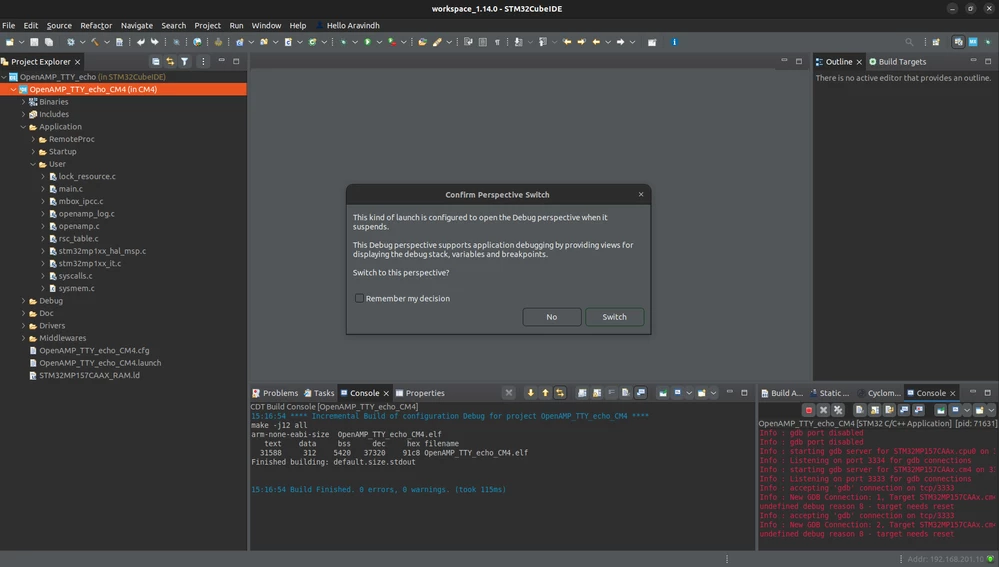
https://wiki.st.com/stm32mpu/wiki/Getting_started/STM32MP1_boards/STM32MP157x-DK2/Develop_on_Arm%C2%AE_Cortex%C2%AE-M4/Modify,_rebuild_and_reload_a_firmware#

Screenshot from 2024-03-19 15-19-08.png

what should I do here?

while giving switch button, the below message came.
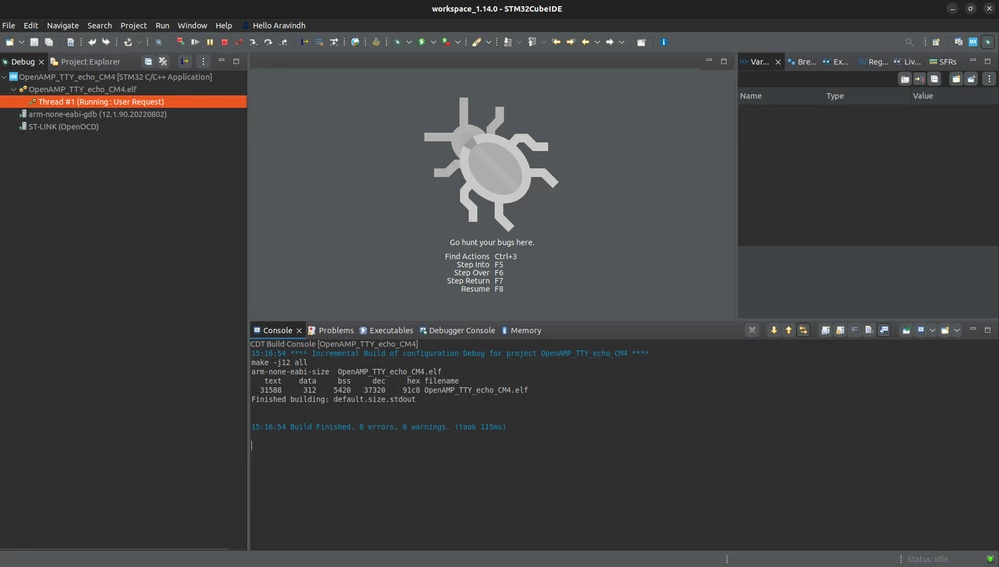
Screenshot from 2024-03-19 15-29-06.png

After this, what should I do?

This topic has been closed for replies.

1 reply

TDK
Super User
March 19, 2024

Most people switch to the debug perspective when they are debugging, and back to the C/C++ perspective when they are not.

Looks like your code is running just fine. You can hit pause if you want, or set breakpoints, or do anything else you would normally do while debugging.

"If you feel a post has answered your question, please click ""Accept as Solution""."
Associate
March 20, 2024

Hi Guru,

The issues is coming again and again, I can't transfer the data from the host PC to STM32MP157D-DK1 MPU, I m following the start up guide only after the transfer of the data the it should ask SSH root password, but I struct in the same area which is mention already in previous post. Kindly give me a suggestion how I can clear this error.

DebugCfg-Launch-PM-EnterPwd.png

The above image should come after the debug, but I can't get this dialog box. Kindle resolve this ASAP.