This topic has been closed for replies.
Best answer by Bernard PUEL

Hello,

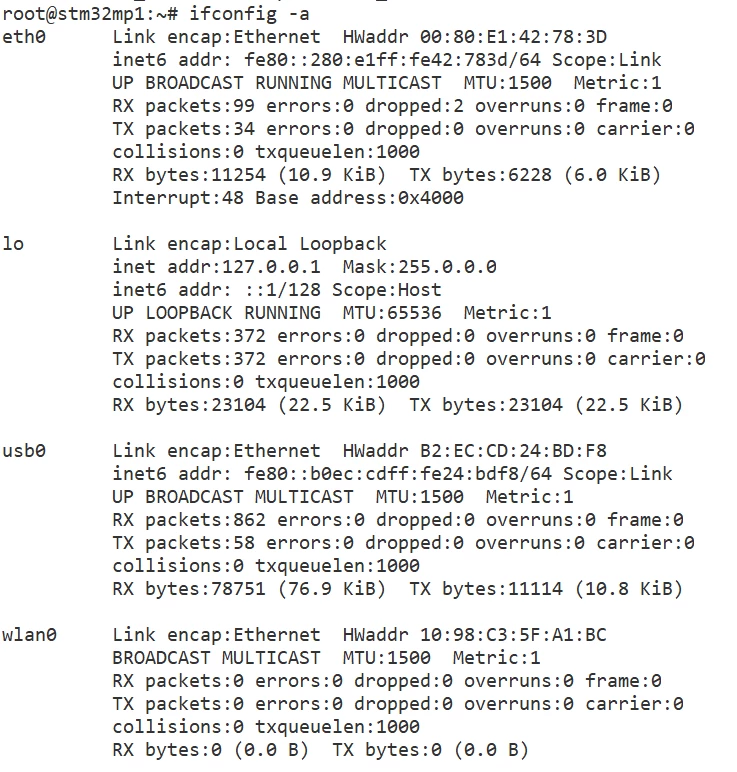
Note that the right command is: "ip addr show eth0" ifcong beeing dreprecated (but still working).

Anyway both commands will give you same results. It seems your gateway is only assigning IPv6 ip address. Generally gateways

are assigning both ipv6 and ipv4 to stay compatible with both addressing schemes.

It is not an issue and probably a configuration of your gateway.

Anyway you can stay with ipv6 ip address. no pb.

2 replies

Bernard PUEL
Bernard PUELBest answer
Technical Moderator
January 26, 2021

Hello,

Note that the right command is: "ip addr show eth0" ifcong beeing dreprecated (but still working).

Anyway both commands will give you same results. It seems your gateway is only assigning IPv6 ip address. Generally gateways

are assigning both ipv6 and ipv4 to stay compatible with both addressing schemes.

It is not an issue and probably a configuration of your gateway.

Anyway you can stay with ipv6 ip address. no pb.

SMang.1
SMang.1Author
Associate II
January 29, 2021

Thanks, @Bernard PUEL

Looks like there was an issue with my local network settings.

It is resolved now.