
Failed to mount a disk partition at linux system init phase (STM32MP157-disco-board)
Hi,
I am using the stm32mp157-disco board and trying to mount one of my sd card partitions to my linux VFS at boot time with systemd. I have modified the file /etc/fstab, adding the following entry:
# <file system> <mount pt> <type> <options> <dump> <pass>
/dev/mmcblk0p8 /boot ext4 defaults,nofail 0 2
but somehow systemd cannot mount the partition before the timeout.
I've been unable to change the timeout for the disk mounting by adding x-systemd.mount-timeout under the <options> term of the entry. It seems that Openstlinux has been able to ignore the params in /etc/fstab.
However, I can mount the same disk partition with command:
mount /dev/mmcblk0p8 /boot
after the login. So I am not sure what I have missed. Can someone share me some light here? Thank you.
boot info:
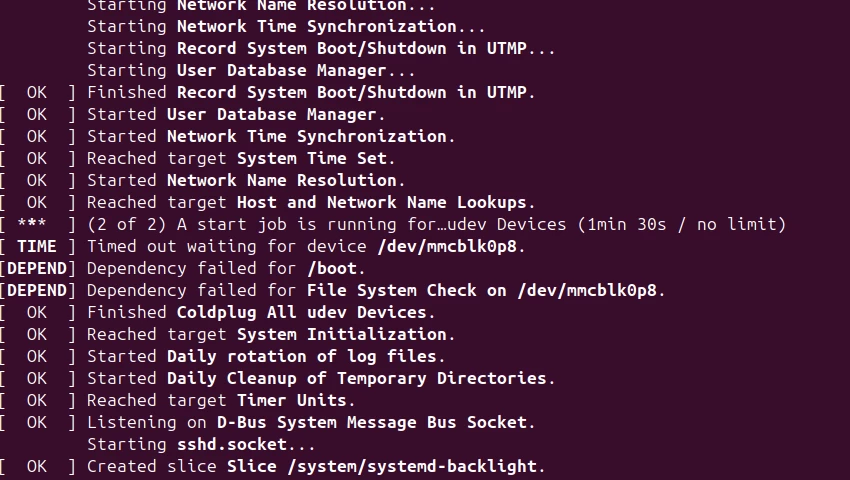
journal log:
