ZLiu.3
Associate II
March 10, 2023
Solved

RGB LCD does not display

  • March 10, 2023
  • 1 reply
  • 1117 views

My rgb lcd screen does not display。

My board is based on the STM32MP153AAA3 design, using a separate power supply.

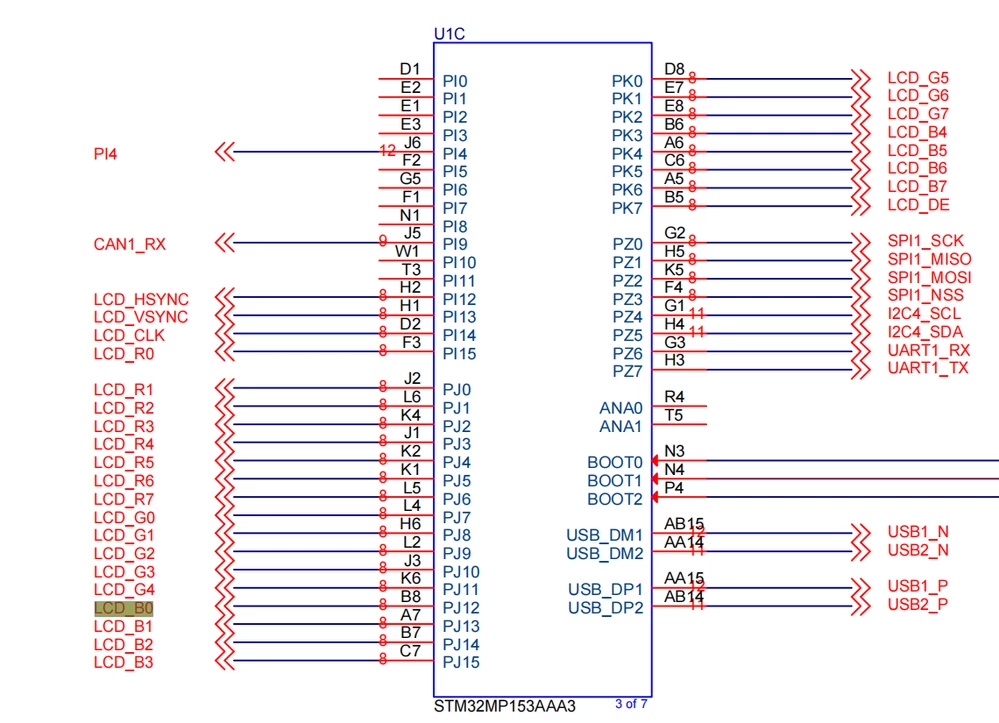
This is my schematic diagram
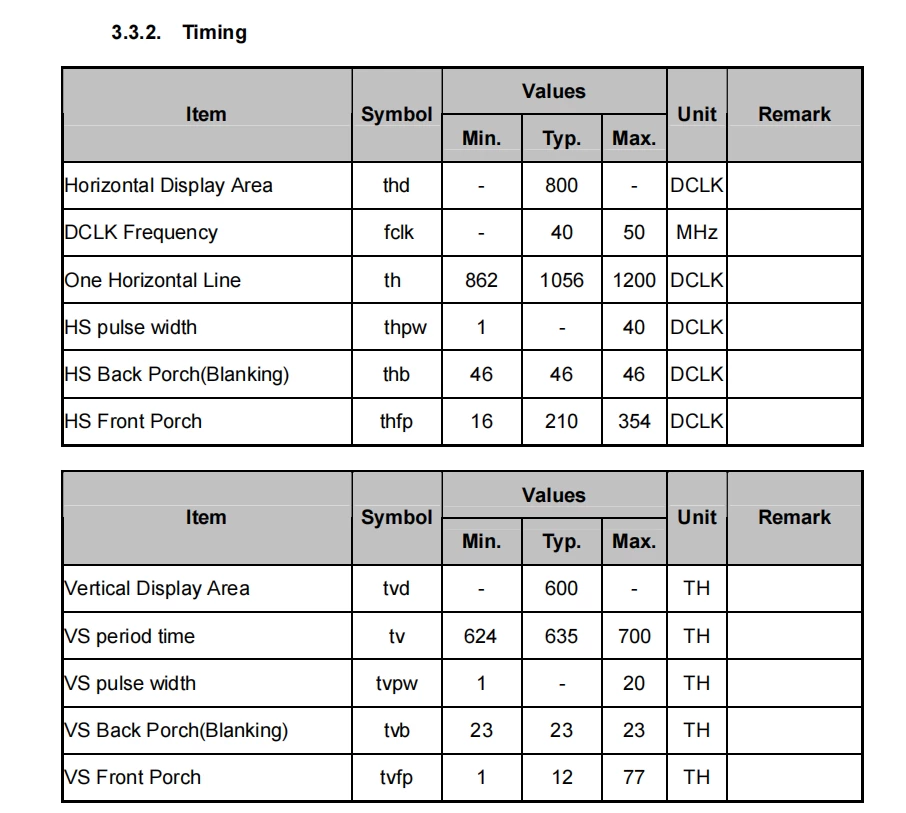
0693W00000aIdJqQAK.pngThis is the timing of the LCD

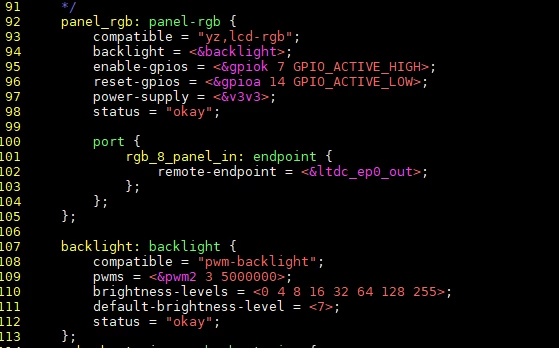
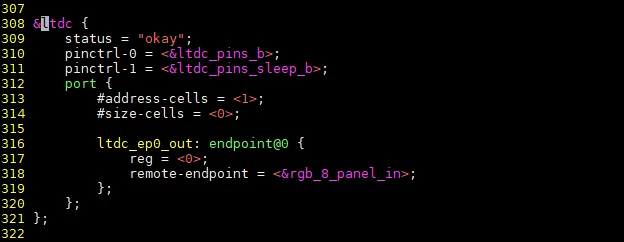
0693W00000aIdKZQA0.png This is the LCD device tree

0693W00000aIdK0QAK.png0693W00000aIdK1QAK.png 

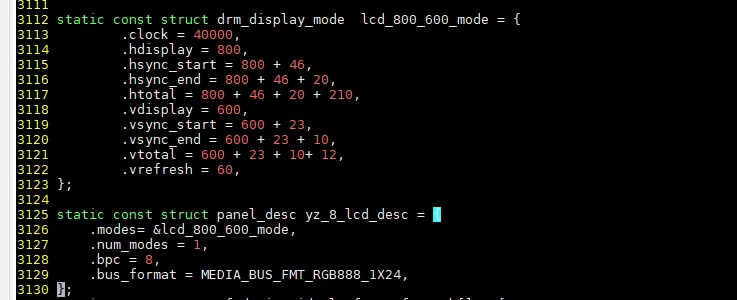
​This is some panel-simple driver code

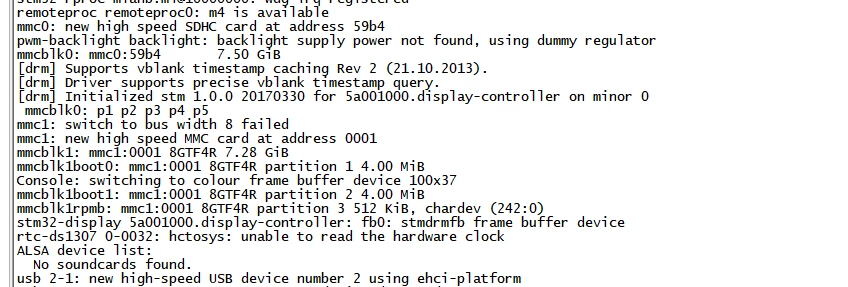
0693W00000aIdKPQA0.pngHere are some boot logs

0693W00000aIdJnQAK.png0693W00000aIdKUQA0.png 

Looking forward to your response!

This topic has been closed for replies.
Best answer by ZLiu.3

i have solved it.

The ltdc node has a problem:

&ltdc {
 pinctrl-names = "default", "sleep";
 status = "okay";
 pinctrl-0 = <&ltdc_pins_b>;
 pinctrl-1 = <&ltdc_pins_sleep_b>;
 port {
 #address-cells = <1>;
 #size-cells = <0>;
 
 ltdc_ep0_out: endpoint@0 {
 reg = <0>;
 remote-endpoint = <&rgb_8_panel_in>;
 };
 };
};

1 reply

ZLiu.3
ZLiu.3AuthorBest answer
Associate II
March 28, 2023

i have solved it.

The ltdc node has a problem:

&ltdc {
 pinctrl-names = "default", "sleep";
 status = "okay";
 pinctrl-0 = <&ltdc_pins_b>;
 pinctrl-1 = <&ltdc_pins_sleep_b>;
 port {
 #address-cells = <1>;
 #size-cells = <0>;
 
 ltdc_ep0_out: endpoint@0 {
 reg = <0>;
 remote-endpoint = <&rgb_8_panel_in>;
 };
 };
};