

f4_kiddo
Associate II
March 28, 2022
Solved

[MacOS] Can't open or import .ioc file using CubeMX

  • March 28, 2022
  • 2 replies
  • 2594 views

Hi,

currently I can't open any .ioc file which hasn't been previously created with my computer.

There's no problem if I open an .ioc file inside CubeIDE, but, when I want to use VS Code I need to open the .ioc file using just CubeMX.

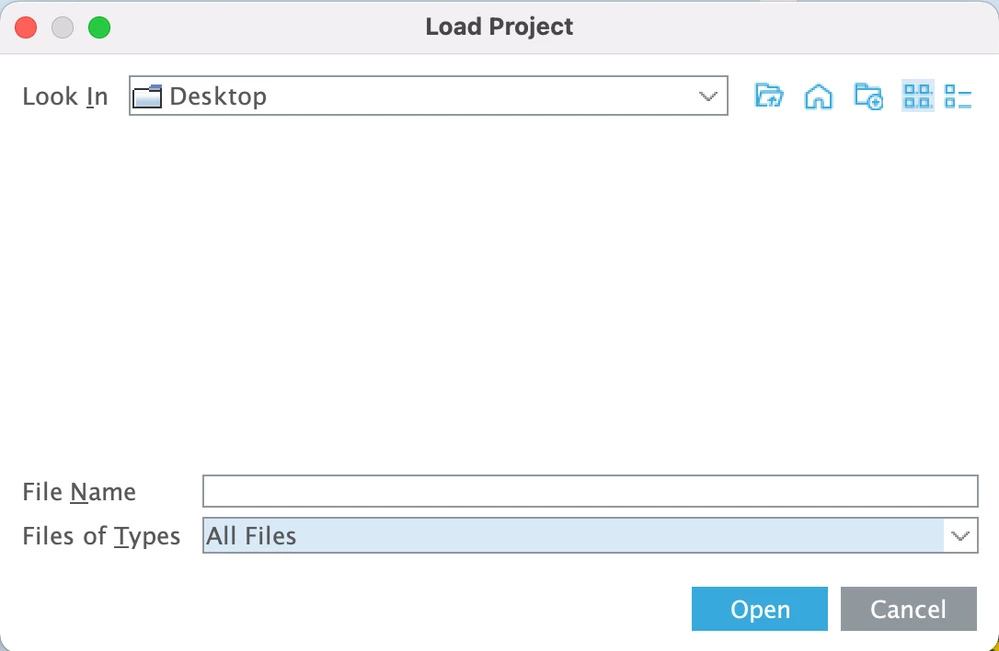
If I open an .ioc file with CubeMX, the program brings me the startup page. Whether I try to load a project directly from CubeMX, I can't navigate through the folders because, even in the Desktop folder the file navigator shows me an empty space.

Does anyone have my same problem, with MacOS?
0693W00000LvxMiQAJ.png

This topic has been closed for replies.
Best answer by Aymen CHAKROUN

Hi @f4_kiddo​,

Can you follow the solution described in this post ?

STM32CubeMX 6.4.0 doesn't interact nicely with MacOS 12.1 (Monterey)

Let me know the result.

Regards,

Aymen.

2 replies

Aymen CHAKROUN
Aymen CHAKROUNBest answer
ST Employee
March 28, 2022

Hi @f4_kiddo​,

Can you follow the solution described in this post ?

STM32CubeMX 6.4.0 doesn't interact nicely with MacOS 12.1 (Monterey)

Let me know the result.

Regards,

Aymen.

f4_kiddo
f4_kiddoAuthor
Associate II
March 28, 2022

Thank you so much!

Now it's working fine :beaming_face_with_smiling_eyes:

RMora.4
Associate III
July 17, 2022

I was having the same problem and this solution worked for me. Thank you.

Although I will say that this shouldn't be an issue that we should be struggling with. I don't remember this being an issue when I installed an earlier version of CubeMX.