MÇerçi
Associate III
November 30, 2020
Solved

STMCubeIDE Activation DeviceTree Failed with STM32MP157A-DK1 ARM Cortex-A7

  • November 30, 2020
  • 3 replies
  • 2219 views

Hi, i just started working/learning STM cards as an intern. I want to run C/C++ codes on STM32MP157A-DK1 ARM Cortex-A7.

I did the getting started tutorials at wiki, and im using environmet version 2.1.0 release

I followed these posts:

https://community.st.com/s/question/0D53W00000M9GphSAF/using-stm32cubeide-for-developing-linux-user-space-applications

https://wiki.st.com/stm32mpu/wiki/How_to_manage_OpenSTLinux_project_in_STM32CubeIDE

Then I wrote an the most basic hello world code. just want to get an build, deploy and see if its working properly then i will start working on the task that i given.

#include <stdio.h>
int main()
{
	printf("hello world\n");
	return 0;
}

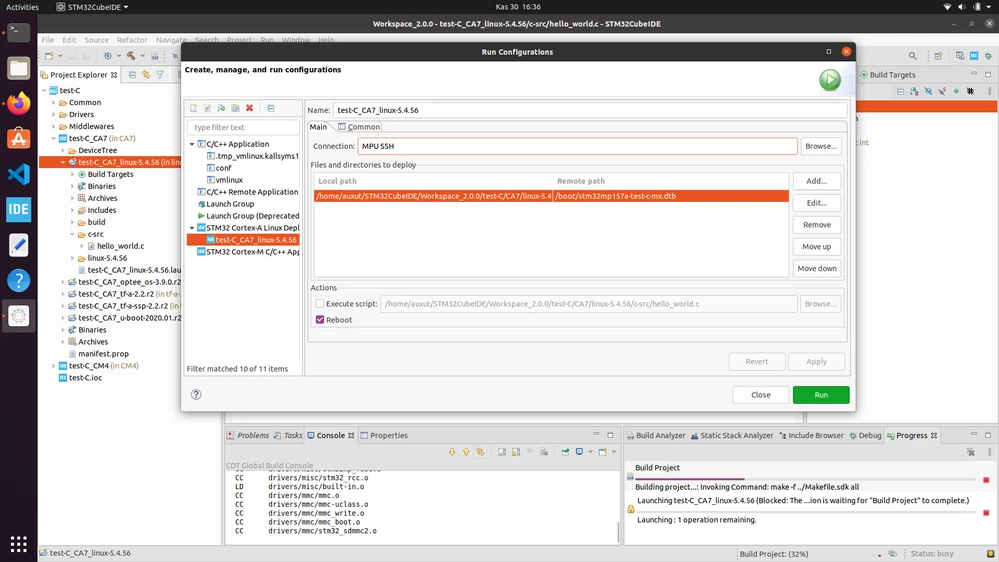
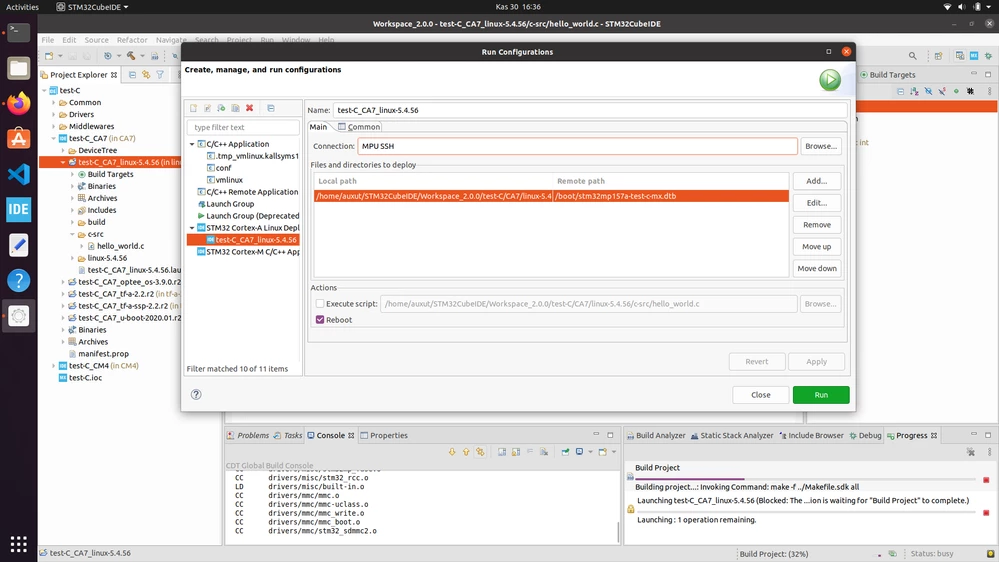
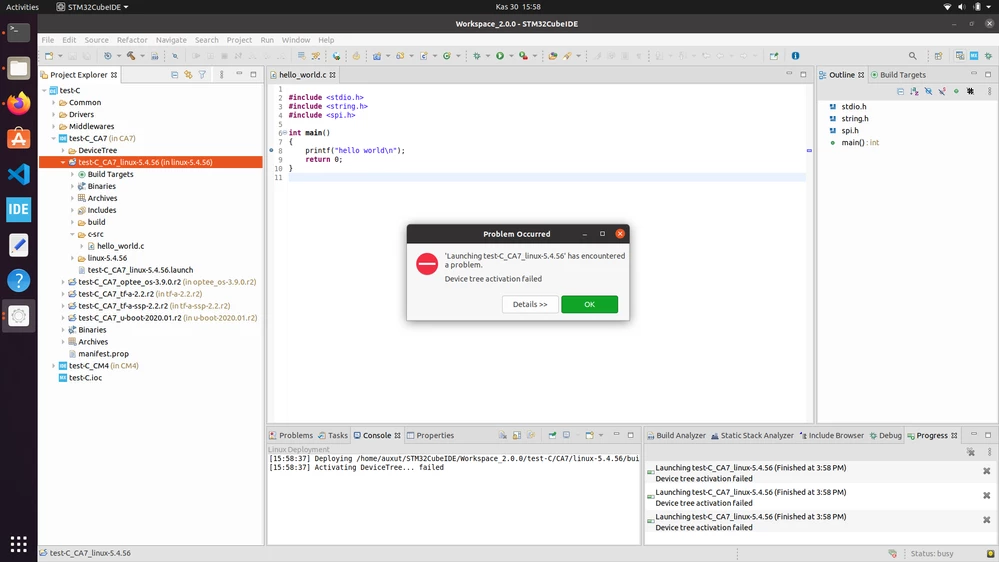
The problem is when i press : Run as -> STM33 Cortex-A Linux deployment it gives an error and says : " Activation DeviceTree... failed"
 0693W000006E2RVQA0.png0693W000006E2KfQAK.png0693W000006E2KfQAK.png0693W000006E250QAC.png 

I really dont know anything about this kind of work, i worked as a programmer but with visual studio, unity engine and unreal engine so this kind of environment is completely alien to me. Im sorry if this question is stupid or have an obvious solution/answer, but i have no one ask here to help me for this task.

This topic has been closed for replies.
Best answer by LudovicR

Hello @Mustafa Çerçi​ ,

For your information a new wiki article has been published on that giving I hope more details:

https://wiki.st.com/stm32mpu/wiki/How_to_debug_a_user_space_application_with_STM32CubeIDE

Let me know if it help,

Ludovic

3 replies

Olivier GALLIEN
Technical Moderator
November 30, 2020

Hi @Mustafa Çerçi​ ,

Seems you are not using the correct Debug Configuration .. your userspace app is then consider as a DeviceTree.

Select your project, right-click Debug as... > Debug Configurations.

Then create a C/C++ Remote Application debug configuration, double clicking on it.

Hope it help,

Olivier

Olivier GALLIEN In order to give better visibility on the answered topics, please click on 'Accept as Solution' on the reply which solved your issue or answered your question.
MÇerçi
MÇerçiAuthor
Associate III
December 1, 2020

Hi thanks again for the fast reply,

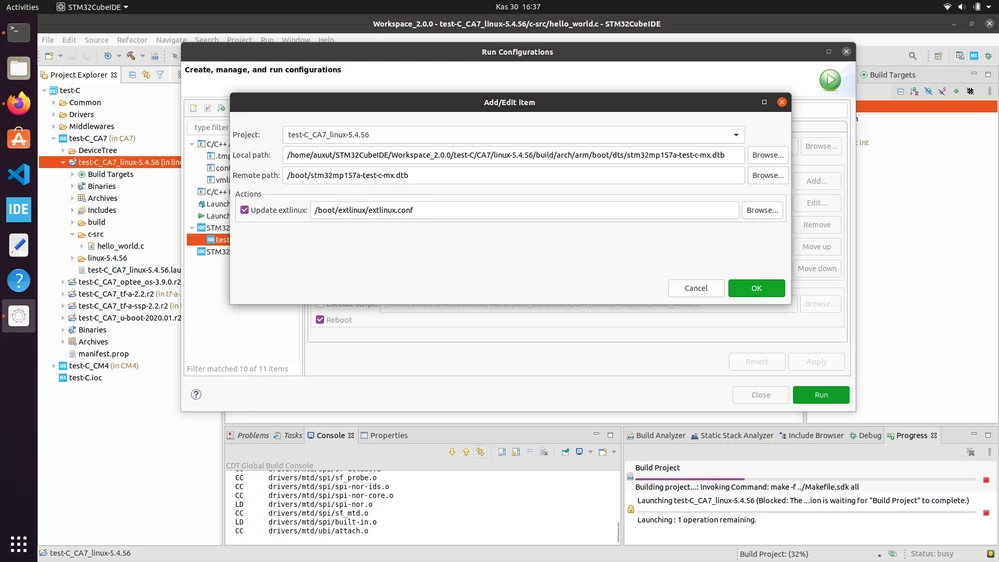
Then what should i choose other settings? do i have anything else to do because it seem like not working (sorry if i'm being annoying)0693W000006E89DQAS.png

LudovicR
LudovicRBest answer
ST Employee
December 1, 2020

Hello @Mustafa Çerçi​ ,

For your information a new wiki article has been published on that giving I hope more details:

https://wiki.st.com/stm32mpu/wiki/How_to_debug_a_user_space_application_with_STM32CubeIDE

Let me know if it help,

Ludovic

LudovicR
ST Employee
December 2, 2020

Hi @Mustafa Çerçi​ ,

The OpenSTLinux SDK provides you with the --sysroot= option set to the SDK rootfs.

It means you have access to the kernel header includes:

#include <linux/spi/spidev.h>

for example.

Rootfs is located in the toolchain: .../3.1-openstlinux-5-4-dunfell-mp1-20-11-12/sysroots/cortexa7t2hf-neon-vfpv4-ostl-linux-gnueabi/

Hope it help,

Ludovic

MÇerçi
MÇerçiAuthor
Associate III
December 4, 2020

ahh thank you sir! all this time i just need to create only a C project. I was trying to create STM32 Project then include OpenSTLinux into it and build a C project. I thought only way i can work with Cortex A7 core with that way, there must be a stm32 project and i need to to everything inside it. But it seems like if i had SDK it is enough you say.