

skawa.1
Associate
June 14, 2022
Solved

Unable to Download FlashLayout_sdcard_stm32mp157f-dk2-trusted.tsv using STM32 CubeProgrammer on Win10 host PC
  • June 14, 2022
  • 1 reply
  • 1092 views

0693W00000Nro2FQAR.png0693W00000Nro2eQAB.png 

I'm trying to download Starter Package to microSD card on STM32MP157F-DK2 via USB.

I clicked "Open file", selected "FlashLayout_sdcard_stm32mp157f-dk2-trusted.csv", pressed RESET button, clicked "connect" and tried to download.

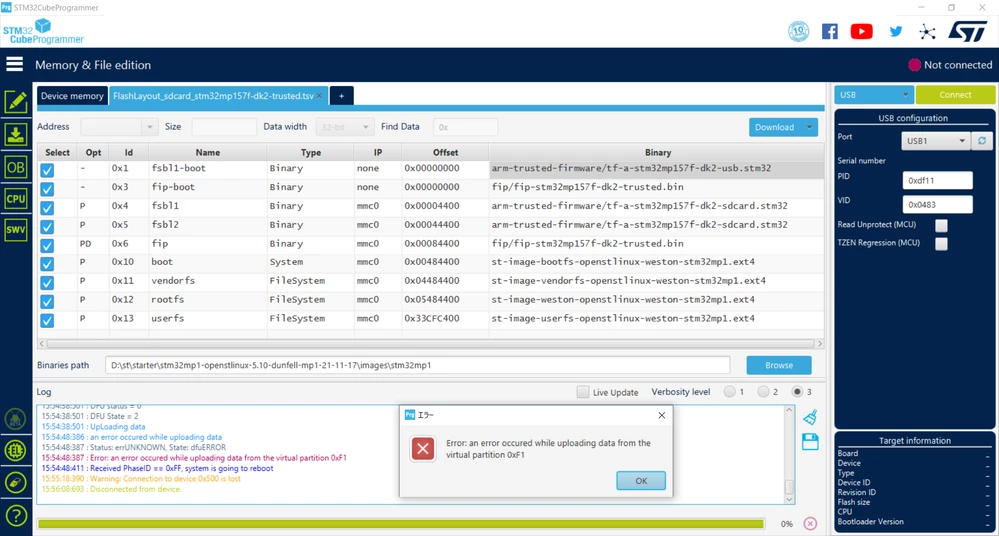
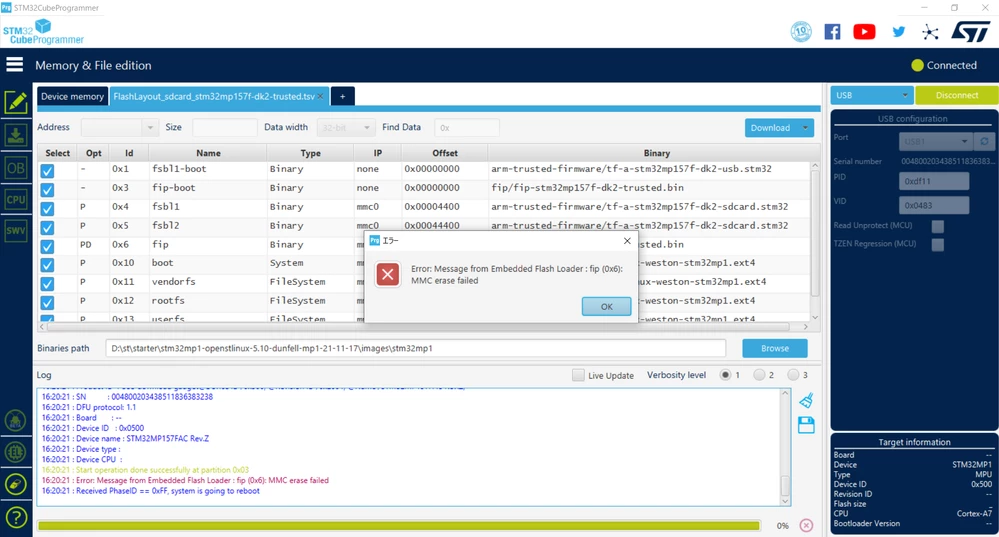
However, STM32CubeProgrammer showed the message "MMC erase failed", or "an error occured while uploading data from the virtual partition 0xF1".

Please tell me someone about what shall I do to remove these errors.

Note:

・Both DIPSW (BOOT0 and BOOT2) are set to OFF. ​

・I'm using Kingston 16GB microSDHC for downloading.

・I want to use the Programmer for WIndows10 not for Linux if possible.​

This topic has been closed for replies.
Best answer by skawa.1

This problem was resolved by fixing as follows:

・Change programmer from STM32Cubeprogrammer.exe (GUI) to ​STM32_Programmer_CLI.exe (CUI)

・Change microSD from Kingston to SanDisk

・Change​ the FlasyLayout file from FlashLayout_sdcard_stm32mp157f-dk2-trusted.tsv

to ​FlashLayout_sdcard_stm32mp157c-ev1-trusted.tsv

Thanks.

1 reply

skawa.1
skawa.1AuthorBest answer
Associate
June 15, 2022

This problem was resolved by fixing as follows:

・Change programmer from STM32Cubeprogrammer.exe (GUI) to ​STM32_Programmer_CLI.exe (CUI)

・Change microSD from Kingston to SanDisk

・Change​ the FlasyLayout file from FlashLayout_sdcard_stm32mp157f-dk2-trusted.tsv

to ​FlashLayout_sdcard_stm32mp157c-ev1-trusted.tsv

Thanks.