
Associate
March 7, 2025
Solved

add drivers BSP for STM32H735G-DK

  • March 7, 2025
  • 9 replies
  • 1985 views

I need to add the BSP libraries for the STM32H735G-DK board to enable display functionality. I have downloaded the STM32CubeH7 package and navigated to the Driver folder, where I selected my board and found the necessary BSP libraries.

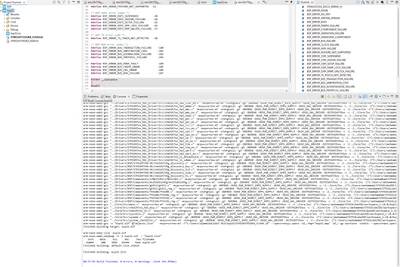
However, when I open STM32CubeIDE, go to Project Properties → C/C++ General, and attempt to add the BSP folder path, the IDE does not recognize the libraries. Instead, I only see the _htmresc file within the folder. Normally, when I open the directory manually, the libraries are present, but they do not appear within the IDE.
Best answer by KDJEM.1

Hello @zaidmoha;


For you project bsp32, I tested and you missed step4 "generate code" after enabling DMA2D.

Also for step 8, you forgot to keep "stm32h735g_discovery_errno.h" and "stm32h735g_discovery_conf_template.h" 

For step9, you messed to change the name file "stm32h735g_discovery_conf_template.h" to "stm32h735g_discovery_conf.h" 

Please use the same format for include path shared in step 13. it is recommended to use “/” and not the “\” in the paths.

I've corrected your project and you can find it the attachment.

KDJEM1_0-1741766061327.png

Are you testing my BSP project? I think it is working well and the steps for including BSP drivers are all detailed.

Thank you for your contribution in STCommunity.

Please click on Accept as Solution on the reply which solved your issue or answered your question.


Kaouthar


9 replies

KDJEM.1
Technical Moderator
March 7, 2025

Hello @zaidmoha and welcome to the community;


I recommend you to look at this FAQ: How to add a BSP to an STM32CubeIDE project

STMicroelectronics offers BSPs (Board Support Packages) for all STM32 Evaluation and Nucleo boards as well as Discovery Kits. In this article we will see how to add a BSP to your STM32CubeIDE project. 


I hope this help you.

Thank you.

Kaouthar

To give better visibility on the answered topics, please click on Accept as Solution on the reply which solved your issue or answered your question.
zaidmohaAuthor
Associate
March 7, 2025

Thank you for your response, much appreciated @KDJEM.1 . I have followed the steps as described in the article, but I am still unable to get it to work. Could you provide me with the correct download link for the BSP of my STM32H735G-DK board? The package I downloaded, cubeh7, does not contain the Inc and Src folders.

KDJEM.1
Technical Moderator
March 7, 2025

Hello @zaidmoha;


You can download the STM32CubeH7 via STM32CubeH7/Projects at master · STMicroelectronics/STM32CubeH7 · GitHub.

In the STM32CubeH7 directory go to the Drivers directory to find the BSP

KDJEM1_0-1741354942406.png

Now copy this directory and paste it into the Drivers folder of your Project in the other window.

Delete the rest of the folder and keep only "Components" and "STM32H735G-DK" ones which are relative to the STM32H735G-DK board.

Now go to the Components directory and keep only the folder used in your project.

For example if you need to use only the LCD you need to keep in the Components folder only "Common" Folder and keep only the LCD drivers.

KDJEM1_1-1741356225774.png

In the STM32H735G-DK, For display example, you can keep needs files as we won't use all of the features of the board.

KDJEM1_2-1741356449306.png

You can get inspired from BSP example in STM32CubeH7 package under this path "STM32Cube\Repository\STM32Cube_FW_H7_V1.12.1\Projects\STM32H735G-DK\Examples\BSP"


KDJEM1_3-1741356625700.png

Thank you.
Kaouthar

To give better visibility on the answered topics, please click on Accept as Solution on the reply which solved your issue or answered your question.
zaidmohaAuthor
Associate
March 7, 2025

hi @KDJEM.1 , Is it normal that when I download the master ZIP file and navigate to drivers - BSP - STM32H735G-DK, the folder appears empty? However, when I check online, I see that the libraries should be inside.

KDJEM.1
Technical Moderator
March 10, 2025

Hello @zaidmoha,

Could you please refer to this FAQ to download STM32Cube packages from GitHub correctly: Downloading STM32Cube packages from GitHub correctly - STMicroelectronics Community.

Also you can download the STM32CubeH7 from STM32CubeMX or from here.

KDJEM1_0-1741593388683.png

KDJEM1_1-1741593441438.png


Thank you.

Kaouthar 

To give better visibility on the answered topics, please click on Accept as Solution on the reply which solved your issue or answered your question.
zaidmohaAuthor
Associate
March 10, 2025

Hello @KDJEM.1 , I really appreciate your availability, but i checked, and it shows me that the packages are already installed.stm32.PNG

KDJEM.1
Technical Moderator
March 10, 2025

Hello @zaidmoha,


Thank you for updating this post and glad to know that the STM32CubeH7 is already installed.

Now, I recommend you to refer to my replies and the steps shared in my comments to add the BSP drivers.

If you get any build error, please don't hesitate to share the error and your project.


Thank you.

Kaouthar 

To give better visibility on the answered topics, please click on Accept as Solution on the reply which solved your issue or answered your question.
zaidmohaAuthor
Associate
March 10, 2025

cube.PNG

KDJEM.1
Technical Moderator
March 10, 2025

Hello @zaidmoha;


Please share your project, as I mentioned in my latest reply.

Make sure that you add the include paths for BSP drivers. 

KDJEM1_0-1741607455774.png


Thank you.

Kaouthar


To give better visibility on the answered topics, please click on Accept as Solution on the reply which solved your issue or answered your question.
zaidmohaAuthor
Associate
March 10, 2025

paths.PNG

zaidmohaAuthor
Associate
March 11, 2025

hello @KDJEM.1 , I added all the libraries, but it still doesn't work. How can I attach the project? Why does it say the maximum is 250MB?

KDJEM.1
Technical Moderator
March 11, 2025

Hello @zaidmoha,


You can compress your project on format .7Z and drag and drop to add your project.


I made some test and I'm able to add BSP drivers. Please follow these steps in the below to add BSP drivers:

1- Open STM32CubeMX, click on “access to board selector” and choose "STM32H735G-DK" board.

2- Click “yes” on initialize all peripherals with their default mode.

KDJEM1_0-1741690945746.png

3- Enable DMA2D

KDJEM1_1-1741690983022.png

4- Click on project manager and generate code:

KDJEM1_2-1741691073263.png

5- Create a BSP folder in your project as shown in the below figure:

KDJEM1_3-1741691226644.png

6- Copy Components and STM32H735G-DK folders from STM32Cube\Repository\STM32Cube_FW_H7_V1.12.1\Drivers\BSP to \BSP\Drivers\BSP 

7- In the Components folder keep these folders

KDJEM1_4-1741691418976.png

8- In STM32H735G-DK keep these files:

KDJEM1_5-1741691874614.png

9- Rename files

Old file name New file name Location 
ft6x06_conf_template.h ft6x06_conf.h \BSP\Drivers\BSP\Components\ft6x06
ft5336_conf_template.h ft5336_conf.h \BSP\Drivers\BSP\Components\ft5336
gt911_conf_template.h gt911_conf.h \BSP\Drivers\BSP\Components\gt911
mx25lm51245g_conf_template.h mx25lm51245g_conf.h \BSP\Drivers\BSP\Components\mx25lm51245g
s70kl1281_conf_template.h s70kl1281_conf.h \BSP\Drivers\BSP\Components\s70kl1281
stm32h735g_discovery_conf_template.h stm32h735g_discovery_conf.h

\BSP\Drivers\BSP\STM32H735G-DK

10- Open mx25lm51245g_conf.h file under \BSP\Drivers\BSP\Components\mx25lm51245g and add:


#define CONF_OSPI_DUMMY_CYCLES MX25LM51245G_CR2_DC_6_CYCLES


11- Open mx25lm51245g_conf.h file under \BSP\Drivers\BSP\Components\mx25lm51245g and change:


#include "stm32xxxx_hal.h


 By


#include "stm32h7xx_hal.h"


12-  Open s70kl1281_conf.h file under \BSP\Drivers\BSP\Components\s70kl1281 folder and change:


#include "stm32xxxx_hal.h


By


#include "stm32h7xx_hal.h"


13- Add these paths as shown in the below figure:

KDJEM1_6-1741692638816.png

You can find my project test in the attachment.

Thank you.

Kaouthar


To give better visibility on the answered topics, please click on Accept as Solution on the reply which solved your issue or answered your question.
zaidmohaAuthor
Associate
March 11, 2025

hi @KDJEM.1 , Here, I'm sending you the project. It gives me the same error, and I don't know why.

KDJEM.1
KDJEM.1Best answer
Technical Moderator
March 12, 2025

Hello @zaidmoha;


For you project bsp32, I tested and you missed step4 "generate code" after enabling DMA2D.

Also for step 8, you forgot to keep "stm32h735g_discovery_errno.h" and "stm32h735g_discovery_conf_template.h" 

For step9, you messed to change the name file "stm32h735g_discovery_conf_template.h" to "stm32h735g_discovery_conf.h" 

Please use the same format for include path shared in step 13. it is recommended to use “/” and not the “\” in the paths.

I've corrected your project and you can find it the attachment.

KDJEM1_0-1741766061327.png

Are you testing my BSP project? I think it is working well and the steps for including BSP drivers are all detailed.

Thank you for your contribution in STCommunity.

Please click on Accept as Solution on the reply which solved your issue or answered your question.


Kaouthar


To give better visibility on the answered topics, please click on Accept as Solution on the reply which solved your issue or answered your question.
zaidmohaAuthor
Associate
March 12, 2025

Thank you very much @KDJEM.1 , it's perfect! Now it's working without errors using your project. But if I wanted to write my own code, how should I do it? Will I always have to create a project with the board and not with the microcontroller?

KDJEM.1
Technical Moderator
March 12, 2025

Hello @zaidmoha


Glad to know that your issue is solved. For that, please click on Accept as Solution on the reply which solved your issue.

If you want to add your own code, you can do so in the main.c and main.h files.

My shared project uses the STM32H735G-DK board where STM32H735IGKx MCU is mounted. 

KDJEM1_0-1741770748393.png

When you start your project with STM32CubeMX, you can choose to start project from MCU or from board.

KDJEM1_1-1741770846105.png


If you have any other question please create a new post.


Thank you.

Kaouthar

To give better visibility on the answered topics, please click on Accept as Solution on the reply which solved your issue or answered your question.
zaidmohaAuthor
Associate
March 12, 2025

@KDJEM.1 So it doesn't matter if I create the project from the board or the MCU, right?

KDJEM.1
Technical Moderator
March 12, 2025

Hi @zaidmoha,


Yes, but if you use a board it’s recommended to create your project from the board.

This allows you to benefit from configurations that have already been initialized by default, such as the LTDC with the STM32H735G-DK board.

KDJEM1_0-1741772007463.png


Thank you for your contribution in STCommunity.

Kaouthar


To give better visibility on the answered topics, please click on Accept as Solution on the reply which solved your issue or answered your question.
zaidmohaAuthor
Associate
March 12, 2025

hi @KDJEM.1 , I use the STM32H735G-DK, but when using the board for createt a project, I don't see the pins.