Solved
Autocomplete not working on IDE v2.0.0
Autocomplete is not working on v2.0.0, also didn't work on v1.19.
MacOS 15.5
Macbook Pro 16"
2,3 GHz 8-Core Intel Core i9
Any suggestions?

Autocomplete is not working on v2.0.0, also didn't work on v1.19.
MacOS 15.5
Macbook Pro 16"
2,3 GHz 8-Core Intel Core i9
Any suggestions?
Hello
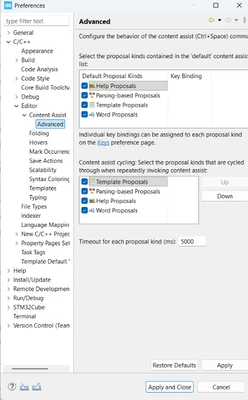
On macOS, Ctrl + Space is NOT handled by STM32CubeIDE — it is intercepted by macOS because it is the default shortcut for “Change Input Source”.
This is why Content Assist does not appear in CubeIDE.
You need to change macOS shortcut:
- Open System Settings
- Go to Keyboard → Keyboard Shortcuts
- Open Input Sources
- Disable or change the shortcut for: Select the previous input source ; Select the next input source
After disabling it, restart STM32CubeIDE and Ctrl+Space will work normally.
I will be waiting for your feedback.
Thanks.
Mahmoud
Enter your E-mail address. We'll send you an e-mail with instructions to reset your password.